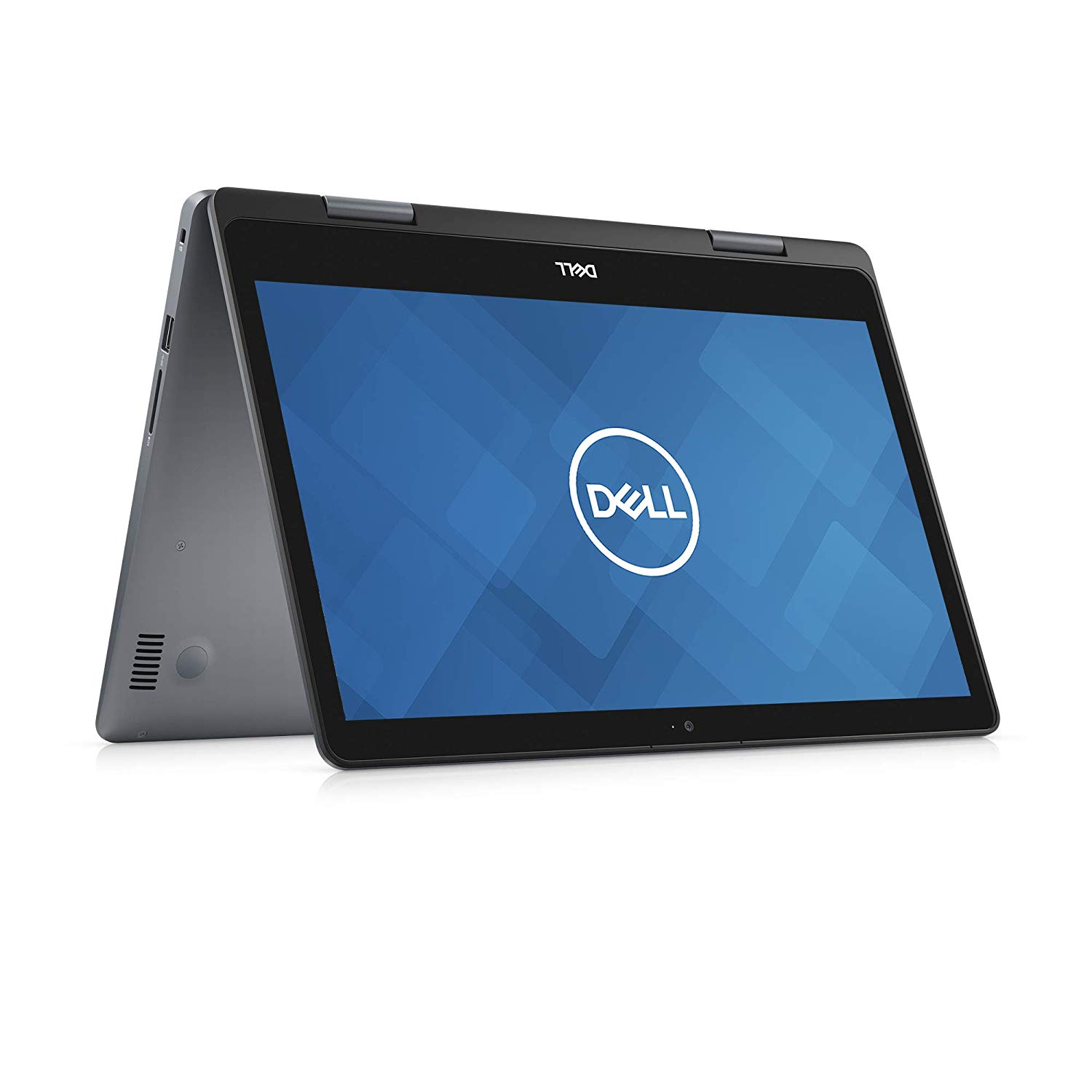










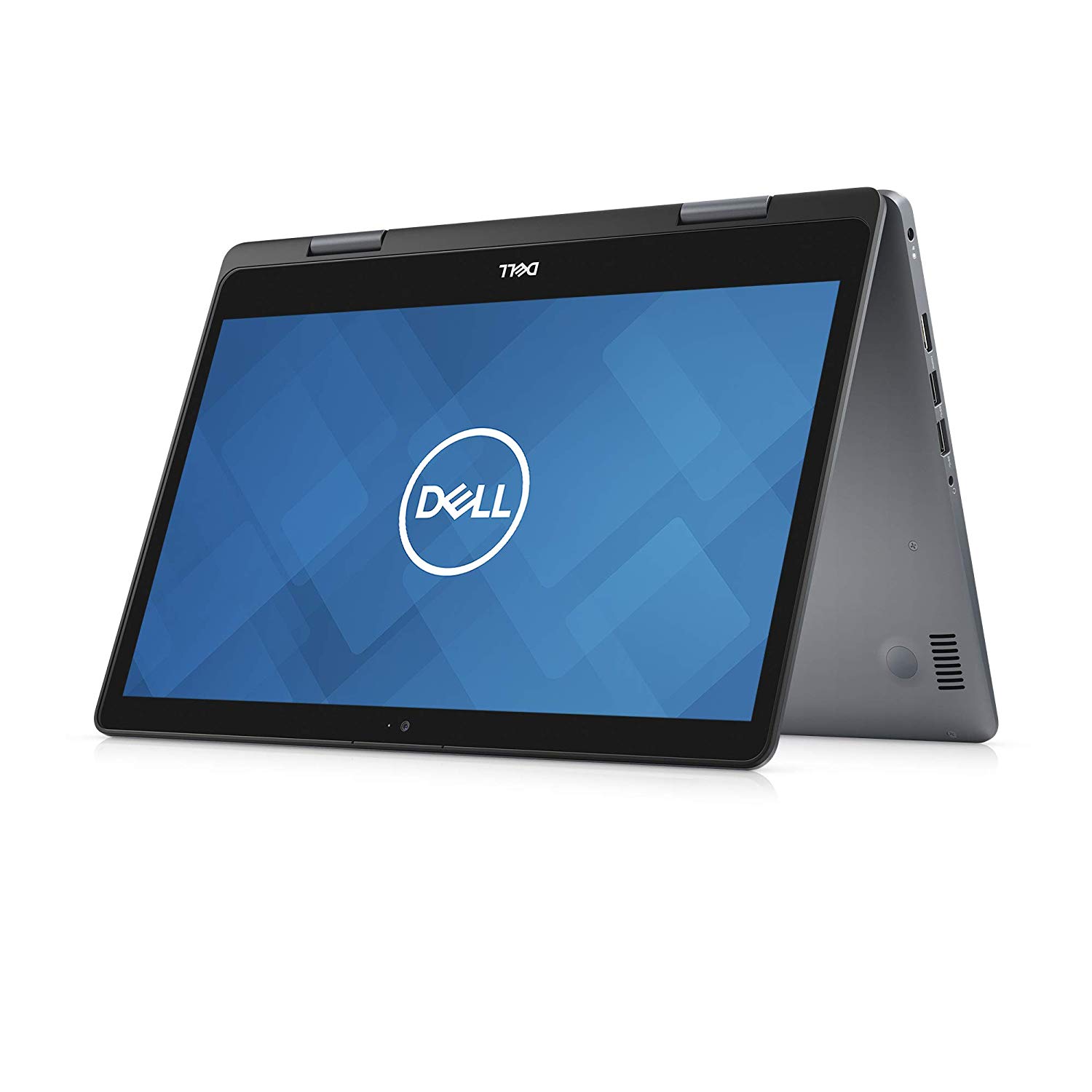
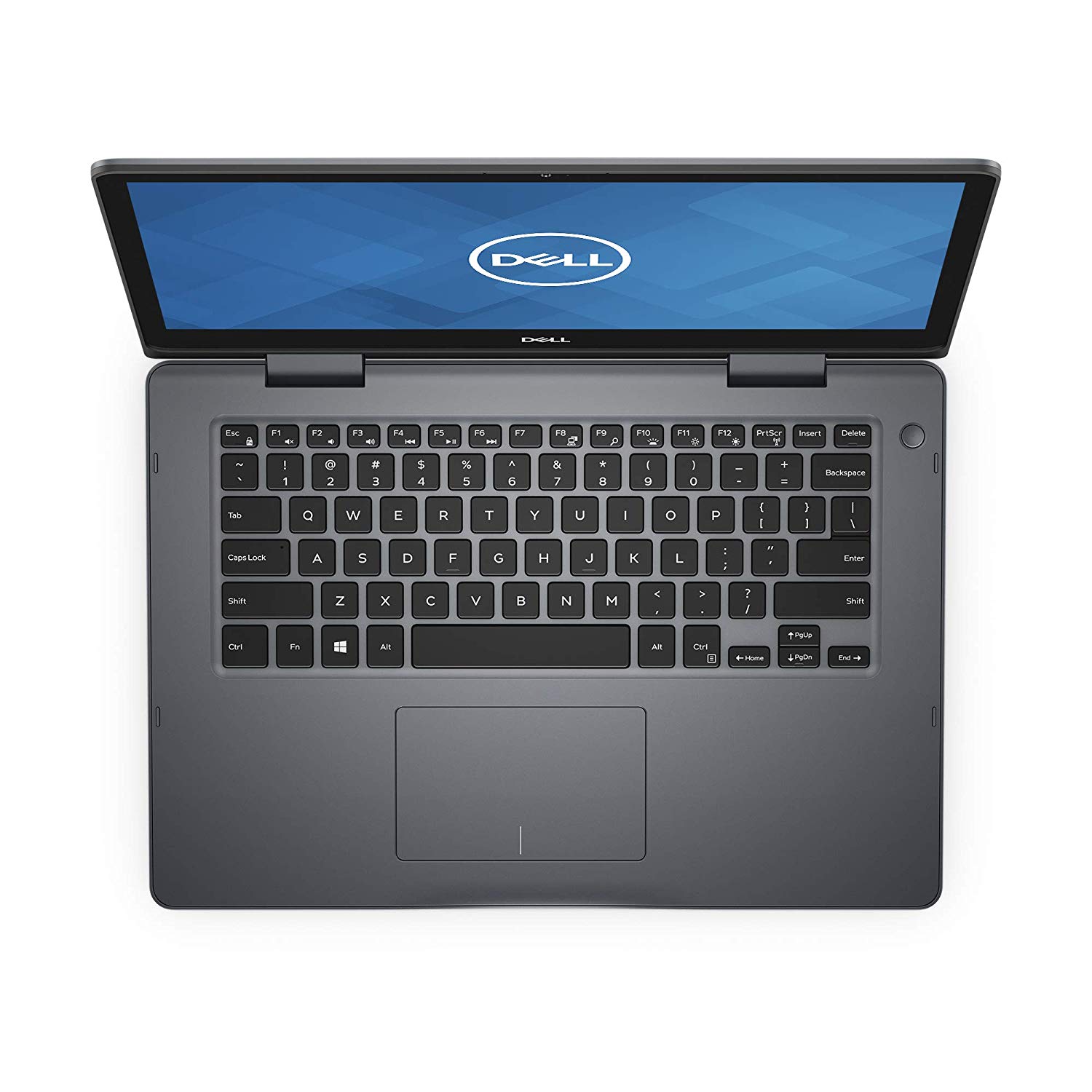
Dell Inspiron 14 5482 (2In1)|14.0-Inch FHD (1920 X 1080) IPS Touchscreen | Intel Core i5 Processor | 8GB Mem| 256SSD, 14-14.99"
Write a review
$59400

Dell Inspiron 14 5482 (2In1)|14.0-Inch FHD (1920 X 1080) IPS Touchscreen | Intel Core i5 Processor | 8GB Mem| 256SSD, 14-14.99"

Write a review
B07N1DQXMJ
i5
+
Add to wish list
Processor BrandIntel Hard Drive256 GB Flash Memory Solid State Processor3.9 GHz Core i5 Family
Starget Electronics is a leading online electronics store offering a wide range of gadg...

City: US, New York

Delivery
Pickup at your own expense
Tomorrow from 09:00 to 20:00, Store location
Free
Payment options
Apple Pay Google Pay Mastercard Visa
Cash, bank card, credit/installment payments, cashless payment for legal entities
Warranty and returns
Exchange/return of products of proper quality within 14 days Official manufacturer's warranty: 12 months
Features
general
Item Dimensions
9.17 x 13.22 x 0.8 inches
Item model number
BBY-NDYYXFX
Item Weight
3.97 pounds
Operating System
  • Windows 10 Home
Processor Brand
Intel
Series
i5482-5267SLV-PUS
Style
i5
USB 2.0 Ports
1
USB 3.0 Ports
2
Hard Drive
256 GB Flash Memory Solid State
Batteries
1 Lithium ion batteries required. (included)
Brand Name
Dell
Processor
3.9 GHz Core i5 Family
RAM
8 GB DDR4
Processor Count
1
Description
This fits your .
Make sure this fits by entering your model number. Fun and functional 2 in 1 laptop Enough storage to make everything you do fast, smooth and easy Ample power and storage for all your entertainment, projects and more. Intel Core i5 Processor
Reviews
3.6
Reviews: 20
5 stars
55%
4 stars
0%
3 stars
15%
2 stars
5%
1 star
25%
Reasonable Reviewer
5
I received this computer specifically to write a review. That said, I try to be honest and open in all my reviews. (Please see the enclosed pictures.) This is an amazing machine from Dell. My last Inspiron lasted for over ten years. The quality of the brand speaks for itself. The first thing I noticed was how light this machine is. My Win 10 machine from two years ago weights at least twice as much as this laptop. I do a lot of artwork on my computer. Having an appropriately sensitive touch screen is critical for my creative programs. The sensitivity to location and pressure were phenomenal. (You can see the machines specs in the pictures.) Then, I did a speed trial using a common video encoding program. Again, this computer beat the pants off of the previous Win 10 machine. While it takes my old machine nine hours to encode a sample film into DCP format, this new computer was able to do it in less than four hours. Wow! Just wow! There are a variety of ports on the machine including: an SD card slot, two USB C inputs, one USB C input, an HDMI out, and an earphone out. All in all this is a magnificent machine, and I give it my highest rating.
Willie
5
great convertible laptop with touchscreen... fast booting very nice, lots of storage... unfortunately, DELL doesnt ship with a choice of OS to use, so heres how i did it (see below)... the laptop has a nice bright screen with adjustable keyboard lighting, plenty of USB ports, and an SDHC port, along with HDMI... my unit arrived with no protective wrapping in the box, but was undamaged (it looked like the laptop arrived straight from DELL and was then plopped into a shipping box with a smile... Windows 10 isnt too bad, but i have other fish to fry and prefer to have a choice... the biggest hurdle is swapping the storage management of the 512GB SSD from a RAID configuration to AHCI. This must be done because GNU/Linux cannot run its installer [specifically partitioning tools] for a dual-boot system on an existing RAID-configured Windows 10 system. The idea is to change the scheme, then use Windows to partion the disk, then run the GNU/Linux install. heres how to do the storage management scheme swap and not hork your Windows 10 install; and on that topic, if you do run into problems, you can always recover this laptop to its original factory condition by pressing F12 at the Dell logo, then selecting the restore option; this is handy in case you have trouble with any disk management issues - Dell really should give a consumer roadmap to the SSDs partitioning scheme, and indicate which partition holds the OS restore to avoid accidental overwrite): 1. run msconfig.exe and set boot to Safe Mode 2. boot to Safe Mode, then reboot to the BiOS by tapping F2 at the Dell logo 3. scroll down to System Configuration, then SATA Operation and set to AHCI, apply and exit 4. boot to Safe Mode, and run msconfig.exe again to set normal boot 5. reboot again, and keep your fingers crossed (it worked on this Dell 14 5000) Next, make room for GNU/Linux by using the Windows+X key, select Disk Management, select OS (C:) and shrink it (i used 200GB, which is more than enough for GNU/Linux). I then used Rufus to make a bootable Ubuntu USB using the very latest Desktop version (Ubuntu 18.04.2 LTS, good thru 2023), popped it into a slot, then rebooted to BIOS, went to General->Boot Sequence, changed the Boot order to the USB drive, applied changes and exited. Booted to Ubuntu live. Everything worked: sound, network, backlight keyboard, display brightness, touchpad, etc. Clicked on the install icon on the Desktop, then selected to install a dual-boot system, with Ubuntu installing the GRUB boot loader to offer GNU/Linux or Windows boot. The empty disk space was recognized as partition7 and I assigned it as root (/) - no fancy partitioning schemes needed for me... Installed and rebooted, then saw the GRUB bootloader screen with Ubuntu first and Windows second. Both work fine! I will do more testing to see how well Ubuntu works with the touchscreen, but for now its very nice to be able to use both operating systems on this hardware. I say that Dell has done a good job here, and once you figure out the RAID hurdle, life is good. Its all about choice, right? Five stars for this notepad, highly recommended, as it readily supports an alternative operating system
LT
5
If there are two main points I want to convey about this laptop, they are- 1.) This laptop is EXTREMELY FAST. Everything is absolutely instant. I dont know if this laptop has a little wheel that spins when it is thinking because Ive never had it spin. You know how when you uninstall a program for example, you wait for at least a few seconds... Yeah not with this laptop, its INSTANT. When I set it up I had a few hundred GBs of files being transferred on to it, meanwhile I was installing programs and uninstalling programs and it never even slowed down. It is unreal how fast this thing is. 2.) This laptop is gorgeous. The design is stunning. The functionality of using it as a tablet, or standing it up, or a laptop is awesome. For a few years Ive been contemplating if I even need a computer since I do most everything on my phone. And to be honest, no I dont need a computer. But after owning this for a few weeks I LOVE and WANT this laptop! I use it almost every night for things I could do on my phone, but I am doing them faster and on a nice big touch screen because of this laptop. Some other pros and cons Pros: -TOUCH SCREEN. It makes this a tablet when you want it to be. Every other device we use is touchscreen so it has become natural to want to touch. The screen auto rotates between portrait or landscape mode too. Finally the windows 10 shortcuts are nice. -SPECS. I would just say if you are not a computer person or dont know if "Intel i7 4.6ghz-8GB Memory- 512 GB SSD" is good or not, It is amazing. It is like a Ferrari. Put another way, if you dont know if the specs are good, they are more than good enough for anything you could ever want to use this computer for. Even gaming. It has a ton of harddrive space (512gb) an extremely fast hard drive (having a solid state drive is really important for speed) plenty of ram (8gb you can go up to 16gb) and an insanely fast and powerful processor (8th Gen i7) Cons: -WINDOWS 10. You might not like it at first because it is a little different from other windows operating systems. But it has more functionality when you get used to it. Its hard to change after thousands of hours on more traditional windows operating systems. Give this time and you will like it. The biggest complaint about windows 10 is that its slow. Not a problem with this ridiculously fast machine! -BLOATWARE. The computer came with a lot of garbage and games pre-installed. Fortunately with Windows 10 it is super easy to uninstall. Literally you just right click, uninstall. -NO CD DRIVE. This is common on a lot of laptops and all-in-ones but as someone that does still get a few occasional audio cds it is annoying that I cannot "rip" them to my computer. Not a big problem, buy a external CD drive for $20-$30.
Bookenator
5
Lets start with what I didnt like. Its heavy. Not heavy for a laptop, but heavy for a tablet, which its trying to be half the time. You fold the screen over and, voilà, its a tablet. But an oddly heavy one, so not really practical in the way a tablet would be. The flip side is that its more powerful and practical than just a tablet. Nice keyboard, great display, and even the built in speakers sound good. It would have been nice if it included a pen and a place to store it, but out of the box its a nice laptop with pretty much all the features and power most people would expect. Worth checking out.
JPO
3
MS Office Home 2019 comes as a preinstalled TRIAL version. You must pay Dell $249.99 to activate it. You cannot uninstall it (and install your own version/license). It does not appear in Control Panel/Programs. AND, Dell will charge you $239.99 to have one their techs uninstall it!!! Also, make sure to take "ownership" of the laptop after you purchase. If you dont do this, the owner will be a vendor in Arizona, complicating the whole affair. There seems to be a lack of transparency here. These facts should be clearly articulated in Amazons product description. All that being said, its an excellent device.
Jman33
1
This is a review from someone who actually paid money for this laptop. Great specs, great keyboard and display. I really wanted to love this laptop, but it gets absurdly hot. Simple web browsing causes the bottom to heat up quickly. The area above the function keys get just as hot. After only about 10 minutes of use, the keyboard also started to get warm.
James Beswick
5
I used to like Dell and then a few years back the quality declined and the machines didnt compare well to many competitors. Unboxing this unit, my expectations werent high but I was quickly delighted to find they are back in the game, and this is nothing like the slew of plasticky, slow, bulky Dells Ive been used to seeing. Out of the box, this is small sleek device with minimal packaging. Mine was not charged prior to arrival but it started straight away after hooking it to an outlet. The Windows 10 installation leaves a lot to be desired but thats really a Microsoft issue. Dell hasnt bloated the OS too aggressively (there are some support apps and an easily-disabled McAfee subscription) but Microsoft adds Candy Crush, XBox, Cortana and a whole raft of applications you dont need (almost a gigabyte in total). One problem I encountered was the WIndows software was not activated - a 15 minute call to Dell support resolved the issue and the technician remote-piloted the machine smoothly. The unit itself has an average weight of around 4 pounds but the 14" screen size makes it easy to slip into almost any bag. The screen is really excellent and its easy to forget youre typing on something this small, especially with the responsive, comfortable keyboard. The touchpad is also first class, supporting all the common two-and-three finger maneuvers, and not exhibiting any loose hardware or accidental tapping when typing. The tablet mode is a gimmick in my opinion but its a matter of personal preference. You can spin the screen all the way around and use this as a writing pad (no pen supplied). You can also tent the display for watching movies or video. In the tablet position, the screen seems enormous and the keyboard is exposed on the reverse side. Ive never found a good reason to use the laptops in this position but if you prefer this mode, it operates just fine and the multi-touch display is highly responsive. Between the i7 processor, 8GB RAM and capable 250GB SDD, this is a very fast machine that handled all my tests. From browsing with 40-50 tabs to Microsoft Office tasks and running VS Code and Photoshop, it kept pace with everything I was doing. The battery life can always be better on these Windows machines, and it ranges from 4-8 hours depending on the power settings and your usage. I never found the heating fan activating constantly or any of the usual issues I see with mid-range laptops. I was impressed with the Dell technical support which was both fast and efficient and leagues away from experiences of the past. The build quality is really remarkable and its hard to fault anything in the hardware. If youre looking for a premium quality machine under a thousand dollars, this should be right at the top of your list.
LH
1
It is a scam, they have double descripción on the Item, basically in the title describes better specifications then when you receives the laptop noticed lower monitor diez, RAM and SSD charasteristics. Very disappointed.
Advanced Medical - CPRx
1
Alexa does not work, and the battery dies in 2 hours, and finally, I have not been able to get the Audio to work since purchased and today after 5 hours, Dell could do nothing. I know a little bit about Audio hardware and Real Audio software, and neither works. This is not a good machine
S. mills
3
Seems nice so far but initially only Microsoft products are permitted to be downloaded. You have to switch to windows 10 to sign out of s mode. This is too complicated although I did it.

Showing 10 of 20 reviews

Product variations
Column filling
Sort by Price Sort by Availability Sort by CODE Sort by Style Sort by RAM Sort by Processor
$39800
In stock
+
B07P4LFDT7
Style:
i3
RAM:
4 GB DDR4
Processor:
3.9 GHz Core i3 Family
$79900
In stock
+
B07JXTFJVB
Style:
i7
RAM:
8 GB DDR4
Processor:
4.6 GHz Intel Core i7
$59400
In stock
+
B07N1DQXMJ
Style:
i5
RAM:
8 GB DDR4
Processor:
3.9 GHz Core i5 Family
You may be interested
  • Bestsellers
  • Recently Viewed
 
Similar products
Fast and high quality delivery

Our company makes delivery all over the country

Quality assurance and service

We offer only those goods, in which quality we are sure

Returns within 30 days

You have 30 days to test your purchase