
















Samsung XE500C13-K03US Chromebook 3 - 11.6 HD - Celeron N3060 - 4GB - 16GB SSD
Write a review
$18400

Samsung XE500C13-K03US Chromebook 3 - 11.6 HD - Celeron N3060 - 4GB - 16GB SSD

Write a review
B073WQSB12
+
Add to wish list
Hard Drive16 GB flash_memory_solid_state Processor BrandIntel Processor1.6 GHz Intel Celeron D
Target is a general merchandise retailer with stores in all 50 states and the District...

City: US, New York

Delivery
Pickup at your own expense
Tomorrow from 09:00 to 20:00, Store location
Free
Payment options
Apple Pay Google Pay Mastercard Visa
Cash, bank card, credit/installment payments, cashless payment for legal entities
Warranty and returns
Exchange/return of products of proper quality within 14 days Official manufacturer's warranty: 12 months
Features
Graphics Coprocessor
Intel HD Graphics 400
Item Dimensions
11.4 x 8 x 0.7 inches
Item model number
XE500C13-K03US
Item Weight
2.87 pounds
Operating System
  • Chrome OS
Series
Samsung xe500c13-s02us
Wireless Type
802.11ac
RAM
4 GB DDR3 SDRAM
Hard Drive
16 GB flash_memory_solid_state
Batteries
1 Lithium Metal batteries required. (included)
Brand Name
Samsung
Processor
Processor Brand
Intel
Processor Count
1
Processor
1.6 GHz Intel Celeron D
USB
USB 2.0 Ports
2
USB 3.0 Ports
2
Description
This fits your .
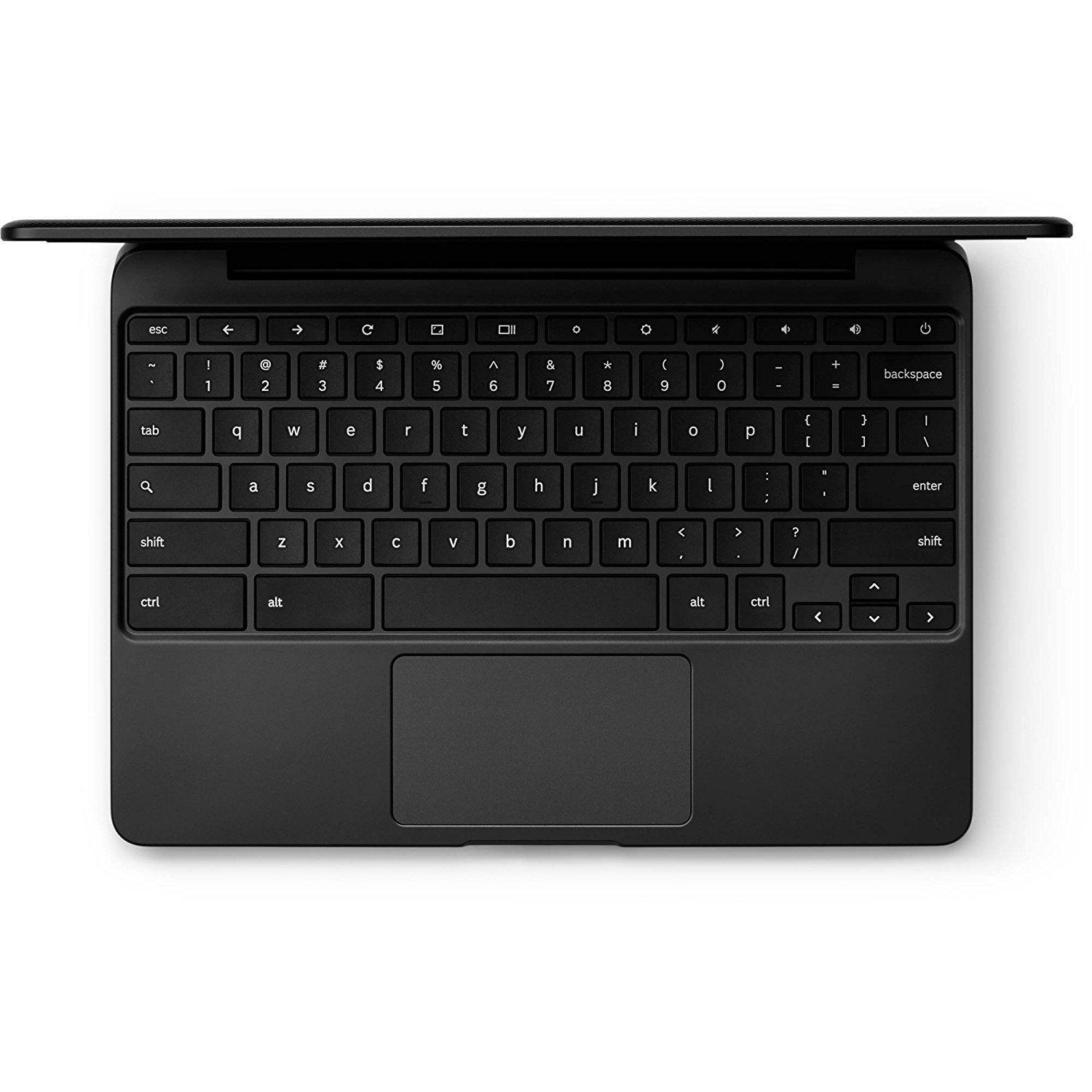
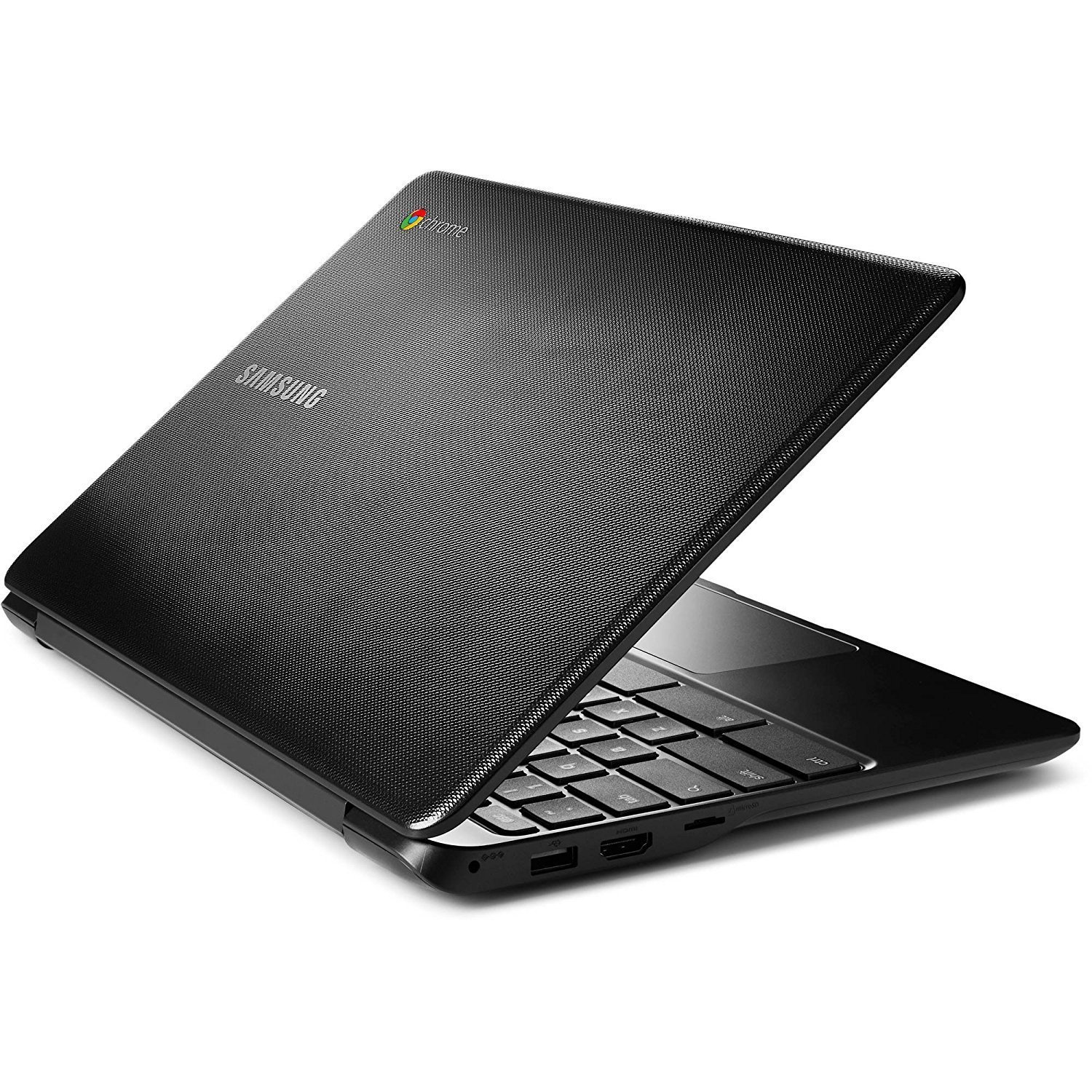
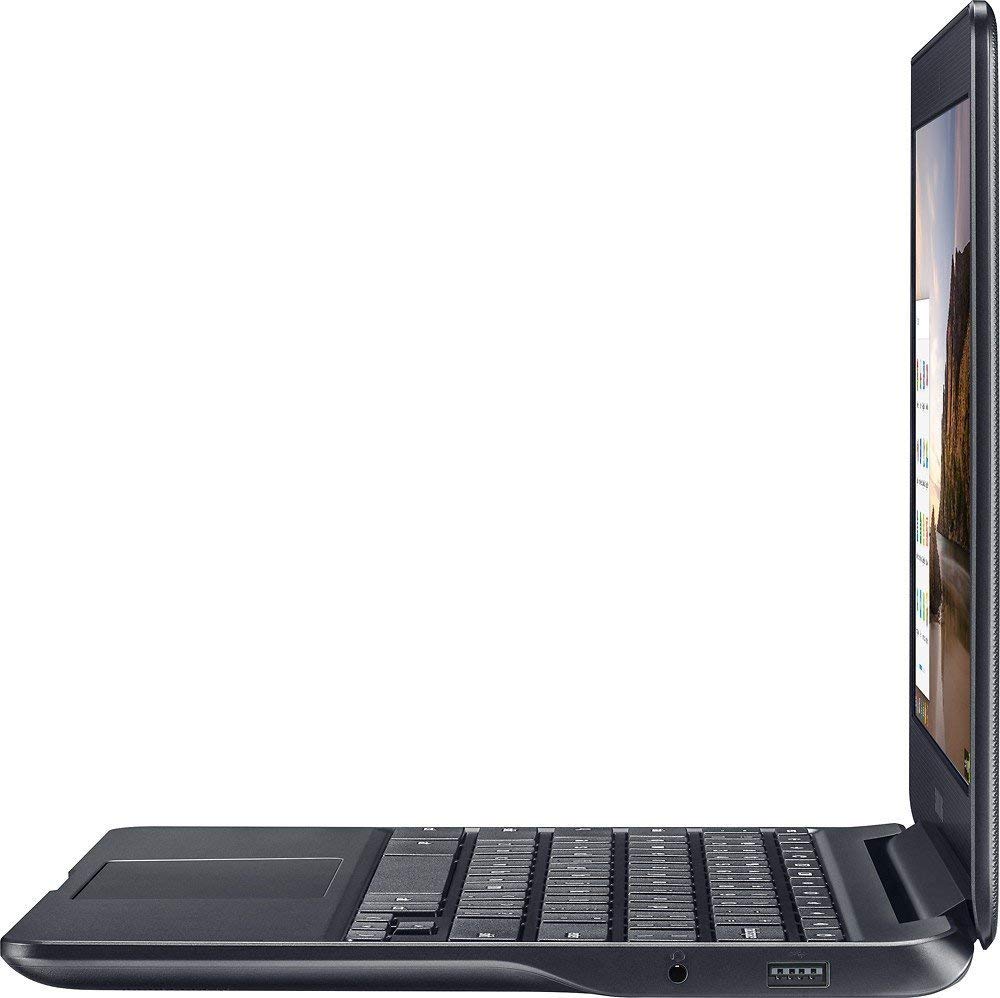
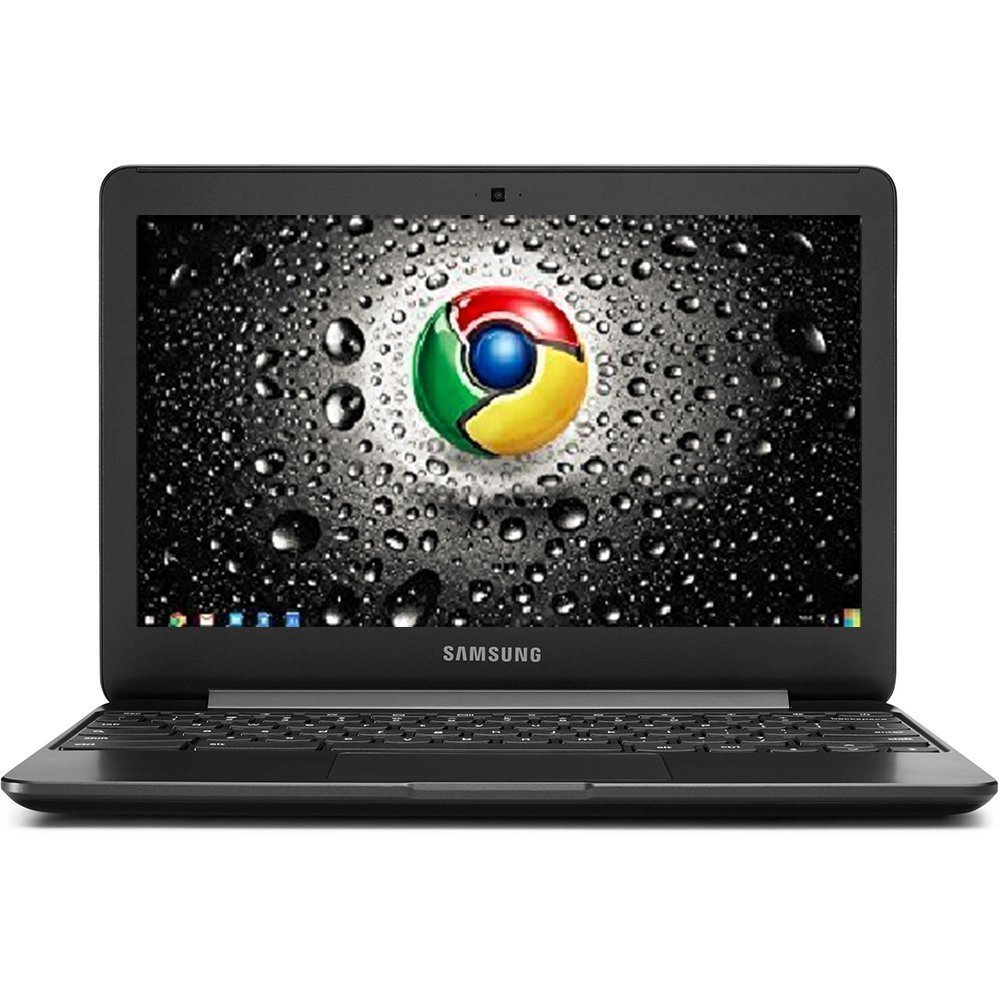
Make sure this fits by entering your model number. 11.6" Display, Google Chrome OS, Intel HD Graphics, built-in virus protection and Google products Intel Celeron Processor N3060, 4GB memory, 16GB eMMC storage Wi-fi, Bluetooth, USB 3.0, built-in card reader, built-in webcam, HDMI Weighs 2.54 lbs. 0.7" Thin, headphone/Microphone combo jack Does not include a built-in DVD/CD drive, built-in cloud support
Reviews
4.1
Reviews: 20
5 stars
60%
4 stars
20%
3 stars
0%
2 stars
5%
1 star
15%
Mike
5
I bought this because trying to use my Nexxus tablet to browse the Web was a nightmare, even after a full factory reset. PROS - While sitting on a recliner, the machine works great ergonomically. - Features a fully featured version of Chrome and Google Apps, not the dumbed down, functional but annoying Android versions. Chrome on the Chromebook fully mirrors Chrome on my two desktops. - It has enough capacity to run Chrome and Webapps without any major issues. A little slower than a desktop maybe but not terribly so. - Very light weight. IT IS WHAT IT IS - the keyboard is functional. Its a little smaller than Id prefer but thats an expected trade-off. CON - There is no option for a simplified waking password. You need to type in your real Google password anytime you to wake it up. Mine is quite involved so its involved every time. You can set it so your phone unlocks when nearby but that doesnt always work. With a lot of flutzing, you can get your cell phone to sort of unlock it... sometimes. Though maybe its my iffy Huawei phone. TIPS Once the updates downloaded and I rebooted the machine, it was fully functional. Stuff like Android Play store and phone unlocking wouldnt work until I rebooted after the updates. Google how to use a Chrome mousepad. Knowing how and when to use two and three fingers really makes Web browsing much easier. You can even right click to pin tabs (Gmail, Calendar, etc) you want to keep up permanently. OVERALL This a great value for the money. I am extremely pleased. Easily the best of this sort of thing that I have ever owned. UPDATE I still LOVE this machine. And now its even $30 cheaper than when I bought it. Yesterday I installed the Linux version of Blender for a night class. It took some hacking skills but eventually I got it running. Though once installed, it wasnt the best experience; I had to reboot a few times, but it was much better than I expected. Ill use my real computer for all my Blend-ing outside of class. But Blender running pretty good on a $200 machine!
Jill Gallagher
5
this light little thang has a battery that lasts for days, it boots up in seconds and is superfast. i use it as my bedside computer so im just messing around on facebook etc. at night - no work being done on this. but if you need a casual or web-based computer thats crazy lightweight, this is perfect
Eric
5
I’ve always purchased laptops in the past, but am really happy with this Chromebook. It loads pretty darn quickly and offers the bare necessities required for mobile computing. I had the thing figured out while playing with it for a couple hours after it arrived on my doorstep--really basic system. So you are going to need a Google e-mail account to get started. The system will ask for one when it first loads. From that point on it’s pretty simple. What I like about this Chromebook: Overall a slick design--thin and contoured. Very lightweight and compact in size. This easily fits in my small backpack. It powers up when you raise the screen. It took me a few tries to figure this out--no need to press the power button. The initial screen is simple and offers several options, from opening programs to configuring the system. It’s a very basic format all the way around and should be easy for anyone to understand. Everything loads reasonable fast. The OS and browser open and operate quickly. The screen is small but adequate and is good and bright. I still use my reading glasses, but this is a big step up from looking at the 7” screen on my Kindle Fire. The touchpad works perfectly as far as I’m concerned. The keyboard works well, though I’m learning how to use it since it is smaller than a standard keyboard. The keys are responsive. There is a microSD slot for added storage. This thing doesn’t come with a lot of storage, but you really shouldn’t need much, since it’s mostly for online activities and cloud storage. Nonetheless, there is the microSD slot should you need it. There are two USB ports, an HDMI port and headphone/microphone jack. The battery holds a big charge. I’ve had this thing running for many hours on a single charge. What I don’t like: There isn’t much I dislike about this Chromebook, but I will mention what I’ve noticed. The male connector on the end of the power cable is very thin. It’s not huge deal, and it’s probably not a problem for most people, but when I look at it, I think it looks flimsy. I’m use to connectors with a much larger diameter. The sidebar on the Chrome browser is so small that it is nearly impossible to use. I had to add an extension (Rescroller) to the browser, so I could adjust the width of the scroll bar. So those are my thoughts on this Chromebook. I’m happy with my purchase and would do it again if given the opportunity.
GoBucks1616
5
This is a great alternative to a full size laptop that has been prone to viruses and bloat ware. Simple to use. No programs or apps to deal with - just get on the interwebs and click away. Kids use it for homework and watching videos mostly. Ill probably get one for each of them! Only drawback - no Delete key which slows typing some.
ruthieAmazon Customer
5
I ordered and received my Chromebook in June and have enjoyed getting familiar to its speed, accuracy and overall excellence in the past couple of months. I have wanted a Chromebook for some time and took the leap, and am very happy that I did. I have found the keyboard very compatible and very user friendly. The screen quality is excellent for streaming live movies, etc...I highly recommend this gem of a laptop. The battery life is excellent and provides the expectation that is familiar with Samsung. I highly recommend this computer... it has exceeded my expectations. My first time with a touch mouse and am enjoying it...It is fast!
FraterMus
5
This used/refurb is my first Chromebook, and I really like it. Cosmetically nearly perfect. Functionally perfect. Turned it on and it was ready to sign in after a few seconds. Battery is like the Energizer bunny. Its a couple of generations old but does everything Ive thrown at it so far. Since it only has 16GB on board (9GB available) I stuffed a 16GB microSD in to hold offline data -- fits flush and was recognized immediately. The wifi functionality is really strong. It will take some seat time to wrap my head around ChromeOS but this little booger is a keeper. From my seller review: ===== Refurb, condition better than described. Only one scratch on the bottom of the case. Works 100%, and the 100GB Drive offer was still good on it. Product label says its a XE500C13-S02US, which as far as I can tell is the equivalent of the XE500C13-K02US. Same specs. and the K02US doesnt even show up on Samsungs website. Maybe it stands for School? =====
Amy Peavy
5
This is my second Chromebook. I cried when my first one broke, because it was just outside of the warranty and all I needed was the screen to be fixed. Itd been dropped on the floor about a dozen times, and it just happened to hit something at the wrong angle and broke the screen, BUT THE REST OF IT STILL WORKED BECAUSE CHROMEBOOKS ARE CHAMPS. My friend gave me his old laptop so I could still do my schoolwork and blah blah.. Fast forward to Christmastime and I decided I should treat myself. I AM SO HAPPY. Its like I have my baby back, and I couldnt be more happy with my purchase. If anything, Im upset I didnt splurge and get a bigger one, because I know it would still be affordable and lightweight. The battery power is fantastic, the learning curve is a breeze, and it is especially useful to anyone who uses Chrome products regularly (including Google Drive, Notes, Sheets, etc.)
Stetson
5
High quality construction. The OS is crisp and fast, boot time taking only seconds. Thats to be expected from Chromes OS. The battery life is okay, it could have a couple more hours than it does, but definitely not a deal breaker. The screen is high quality, colors vibrant. Speakers get loud. Its definitely not just worth the money it has GREAT value for the money.
Amazon Customer
5
I need a laptop for school and this fit the bill 100% perfectly. I was so nervous when selecting this laptop cus i did so much research and was worried this "lower" version wouldnt be able to do much more then basic computing. To my complete surprise it can do all that and more. YEs its limited by its OS obviousy but multiple tabs, spotfiy, etc all run super smooth. I was shocked. Its a great little machine for school or tbh someone who just wants to do basic streaming.
Casey ~BookObsessionConfessions~
5
I needed a laptop that’s small and fairly light so it’s easier for me to tote around and this one works perfectly for what I need it for.. surfing the web, blogging, and typing up documents and spreadsheets. I’m not tech savvy AT ALL so I don’t need all the frills that I wouldn’t know how to use anyway, but the speakers sound great, battery life is excellent and the speed is pretty quick surfing from one page to the next. Perfect for school/college and your basic computer needs for the price.

Showing 10 of 12 reviews

Product variations
Column filling
Sort by Price Sort by Availability Sort by CODE Sort by RAM Sort by Processor
$18400
In stock
+
B073WQSB12
RAM:
4 GB DDR3 SDRAM
Processor:
1.6 GHz Intel Celeron D
You may be interested
  • Bestsellers
  • Recently Viewed
 
Fast and high quality delivery

Our company makes delivery all over the country

Quality assurance and service

We offer only those goods, in which quality we are sure

Returns within 30 days

You have 30 days to test your purchase