
















Huawei MateBook X Pro Signature Edition Thin & Light Laptop, 13.9" 3K Touch, 8th Gen i5-8250U, 8 GB RAM, 256 GB SSD, 3:2 Aspect ratio, Office 365 Personal Included, Mystic Silver - Mach-W19B
Write a review
$99900

Huawei MateBook X Pro Signature Edition Thin & Light Laptop, 13.9" 3K Touch, 8th Gen i5-8250U, 8 GB RAM, 256 GB SSD, 3:2 Aspect ratio, Office 365 Personal Included, Mystic Silver - Mach-W19B

Write a review
B07CTKCFFH
Laptop Only
+
Add to wish list
Hard Drive256 GB Flash Memory Solid State Processor BrandIntel Processor1.6 GHz Intel Core i5
Target is a general merchandise retailer with stores in all 50 states and the District...

City: US, New York

Delivery
Pickup at your own expense
Tomorrow from 09:00 to 20:00, Store location
Free
Payment options
Apple Pay Google Pay Mastercard Visa
Cash, bank card, credit/installment payments, cashless payment for legal entities
Warranty and returns
Exchange/return of products of proper quality within 14 days Official manufacturer's warranty: 12 months
Features
Graphics Coprocessor
UHD620
Item Dimensions
11.97 x 0.57 x 8.54 inches
Item model number
Mach-W19B
Item Weight
2.93 pounds
Operating System
  • Windows 10 Home
Resolution
3000 x 2000
Style
Laptop Only
Wireless Type
802.11ac
RAM
8 GB LPDDR3
Hard Drive
256 GB Flash Memory Solid State
Batteries
1 Lithium Metal batteries required. (included)
Brand Name
Huawei
Processor
Processor Brand
Intel
Processor Count
4
Processor
1.6 GHz Intel Core i5
USB
USB 3.0 Ports
1
Description
This fits your .
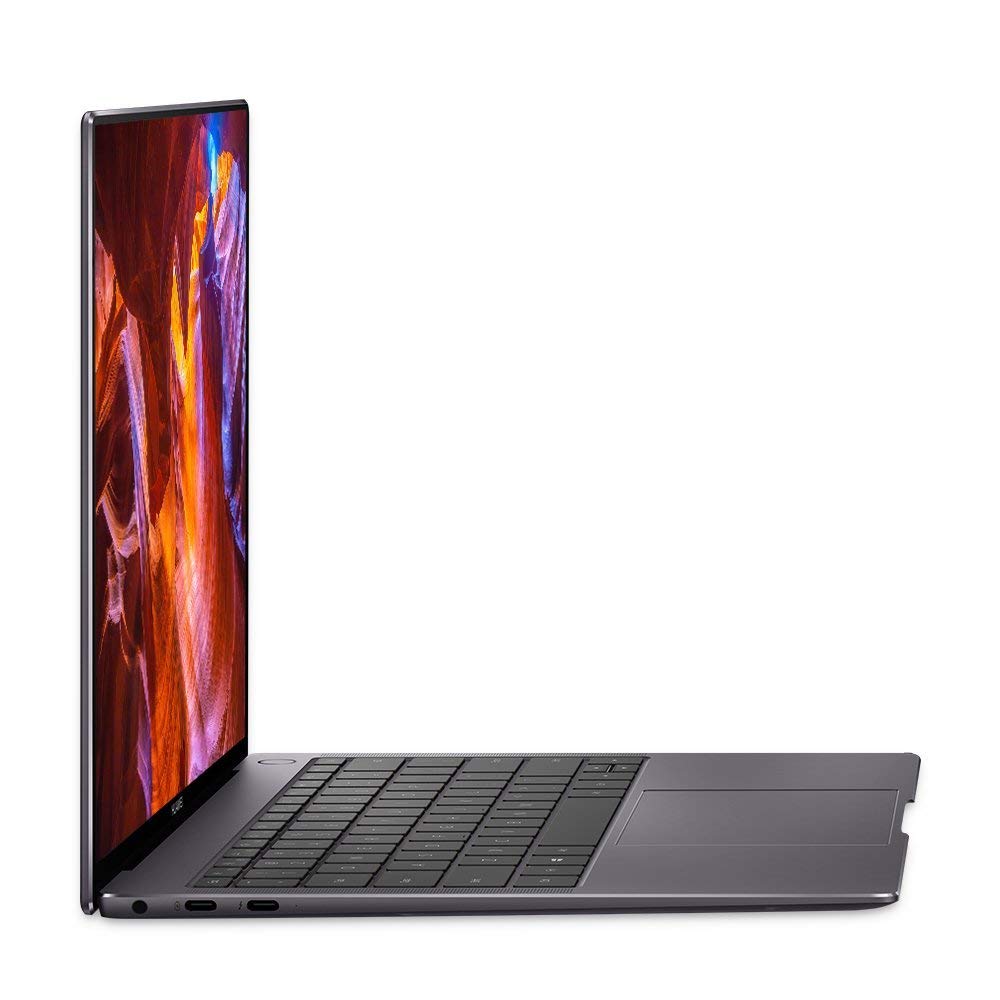
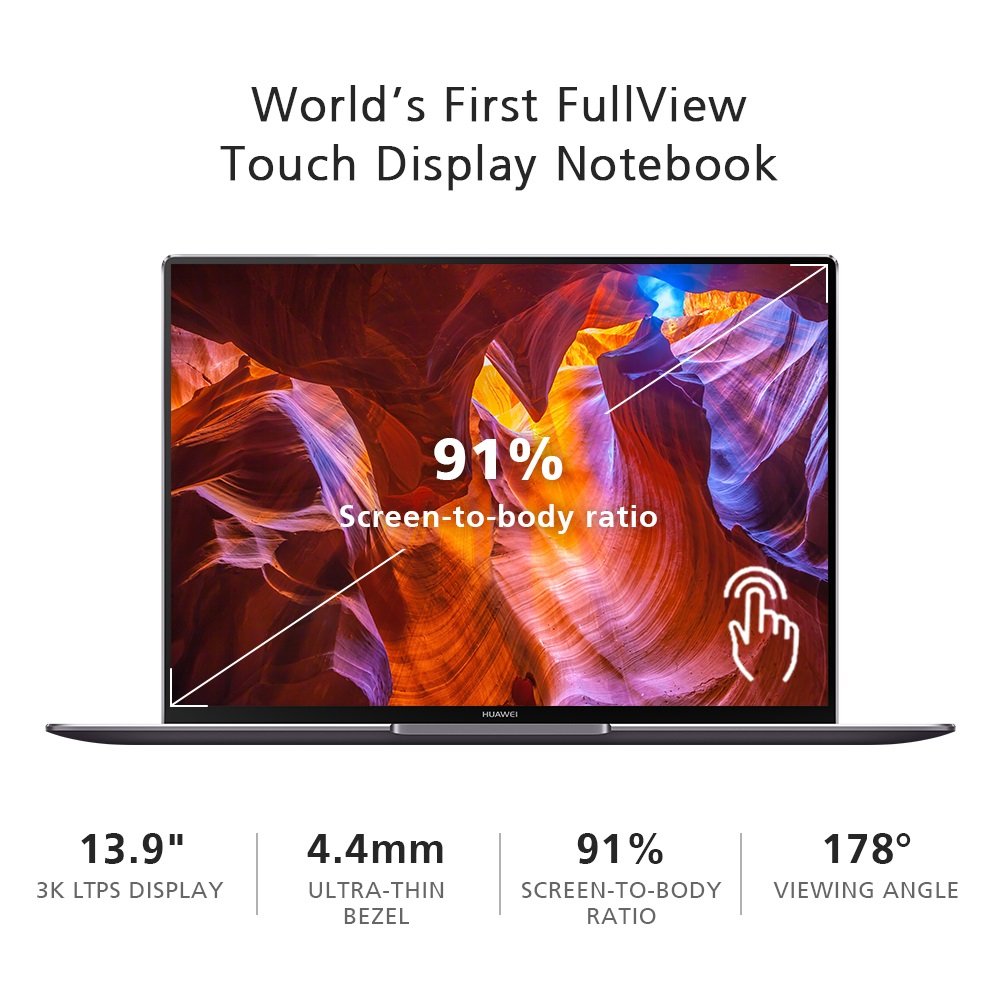
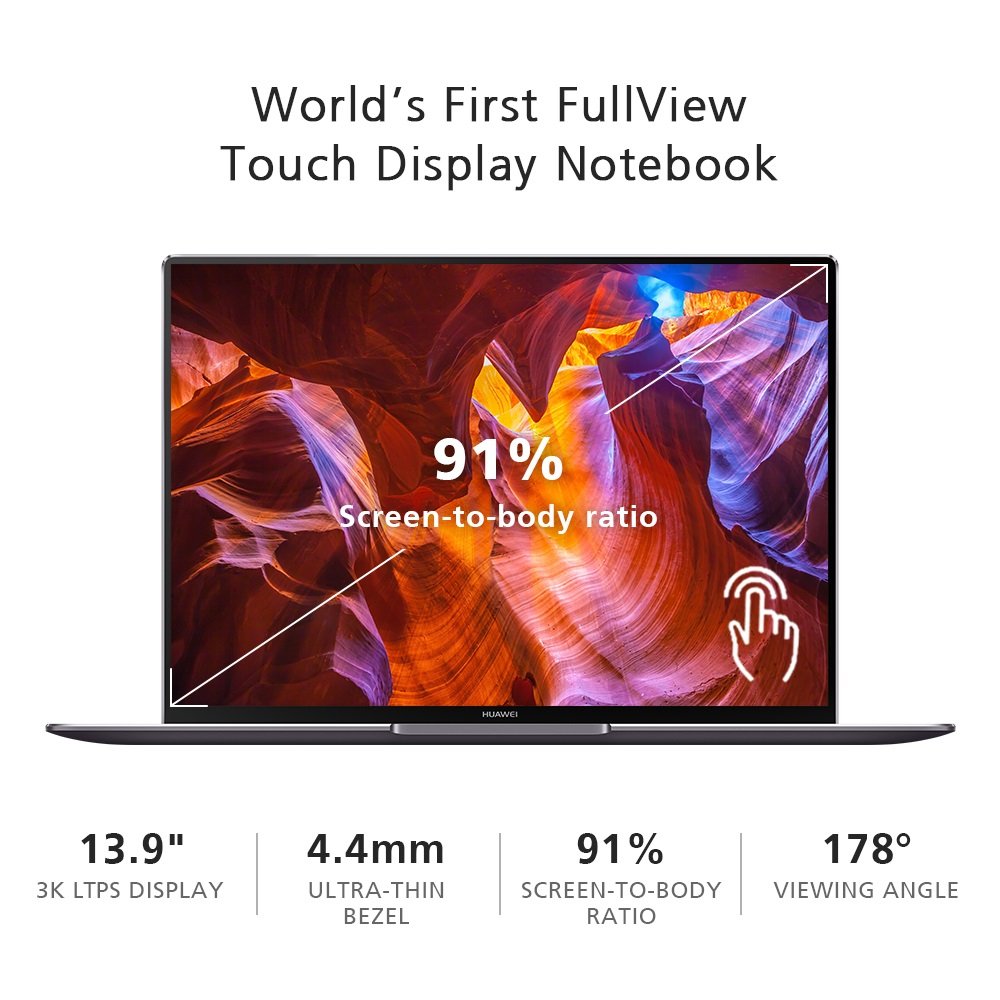
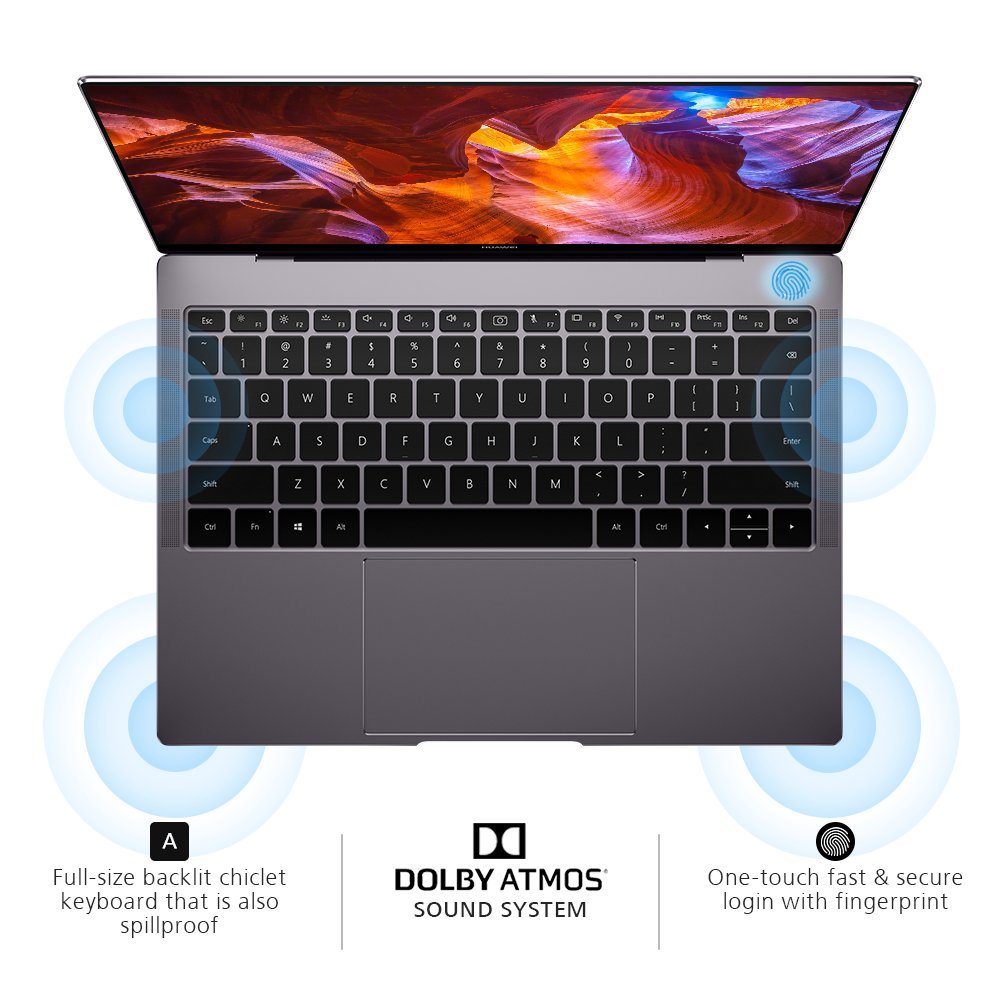
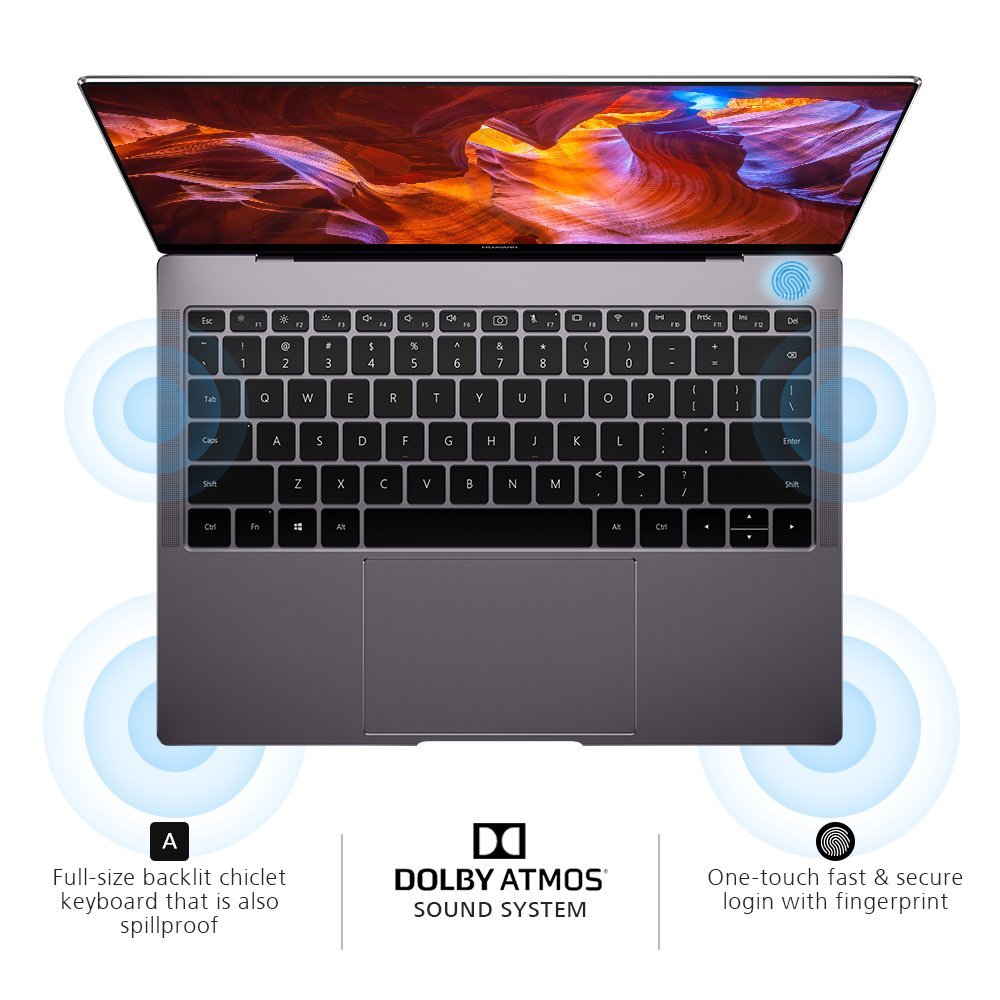
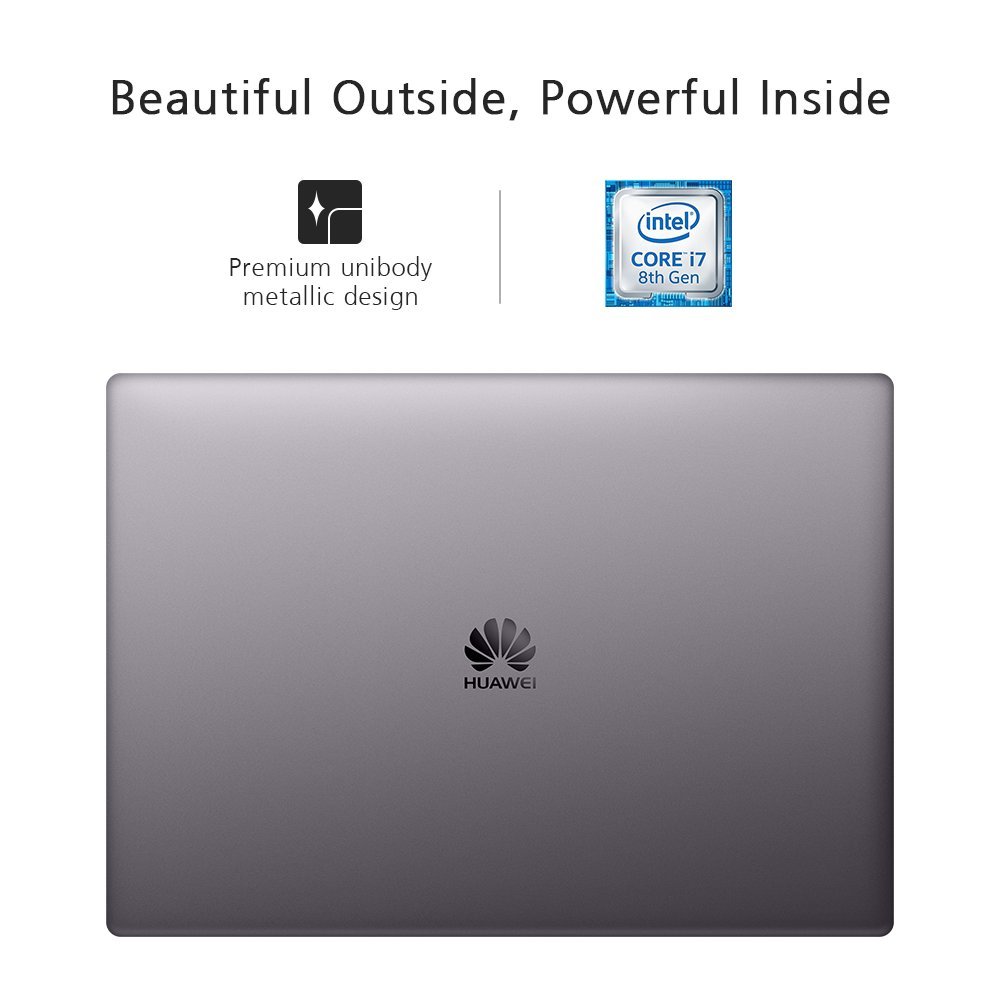
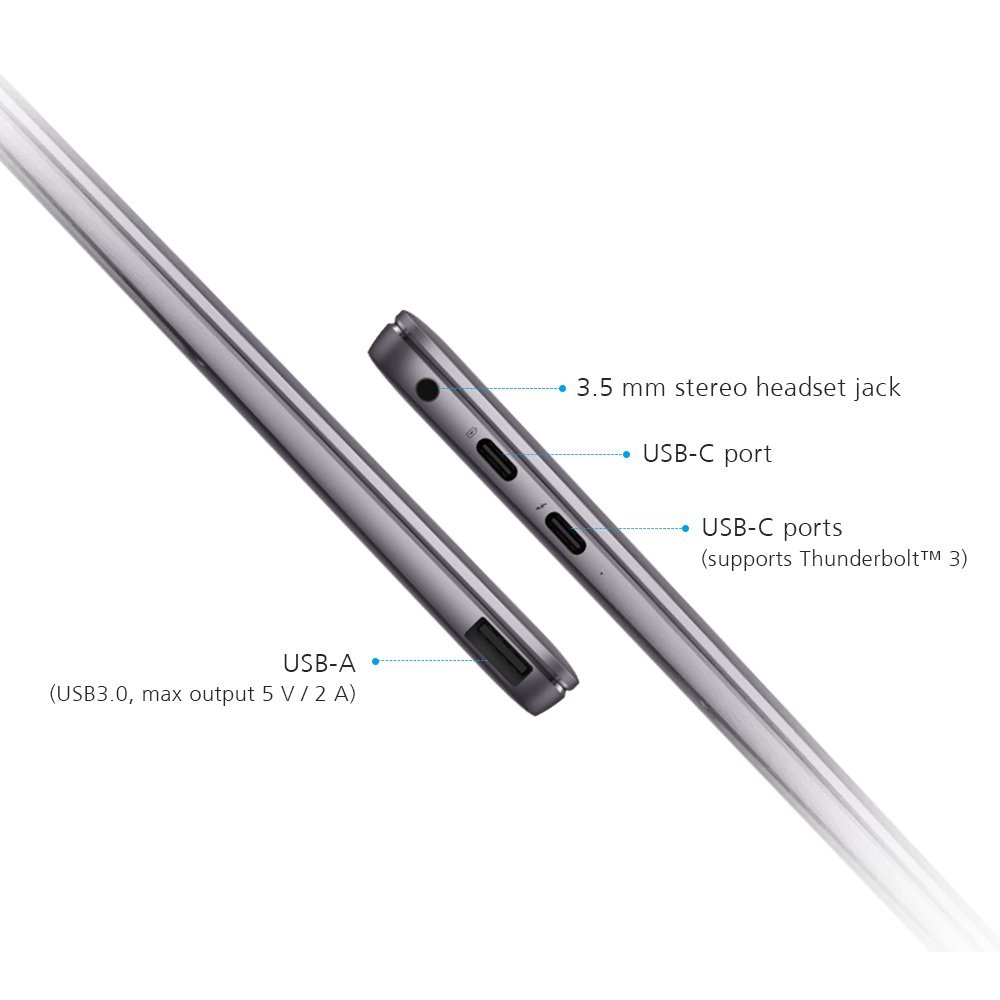
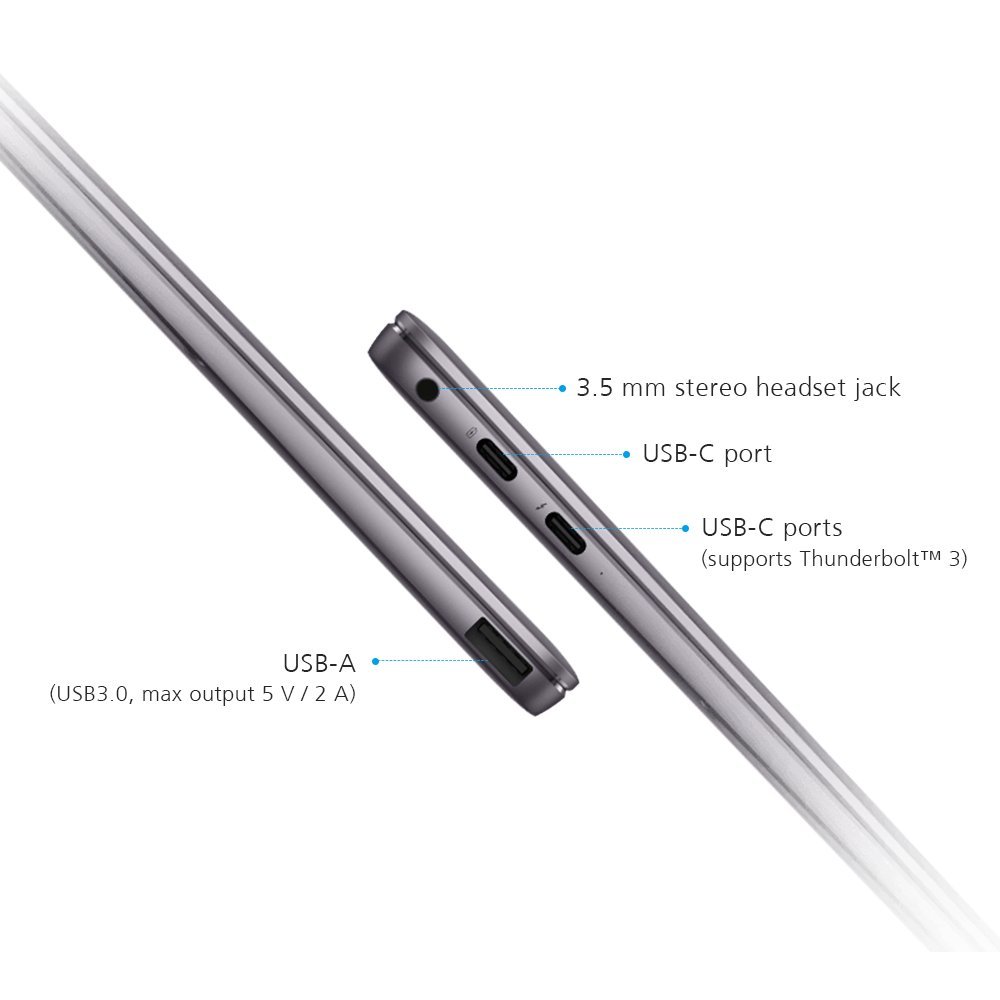
Make sure this fits by entering your model number. World's First FullView Display: Immersive 13.9-inch 3K touchscreen with 91% screen-to-body ratio, only 0.57-inch thin and weighs only 2.93 lbs., perfect for at-home or on-the-go computing Powerful Inside: Windows 10 Home Signature Edition comes clean with no bloatware to slow you down. 8th Gen Intel Core i5 8250U processor boosts performance up to 40% over its predecessor Home Theater: 3K touchscreen with 3, 000 x 2, 000 resolution, 1500:1 contrast ratio and 260 PPI allow you to see vivid details when viewing HD content. 2nd Gen Dolby ATMOS for immersive audio One Touch Power Button: Enabling users to power on the notebook, finish identity authentication through Windows Hello and access the desktop in less than 8 seconds Includes compact Mate Dock 2.0: USB-A port, USB-C port, HDMI port and VGA port. Includes 1 year Office 365 Personal and 1 year manufacturer warranty
Reviews
3.7
Reviews: 20
5 stars
60%
4 stars
5%
3 stars
5%
2 stars
0%
1 star
30%
Atlas
5
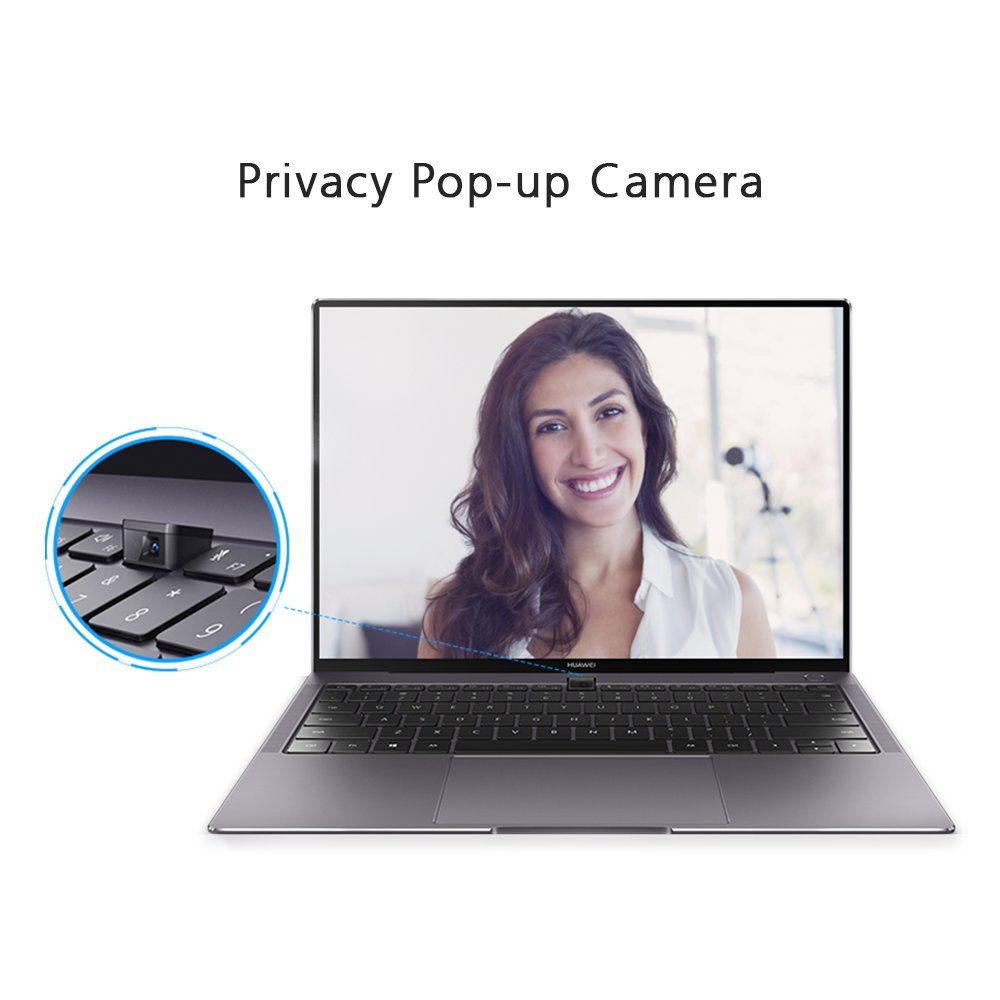
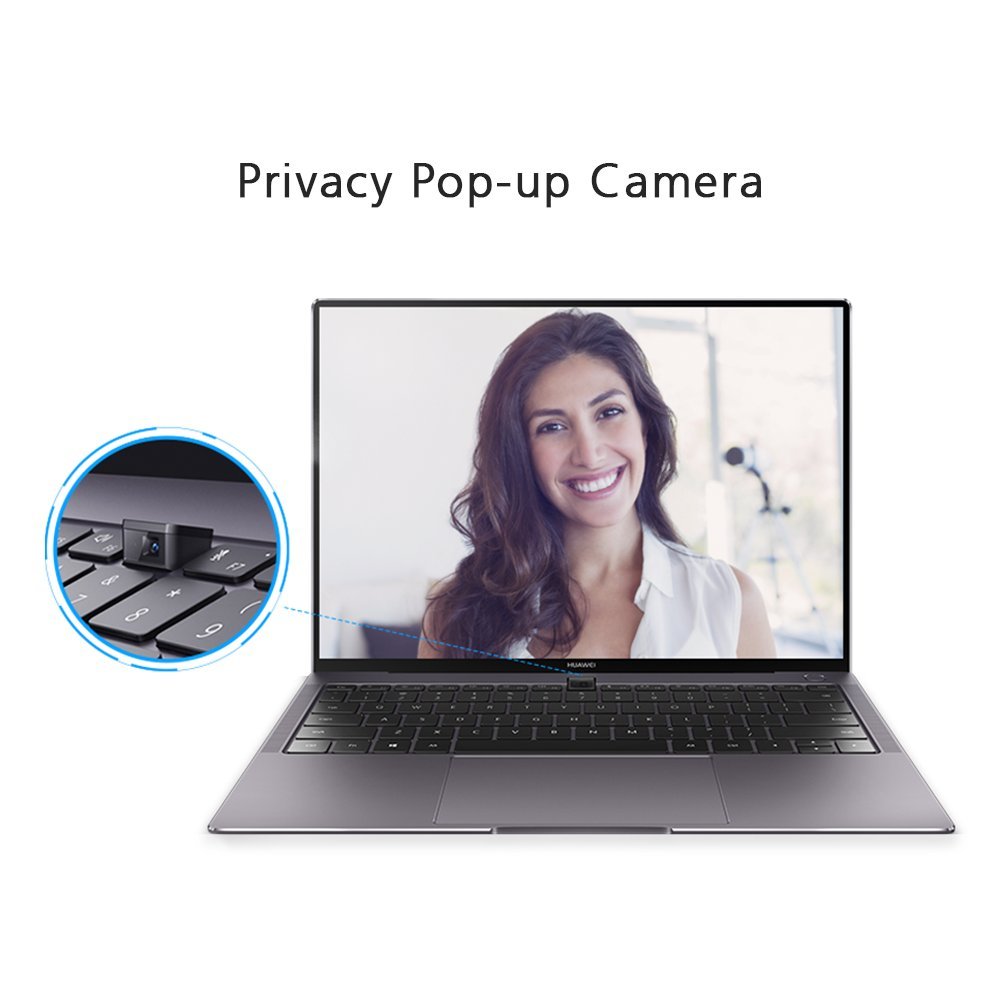
I bought the high-end model of this ultrabook a few weeks ago and I am amazed by the mere speed this thing produces when doing everyday tasks such as browsing the web or video streaming. My pros and cons: Pros: ● Its stunning display. Since the refresh rate isnt listed by Amazon, this ultrabooks display runs at 60Hz. Id wish for a higher refresh rate, but if that is to keep the price down then it is what it is. ● Excellent build quality (albeit nearly identical to the Macbook but thats a good thing if you are into a minimalist style). ● The keyboard is excellent. It travels well, and coming from a desktop keyboard, I got used to it rather quickly. ● The price. The initial price you can get this for is such a steal with what comes included and the specs. You would be spending an upwards of $2k for numerous brands with similar specs as the high-end X Pro. (At the time of this writing, I would advise visiting Microsofts or Neweggs store and purchasing it at a more retail price compared to what sellers on here may offer). ● Best speakers I have ever listened to on an ultrabook. ● The hidden webcam is a perfect idea for the majority of users who rarely use a webcam and take privacy as a big deal (you can even disable the webcam from being recognized by POST via disabling it within the BIOS settings). Cons: ● The web cam is in an awkward place but since I hardly use a webcam, I dont see it as a big deal. (Just buy a Logitech HD Pro Webcam C920, Widescreen Video Calling and Recording, 1080p Camera, Desktop or Laptop Webcam and use that USB A port this ultrabook has included to your advantage). ● The keyboards backlight has three modes that can be set with its dedicated function key: off, low brightness, and high brightness. I would rather have a plain and simple on and off function but thats not the main complaint. The complaint is after nearly 15 seconds of not typing anything, the backlight turns itself off. This is troublesome at night when youre reading an article or watching a video and you can barely see the keyboard when you want to type again because the keyboard light turns itself off. ● If you hold down on the trackpad to - lets say when you drag something and you move your finger to the edge of the trackpad, the cursor starts to move in the same direction on its own until you either lift your finger or move your finger away from one of the edges. This could possibly be a hardware defect in with my specific purchase but I would like to bring this out there. ● The heat dissipation on this ultrabook is horrible. You will find that just mere web browsing will make the machine quite warm (I normally see the processor float in the range of 40-50 C when doing everyday tasks and reaching 70 degrees when gaming). I tried to undervolt the CPU some and while it did help a tad bit, it wasnt enough to keep the whole bottom of the chassis from getting awkwardly warm every now and then. So if you can get past the few caveats the Matebook X Pro has, you will find yourself loving this product at first sight.
David S.
5
I bought this from the online microsoft store after only seeing 3rd party sellers having it on amazon for almost $2200!!! It arrived in a few weeks and I have put it through the ringer Display: Display like the surface is 3:2 3000x2000 pixles. While this doesnt really affect my everyday life this aspect ratio does get in the way of certain programs like RoyalTS or Outlook. I am used to viewing things on widescreen monitors and this screen is more about height so thats understandable. In these events columns preview panes etc are just a bit more slender. Overall its a different experience but not one that is so drastically different from my Desktop that I cant get used to it. Speaking of the display itself, breathtaking. The colors brightness viewing angle are amazing, I use 3x 2k IPS panels on my desktop so I know I can be a hard judge. I work in the tech industry so I am constantly using PCs. for the traveler the glossy display can get a bit bright but fear not, they have matte screen protectors you can put on. This doesnt take away anymore purity then you might think it still looks great and regardless if you own this you should get a protector for it. The keyboard keys touch the display which will erode the glass much like Macbook displays. Chassis: The actual building blocks of the machine give it a Macbook look and feel that really isnt that different from the real thing coming from owning one in the past. The machine itself is a gorgeous color,but does take finger prints VERY easily. The flex of the LCD panel is next to nothing given that its milled aluminium which is great to know since spare parts cant be found and a cracked or broken screen or digitizer would spell the end. I would still open it from the center but its nice to know it can be opened a bit forcefully. The bezel-less display is not truly bezel-less. the bezel itself is probably only 1mm thick but the screen stops around 10mm on all sides except the bottom at about 15. Still this is much closer then all conventional laptops and even closer still then other ultrabooks iv touched like the dell XPS or HP spectre. With that said care should be taken moving this around since given how thin the bezel is this machine is much like a phone in that any side damage will probably crack the screen. The back panel when pressed in the closed position does give some flex but is sturdy enough to take some pressure without hurting the display that and occasional cats landing on it. The rest of the chassis is thin Very thin, only few mm thicker than a normal USB port excluding the top panel which can be seen by viewing the machine at an angle. The machine has little to no flex and is incredibly light. the keyboard is very responsive and gives definitive feedback. Other then using a keyboard that maybe smaller than you are used too from 108 desktop style boards or wider laptops, it doesnt take long at all to get used to and its satisfying to learn. The touchpad mimics that of the macbook it is wide but not too wide and the border between the edge of the keyboard and the edge of the chassis are only a few mm. So far, the unit tolerates hot hands without triggering the mouse when typing, infact with the correct software installed the touchpad disables during typing sessions and wont move the mouse unless there is a longer than avg delay between keystrokes or you find yourself resting your palm on it because you type close to center. I can see this maybe being an issue with chicken typers, but anyone with a decent WPM count wont really find issue with the configuration. That said physically the touchpad is inlaid with beveled edges surrounding it. if you veer off the pad it doesnt feel like hitting a cliff. the responsiveness is great and the stock DPI works well. The responsiveness of the pad is good and gives enough for you to not be confused when you have done something. It has a bit of tactile feedback so the left and right click do not seem invisible. The various ports on the machine are milled into the body and dont give very much. Seeing as it uses USB-C to charge I cant imagine any impending DC jack failures but time will tell. Performance: The machine I have is the I7 16gb 512gb unit. This CPU has 4 cores and hyper threading for a total of 8 threads. The RAM is low power ddr3 but gets the job done. The drive is proper nvme pci-e (b key only) the Mx150 in this unit is 10w there are two variants 25w and 10w. This unit has the lower power of the two versions which comes down to power design and clock rate. However te rest of the physical specifications are the same. The machine does a fantastic job at feeling snappy in just about everything. The Mx150 is about the same performance of a desktop GT1030 if you are trying to game I probably wouldnt unless its casual, s for quick video photo editing or the occasional high res video stream this machine will tear through it without issue. Performance will suffer during prolonged testing as things start to throttle down to starve off heat, but nothing brutal enough for you to wish you didnt own it and lets face it its an ultra book. What are the insides like: The fan vent is on the top left rear if you had the laptop open in front of you. its thin, only a few inches across but even at full bore the fan while heard, its not very disruptive and more quiet then off the shelf 15 inch laptops. Interestingly I think it might even be quiter than my macbook pro. in either case when taken apart everything is held to a close tolerance. Hinges are screwed to anchor points milled out of the body, So I dont foresee any pre-failing hinges with this unit unless an excessive amount of force is applied. All cooling for the CPU, GPU and nvme drive is done with a universal full cover cooler that runs across the entire backside of the motherboard. however. Thermal tests on this unit pass 15min of OCCT on the "power supply test" which loads both CPU and GPU. After a full disassembly the thermal paste application is actually not terrible and its clear they use a decent quality silver based paste much like arctic silver 5. After changing out the paste and re-applying with thermal grizzly kryonought temperatures only dropped a few C which isnt bad considering this machines air flow. A likely but dangerous improvement may be liquid metal based TIMs but the CPU and GPU do not have heat spreaders and instead have exposed resistors and transistors, as such I dont think its necessary advisable nor do I think the gains would be something to write home about given this machines thermal envelope. With that said, other then the impossible task of actually finding spare parts the repair ability of the unit does not seem bad at all, however it is important to note that if you disassemble the cooler has a ribbon cable that connects the motherboard to a daughter board and it is bonded with epoxy to the underside of the cooler. So use care. Honorable mentions: I did a full format on the unit because I need to run windows 10 Pro. The drivers for the finger print reader touchpad etc can be a tad wonky to find but all of it is available and it is very very very easy to get everything setback up. With that said like most manufacturers Huawei comes with a suite type of program that will install drivers and software for you. While most of this is garbage pre-loaded onto your machine before you open the box I must say I am very impressed. I installed the suite so I could experience it and it was nothing short of refreshing. It only offers the drivers required for your device. No extra software and the suite itself uses very little resources. Additionally the keyboard has no option to stay on, though if I had to mark it as a con this would probably be the only one. The screen also has a light sensor and the dimming and brightening of the screen is almost immediate and very responsive to conditions. I have yet to need to adjust it manually. The battery lasts about all day before needing to be charged, but I have ran it out at around 4 hours with more intensive usage. If you want to get more out of it, I can suggest properly training it by running it all the way down before charging it, but more importantly turning brightness down when you are in florescent environments. For the record: Bios key is F2 boot key is F12
Mike Sabo
5
This thing is amazing. By far the best ultrabook Ive used. I did a lot of research on this, and Ill admit I was apprehensive at first about buying from a brand I had little experience with, but after listening to countless positive reviews on YouTube, and reading a boatload of praise by some pretty tech savvy reviewers, I took the plunge, and boy am I glad I did. I heard one reviewer say that this laptop is everything that a MacBook should be, and he was exactly right.
Scott A. Franco
5
This is clearly the Porsche of non-mac notebooks. I needed a notebook that I could (easily) run Linux on. I am a big fan of the Macbook pro, but Apple is a bit of a closed shop, and I wanted it to be straight-forward, no VMs or strange hardware adaptions. And besides, Linux is my main environment (although I run all three, Windows, Mac and Linux). I got the I7/512g version, and immediately installed Ubuntu 18.04 on the machine. Unlike what some others have reported, I have had no issue running Linux on the machine. I have seen several laptops that have sleeping issues with Linux, but either they got fixed or they dont exist on this machine. I gave the machine a 50/50 Windows/Linux split, although I dont really anticipate running it with Windows much, and may shrink the windows partition at some point. The good, the bad, the ugly As some have mentioned, the "all usb-c" thing can be a bit annoying. Not sure how it makes this notebook a "clean" notebook if you have to carry a bunch of adapters in tow. The stock "dock" they provided with the machine does most things I needed with the addition of a pretty simple USB hub. Id be tempted on this machine to "go all bluetooth", and in fact did get a headset and a mouse using straight bluetooth for the machine. However, this was mainly for travel convenience and the ability to work with the machine on my lap from bed. At work I needed to get hardware ethernet, but that was a simple adapter to go from usb-c to ethernet. I got the matedock to go with the machine. This does pretty much what the "stock dock" did but didnt need an extra ethernet adapter. My only issues with this arrangement is the matedock is pretty low on I/O expansion, and *I really dont get* the power feedthrough thing. In short, the matedock is very clever, very portable, and I am looking to find a good and heavy dock that includes power and lots of I/Os for my home desk. For the notebook itself, its hard to find any issues. I dont understand why it has a "dead band" for mouse clicks at the top of the track pad, but other than this, it does the expected thing, with tracking, single finger clicks = button one, two finger clicks = button two, and two finger scrolling. As with all such laptop compressed keyboards, I miss the page up/down and home and end keys. Page up/down is easy to emulate, but home/end is not. I miss those keys, and also the middle mouse button, but I am working on restoring that capability via software cord keys. The notebook is light, I have not got anywhere near running it out of power despite running lots of full kernel builds. It gets quite warm in the rear end, but other that this no big deal. The fan runs, but I have no issue with fan noise. It is quite low even when it is clearly pushing power. It has a touch screen, but the way I like it. There is no attempt to make the machine convert to a tablet or anything like it. I personally find touch screen laptops useless, since a mouse is much more accurate than a finger, and I mostly edit things. You make me do that kind of work with a touch screen, and I am not your friend. The display is amazing at 3000x2000 (not quite 4k resolution). Matching a second monitor to the machine in dual display mode is a problem, but only in Linux/Ubuntu because the scaling there is completely braindead, and there is a large discussion about how to fix it. The issue is that there is such a huge mismatch between the laptop resolution and the external monitor resolution that you need two different sets of scaling for each monitor. And Linux is apparently not good at doing this, not without lots of fiddlery. Running windows is no issue. Apparently Windows programmers stayed awake during that class. In sum, what can I say? Not cheap, but great if you need Windows or Windows/linux. If not I would say get a Macbook Pro. With Windows or Linux, this is about as close to the famous Mac pro as you are going to get, and if you have used a Mac pro for any length of time you will understand what I mean. The pro was a highpoint in laptop design, and even apple seems to have trouble producing good follow-ons to that product. If I had any suggestions for Huawei, it would be to embrace Linux and make a nice all-in-one dock with fixed power for desktop use.
Pino dAngio
5
Got mine a week ago, the i7 model. I’ll just add a few observations to the mostly positive comments the other reviewers have (rightly so) provided. I extensively researched all laptops with comparable specs, and ended up with a couple of choices outside the Huawei: either the most expensive Apple MacBook Pro that currently sells for $2799.00, or the Dell XPS 15 that sells for $2099.00. Granted, the Mac comes with a 15” screen vs 14” for the Huawei, but the resolution on the Huawei is impressive at 3k. And it is a touch screen for those who find it useful. Even at its steep price the Mac is still equipped with an older 7th generation CPU model while the Huawei’s CPU is a 8th generation i7 CPU. The best alternative would be Dell, but you would have to spend $600.00 over the $1,499.00 Huawei. Typing on the Huawei keyboard is a blessing after having typed for the last two years on a Mac butterfly keyboard, making everyone around me believe I was banging on a calypso drum. My main concern was with the LG 4k Ultrafine monitor I used with my Mac, would it work with the Huawei? I plugged it into the Thunderbolt USB-C port, held my breath, and pronto, plug and play! There was no need to download any Windows drivers or adjust the resolution on the monitor. 4k resolution and it charges the laptop. You also get a fingerprint touch login cleverly placed on top of the power button, Windows 10 without bloatware, a USB-C to HDMI and USB-A dongle dock, Dolby Atmos audio, a discrete video card, among other goodies. The one component from my perspective that still needs to be improved is the trackpad, it clicks too loud and not uniformly depending on where you click in the pad. How could this machine be priced at $1,499.00 (and if bought from a Microsoft Store at times you also get a $300.00 gift card), is a mystery to me. Is Huawei selling at zero margin to break into the market, or are Apple’s margins ridiculous? Maybe both
ChocolateMajoris
5
Every person has different needs for their laptop. However, this one meets my needs perfectly! - DISPLAY :Amazing display. I am talking about accurate color reproduction , brightness, and real estate. A 14" display in a 3:2 form factor. I also like the scaling factor achievable using this laptop. Its great! - PERFORMANCE : I have the core i7 model with a 512 GB RAM , and have several applications open, and the laptop does a great job. Applications include about 30 - 40 tabs of chrome, MATLAB, EDA softwares. I am not a gamer, so cant comment on the gaming performance. The fans do turn on during heavy use and the laptop gets a bit warm. But thats fine. You cant expect performance and quietness at the same time and that too from a laptop! - WEBCAM : I do not video chat a lot, so the weird positioning of camera does not matter to me. I will take this display over the webcam compromise any day. - KEYBOARD : The keyboard is comfortable to type. To access the function keys you do not have to hold "Fn + desired key Like the capslock the light on the Fn turns on. An the top row is in Fn key mode. I thought this was a very clever implementation. (could be present on other laptops, but Im not aware) - OTHERS: -- Fingerprint reader is a very desired feature i love. Its quick and responsive. -- The added software by Huawei is minimal. Only PC Manager from Huawei, which is not enabled by default ( I havent enabled it yet!) . There are some games pre-installed as part of Windows, which i immediately uninstalled. -- Space Grey color is cool too. -- Laptop has very good build quality and looks very sleek (not a fan of the huawei logo though) If you want a laptop with great display, performance, build quality, audio, form factor and nice addons like fingerprint sensor, you cant go wrong with this laptop. I know this laptop will be invariably compared with the macbook pro. The operating systems cater to 2 different groups but in terms of value and performance, I feel this laptop is way ahead of Macbooks in terms of the value it offers ( and you wont have to look at the touch bar.. uggh!) . I hadnt mentioned that its touchscreen till now ( I dont use it as much, but its there if you need it).
perrydyze
5
This took a long time to get shipped to me but was worth the wait. I ordered it when Amazon indicated there were two left but then it was over 5 weeks until I got it. I got the deal they had going for the $300 gift card. This laptop is very light weight, has excellent battery life, great keyboard, bright screen and all other basics I was looking for. Very similar to a macbook pro I bought for a lot more and ended up returning due the keyboard issues they have. The only issue I have with this laptop is the constant fan noise others have experienced. I did experience this as well but turned off Windows Search which resolved the issue unless I am really taxing the system. I never use search on any of my other windows machines as they all have solid state drives and are fast anyway. Others may have a use for windows search but I dont ever need it. The build seems pretty solid and given that I purchased the high end model but paid considerably less, seems worth it to me. I own a few other high end machines but was looking for a 3:2 screen and a machine that was lightweight for travel. I have not used Huawei products before so well see how this goes over time. Shame they did not plan or market this very well in terms demand vs availability. I would recommend this device for anyone looking for a decent laptop at a lower price that other high end laptops out there.
apcls
5
I was looking to switch from Macbook Pro late 2013 to a new laptop. Tried the Dell XPS 2018 9370 before this. I dont do intensive tasks and just wanted a notebook for multimedia and office use. 1. Screen: the screen has a 3:2 aspect ratio which is ideal (as it shows more content vertically) for students and professionals who work with excel, word etc. Given the 3:2 aspect ratio, videos may crop on the top and bottom but I got used to it. The screen is ample bright and has a 3K resolution. It is touch capable as well. Between the Dell and this notebook, not much to pick from. 2. Fan noise: It is better than Dell in terms of fan noise in my view. My XPS fan used to run constantly and was fairly loud. the fans rarely come on the Huawei. 3. Heat: the Huawei does heat up once in a while but its towards the top of the keypad area, but after a few days, it doesnt heat up for my typical office usage. 4. Wireless and Bluetooth connectivity: Better than my Dell XPS. the XPS has the Killer driver while the Huawei uses the Intel driver. My Dell would constantly have Bluetooth issues so much so that I couldnt use my MS surface mouse with it. Dell suggested sending it to them but as my only notebook, not everyone can wait for the laptop to get fixed. 5. Battery life: Its battery capacity is higher than that of the XPS and has a lower resolution screen. It lasts around 8 hours for my usage and my XPS used to last shorter than the Huawei. 6. Webcam placement: Top notch security wise but usage wise, terrible. But then I have not used my webcam in years so for me both XPS and Huawei webcam placement issues are non-issues. The advantage with Huawei is that theres no need to put a post-it or a band-aid. 7. Sound: The speakers and the Dolby Atmos tuning on the Huawei is one of the best notebook sound systems I have used. Dell XPS sound was nothing special when compared to this. 8. Trackpad: the trackpad works with windows precision drivers and despite its relatively massive size, is excellent with accidental touches. Overall, the trackpad is better than the XPS (which would zoom in pages while scrolling many times for me). 9. Key board: both Dell XPS and the Huawei have excellent keyboards despite being in a notebook form factor. I prefer Huawei over the Dell though as the latter felt more mushy and my device had some weirdly engineered keys. 10. Price: I was able to get the Core i7, 16 gb, 512 gb SSD model for $1200 or so. the Dell XPS 13 topline model runs for around $500 more. Given the price differential, it is pound for pound a better laptop and a better value than the Dell XPS 13. Finally, one can criticize Huawei for making a laptop that looks like a MacBook, quite frankly at its price (with the coupon offer) it is better than its competitors, including the much loved Dell XPS 13.
Zach Hollis
5
Pros: • Fast storage and processor • Lots of RAM • Comes with a USB-C Hub and Office • Price (I got it with a promo for $1,200) • Screen is amazing • Decent graphics (Does most games at medium settings) Cons: • Can get quite toasty at times (Normally just makes your fingers very warm on the keyboard) • If you are running it on best performance it will be running with decently loud fans. They don’t really bother me but if your sensitive to sound they might bother you.
Digital Dilema
5
I have been a long time MacBookPro user and tbh, still am since I develop for all mobile platforms but this was my first time in over a decade I ventured out of the Apple line. If not for Apple’s ignorance around the function keys and the retarded touchbar, Huawei would’ve never had the opportunity to make an impression and it far exceeded the expectations for the price. I cannot speak for others and I must assume the build quality is improving every quarter because I haven’t had any of the issues others have reported. Arguably I have become accustomed to the MBP’s keyboard travel but this keyboard is solid. The trackpad is smaller but I find it less an issue on Windows since I use a mouse exclusively where the pad is used more in MacOS. The screen is beautiful, haven’t struggled with overheating and it is silent. For the price, if you are not on MacOS - this wins all marks. If not for Apple messing up the cooling issue around the I9 and keyboard headaches - if Hauwei figures out how to let users upgrade memory and harddrive - this device is reason enough say hardware is indeed plateauing.

Showing 10 of 12 reviews

Product variations
Column filling
Sort by Price Sort by Availability Sort by CODE Sort by Style Sort by RAM Sort by Processor
$99900
In stock
+
B07CTKCFFH
Style:
Laptop Only
RAM:
8 GB LPDDR3
Processor:
1.6 GHz Intel Core i5
You may be interested
  • Bestsellers
  • Recently Viewed
 
Fast and high quality delivery

Our company makes delivery all over the country

Quality assurance and service

We offer only those goods, in which quality we are sure

Returns within 30 days

You have 30 days to test your purchase