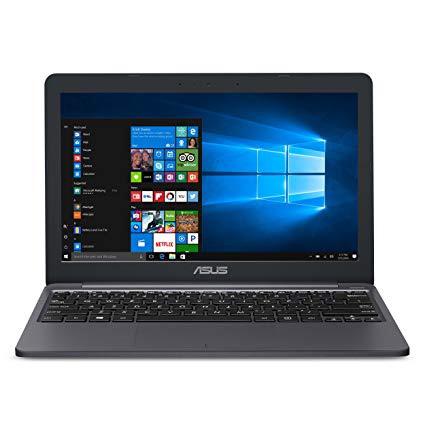

ASUS VivoBook L203MA Ultra-Thin Laptop, 11.6” HD, Intel Celeron N4000 Processor (up to 2.6 GHz), 4GB RAM, 64GB eMMC, USB-C, Windows 10 in S Mode, One Year of Microsoft Office 365, L203MA-DS04
اكتب تقييم
$‎ 19900

ASUS VivoBook L203MA Ultra-Thin Laptop, 11.6” HD, Intel Celeron N4000 Processor (up to 2.6 GHz), 4GB RAM, 64GB eMMC, USB-C, Windows 10 in S Mode, One Year of Microsoft Office 365, L203MA-DS04

اكتب تقييم
B07N6S4SY1
Win 10 S + Office 365
Hard Drive64 GB Hybrid Drive Processor BrandIntel Processor2.6 GHz Intel Celeron
Target is a general merchandise retailer with stores in all 50 states and the District...

المدينة: US, New York

Delivery
Pickup at your own expense
Tomorrow from 09:00 to 20:00, Store location
Free
Payment options
Apple Pay Google Pay Mastercard Visa
Cash, bank card, credit/installment payments, cashless payment for legal entities
Warranty and returns
Exchange/return of products of proper quality within 14 days Official manufacturer's warranty: 12 months
Features
Graphics Coprocessor
Intel UHD Graphics 600
Item Dimensions
11.3 x 7.6 x 0.67 inches
Item model number
L203MA-DS04
Item Weight
2.2 pounds
Operating System
  • Windows 10 S
Series
ASUS VivoBook L203
Style
Win 10 S + Office 365
Wireless Type
802.11b/n/ac
RAM
4 GB DDR4
Hard Drive
64 GB Hybrid Drive
Batteries
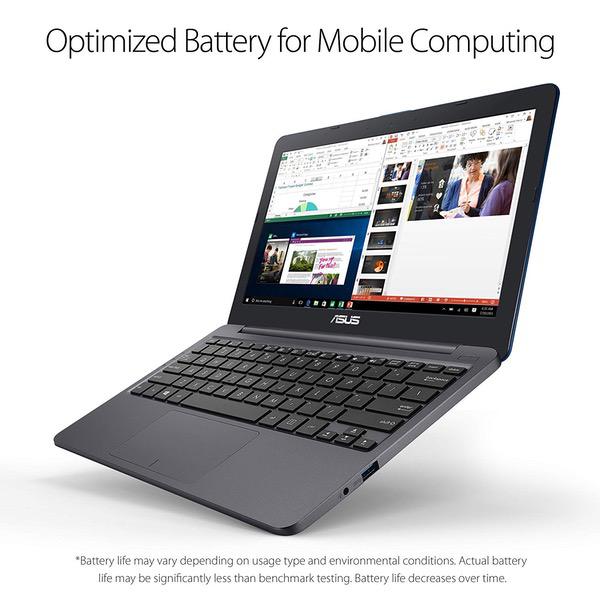
1 Lithium Polymer batteries required. (included)
Brand Name
ASUS
Processor
Processor Brand
Intel
Processor Count
2
Processor
2.6 GHz Intel Celeron
USB
USB 3.0 Ports
3
Description
This fits your .
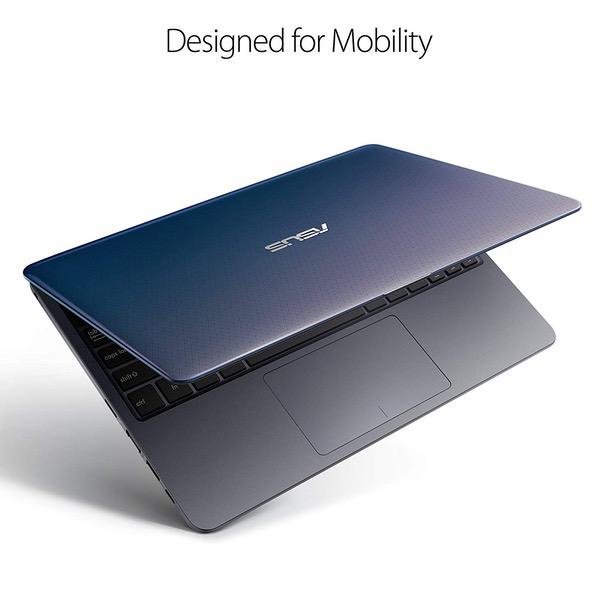
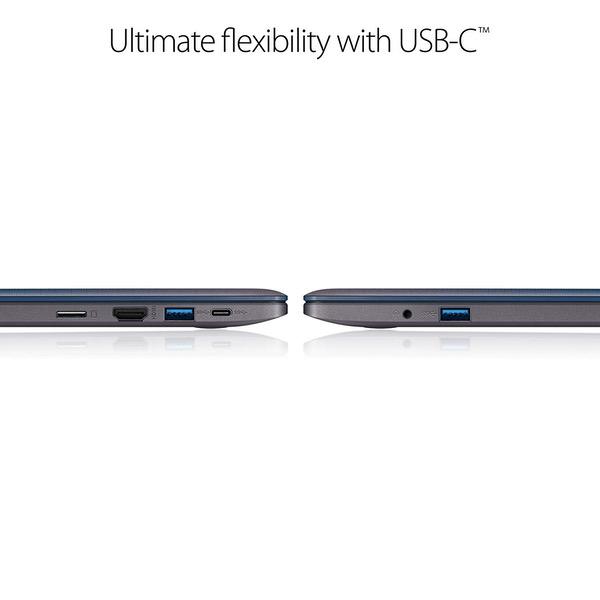
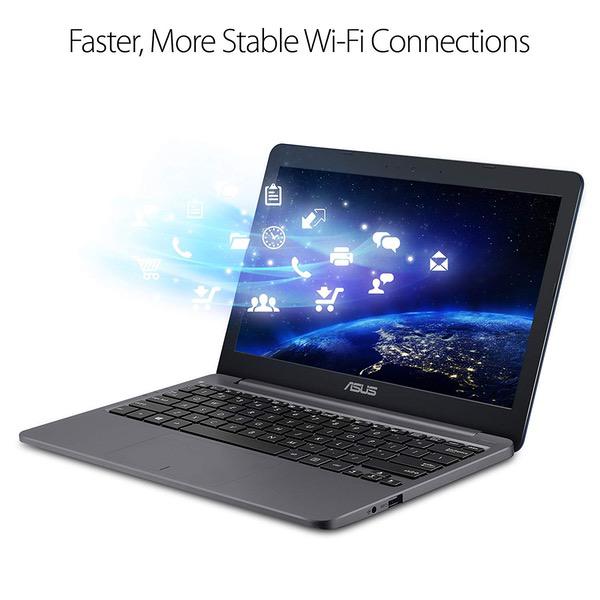
Make sure this fits by entering your model number. Efficient Intel Celeron N4000 Processor (4M Cache, up to 2. 6 GHz) 11. 6” HD (1366 x 768) Display 64GB emcee Flash Storage 4GB LPDDR4 RAM One Year of Microsoft Office 365 Included HD Webcam Slim and Portable: 0. 7” thin and weighs only 2. 2 lbs. (battery included)
Reviews
4
التقييمات: 20
5 نجمة
60%
4 نجمة
15%
3 نجمة
5%
2 نجمة
5%
1 نجوم
15%
ZMan
1
This notebook is not of a great quality. The HDMI port died after two months. I spoke to ASUS tech support, they issued RMA number and I sent the notebook to ASUS with Windows 10 Pro operating system as I upgraded it from Windows S mode. I got back my notebook after two weeks. They had to replace the motherboard. However, it came back with "Windows 10 Home Single Language" installed on it. They downgraded my operating system. I was extremely unhappy. I spoke to ASUS tech support and complained, they issued me another RMA number and I had to send the notebook right back to them for correct operating system. Now, Im out of my notebook for almost a month now. Im still waiting for my computer to get back. Ill post the progress when I get the notebook back the second time. I will never buy another ASUS notebook again. Please be cautious when considering this notebook. 12/20/2018 Update I received the unit second time back from ASUS but it still had the wrong Operating system. They still would not install the original operating system that the computer came with and different ASUS agents gave me different excuses for it. Now I got another RMA number and sending it back the third time. I have requested a replacement unit. Lets see what they do this time, I dont expect much because of the incompetency of ASUS tech support. Im out of computer since 11/17/2018 and today is 12/20/18. At the time of this writing the unit is still on its way to the tech support for the third time. The amount of time ASUS tech support spend on my computer and the cost of shipping the unit back and forth three times already had cost ASUS more than the original cost of the unit I paid. It would have been very smart of them, had they given me the replacement unit the first time since I only had it for less than two months. 4/8/2019 The HDMI port died yet again even after it took them two months to fox it earlier. I hade to send it in the 4th time for repair. Please Dont buy ASUS netbooks especially this model.
RRR
1
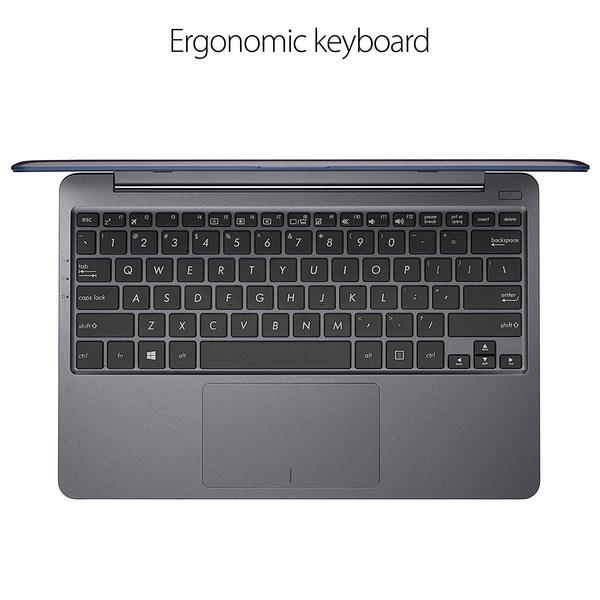
April 20, 2019 update: Well, you can see my earlier, glowing report below. But now eight months later, the screen went black while using, cant reboot. %^&*. ----------------------------------------------------------------------------------------------------------------- I installed Linux Mint Cinnamon 19 on this machine, intentionally wiping Windows off the disk in the process. Turns out to be an excellent combination! With this particular Linux distro, the notebook is quite peppy and everything works. Installation took about 10 minutes. Updating the software via wireless was another 10 minutes. Great wireless reception. After installation, I had about 40GB of "disk" space left for my documents. If I find I need more space, I can get a 128GB card for about $40. But this is all I need for now. Everything works -- Asus function keys, auto suspend after timeout or lid close, resume on opening lid. Linux bootup time is about 25 seconds, power button to desktop. Libreoffice, which Ive been using on my desktop machines for over ten years, is included in the install. With my documents, Ive never had trouble reading or writing MS-compatible files. I havent checked battery life yet, but I expect it to be as good as with Windows. I like the airplane-mode button. It shuts off the bluetooth and wi-fi, saving on battery life when Im not using the internet. With Linux, for document processing and web browsing, this is almost as fast as my newish desktop i3 machine. It would not be able to do as many things at once, but thats not what I want this notebook for. The appearance is sleek and pleasant. And I love the 11.6 size. Small as the notebook is, the keyboard is fine: full-sized, with nice ergonomics. The touchpad is fine for me, also. Nice crisp display. Viewing angle makes a bit of a difference, but it hasnt caused me a problem. The letters on the display were initially a little small for me. Increasing the font size by one point from the Cinnamon system settings menu solved that. This notebook has all the connectivity I would want: HDMI and three usb 3 connections, including one usb-C. I dont expect to connect it to ethernet, but if I do, I can get an ethernet to usb adapter for under $15. A few details ... On first startup, I did the auto-registration with Asus / Microsoft. In this security-conscious age, I was amazed the registration program would not let me proceed without entering a date of birth. It took over two hours to write the Windows "recovery" information to a usb 2 thumb drive. Then after I had installed Linux, I checked to see if I could restore Windows. I was able to boot from the usb drive to some utility screen (not to the Windows OS), but could not begin a recovery operation. Apparently Windows recovery cannot be done after Windows has been completely wiped from the machine. Since I dont intend to reinstall Windows and everything works, Im not concerned about it. After installing Linux Mint Cinnamon, I experimented with a few other Linux distros. MX-17.1 was not able to see the wireless on the notebook. [This has changed for the better with MX 18. See update note below.] I tried LInux Mint XFCE, which seemed fine, but discovered it would not do a suspend on timeout -- a big deal for battery life. The only reason I tried those two is I thought they might be a little more efficient than Cinnamon. They were maybe a tiny bit snappier, but Linux Mint Cinnamon is pleasant to use, and everything works with it. I have not found myself wishing it were faster. Another reviewer noted the difficulty with getting a manual. I encountered this too. When I called Asus, I was talking to someone in less than a minute(!) Their advice was to do a web search on Asus E203 ma. This took me to the Asus product page for this model. Click "support" near the top of the page, and then "manual and documents" on the next page. Download the manual. The only thing I really needed it for was how to get to the boot menu. (Hold down F2 while you press and release the power button.) Apparently the manual info is on the product page, but hasnt gotten to the main Asus support page. All in all a really excellent machine, so far, for a great price. ----------------------------------------------------- Update Dec 31, 2018 The MX LInux people came out with version 18 of their software during the last month, so I gave it a try. It installs and updates fine, works great with my wireless, and is very, very peppy on this machine. It uses the xfce window manager and utilities. Again ... this is a really nice laptop for running LInux.
Amazon Customer
1
After 11 days of purchased, all I get is a black screen. Had to return it!!
Product variations
Column filling
ترتيب بواسطة السعر ترتيب بواسطة الامكانية ترتيب بواسطة الكود ترتيب بواسطة Style ترتيب بواسطة RAM ترتيب بواسطة Processor
$‎ 19900
متوفر بالمخزون
+
B07N6S4SY1
Style:
Win 10 S + Office 365
RAM:
4 GB DDR4
Processor:
2.6 GHz Intel Celeron
$‎ 33900
متوفر بالمخزون
+
B07CTKRPGK
Style:
Win 10 S
RAM:
4 GB LPDDR4
Processor:
2.6 GHz Celeron N
You may be interested
  • Bestsellers
  • Recently Viewed
 
Similar products
$‎ 97960 $‎ 2,44900 -60%
New York, US
Gold
ColorGray SeriesMacBook Pro
$‎ 94900
New York, US
Gold
ColorGray SeriesMacBook Pro
$‎ 49960 $‎ 1,24900 -60%
New York, US
Gold
ColorGray SeriesMacBook Pro
Show more
Fast and high quality delivery

Our company makes delivery all over the country

Quality assurance and service

We offer only those goods, in which quality we are sure

Returns within 30 days

You have 30 days to test your purchase