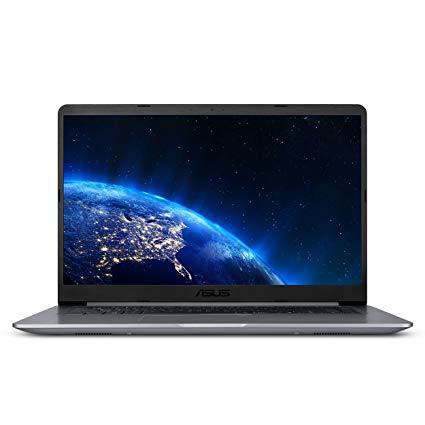
ASUS VivoBook F510UA 15.6” Full HD Nanoedge Laptop, Intel Core i5-8250U Processor, 8GB DDR4 RAM, 1TB HDD, USB-C, Fingerprint, Windows 10 Home - F510UA-AH51, Star Gray
Write a review
$60900

ASUS VivoBook F510UA 15.6” Full HD Nanoedge Laptop, Intel Core i5-8250U Processor, 8GB DDR4 RAM, 1TB HDD, USB-C, Fingerprint, Windows 10 Home - F510UA-AH51, Star Gray

Write a review
B0762S8PYM
Core i5 | 1TB HDD
+
Add to wish list
Hard Drive1000 GB Mechanical Hard Drive Processor BrandIntel Processor1.6 GHz Intel Core i5
Target is a general merchandise retailer with stores in all 50 states and the District...

City: US, New York

Delivery
Pickup at your own expense
Tomorrow from 09:00 to 20:00, Store location
Free
Payment options
Apple Pay Google Pay Mastercard Visa
Cash, bank card, credit/installment payments, cashless payment for legal entities
Warranty and returns
Exchange/return of products of proper quality within 14 days Official manufacturer's warranty: 12 months
Features
Graphics Coprocessor
Intel UHD Graphics 620
Item Dimensions
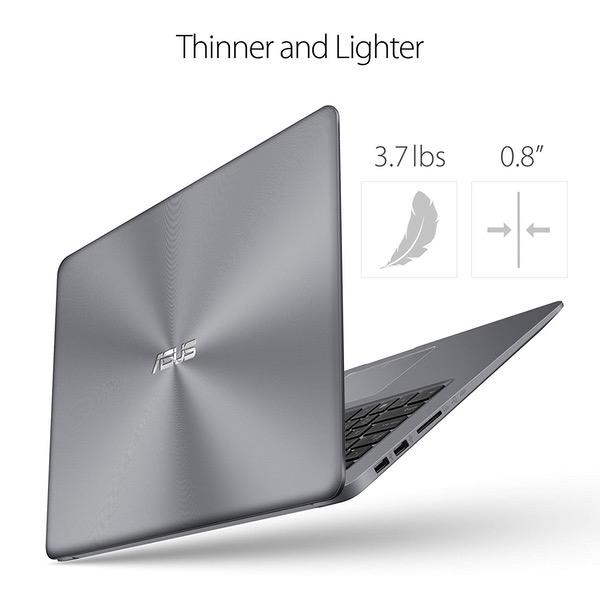
14.2 x 9.6 x 0.8 inches
Item model number
F510UA-AH51
Item Weight
3.7 pounds
Operating System
  • Windows 10 Home
Series
ASUS VivoBook
Style
Core i5 | 1TB HDD
Wireless Type
802.11a/b/g/n/ac
RAM
8 GB DDR4
Hard Drive
1000 GB Mechanical Hard Drive
Batteries
1 Lithium Polymer batteries required. (included)
Brand Name
ASUS
Processor
Processor Brand
Intel
Processor Count
4
Processor
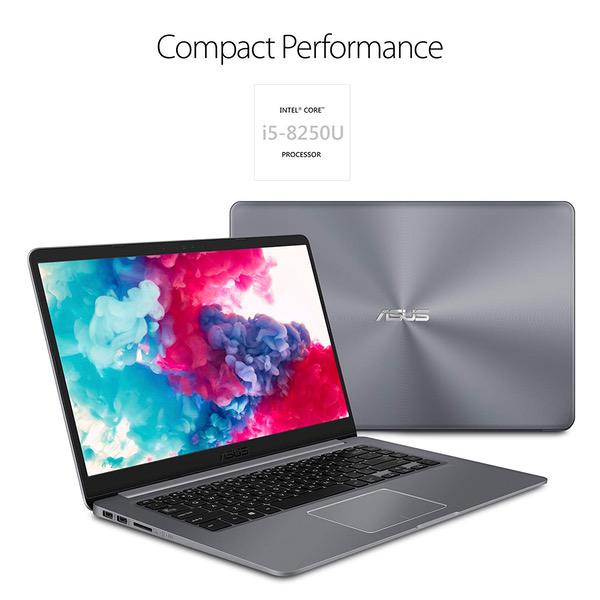
1.6 GHz Intel Core i5
USB
USB 2.0 Ports
2
USB 3.0 Ports
1
Description
This fits your .
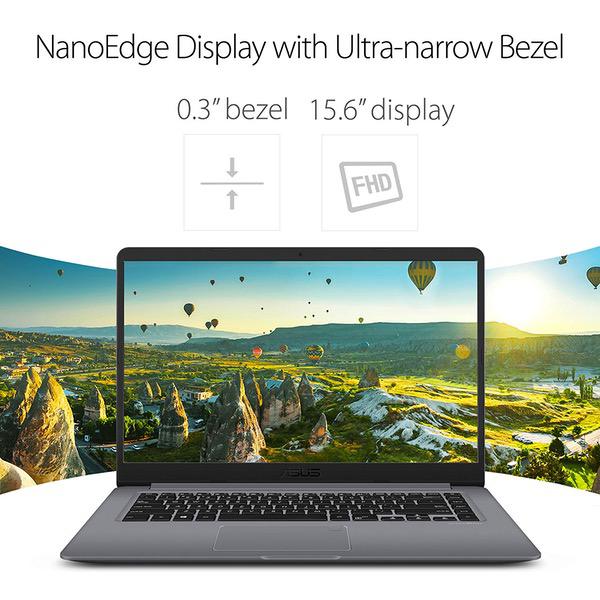
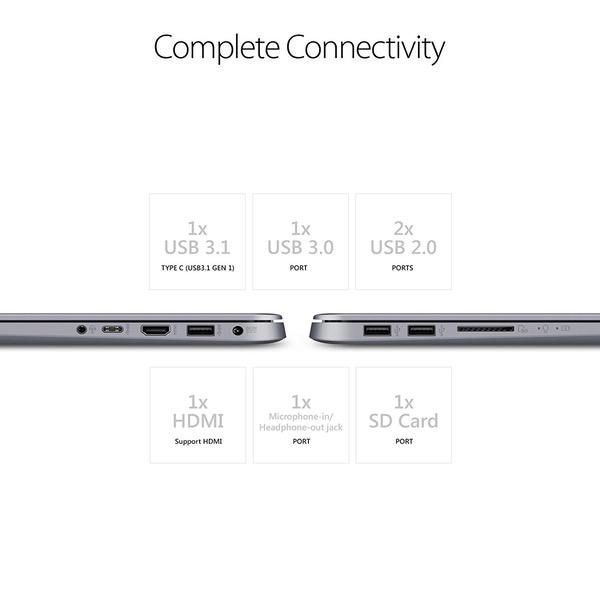
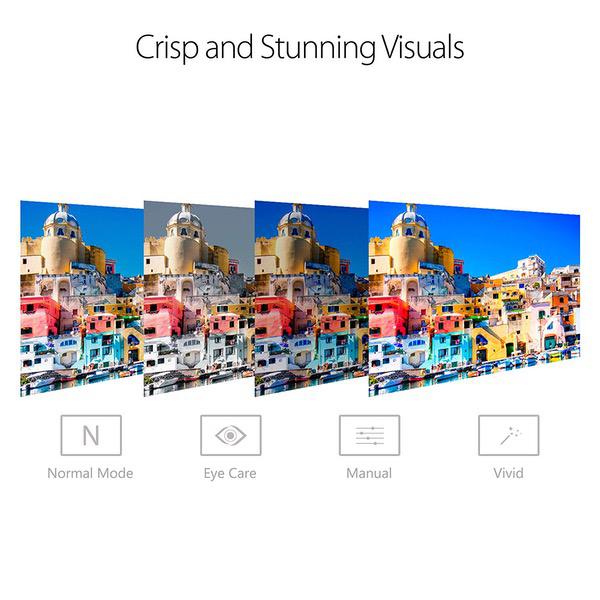
Make sure this fits by entering your model number. Powerful 8th Generation Intel Core i5-8250U 1.6GHz (Turbo up to 3.4GHz) processor 14.2" Wide, 0.8" Thin and portable footprint with 0.3" Nano edge bezel for a stunning 80% screen-to-body ratio 15.6" Anti-glare full HD display with ASUS splendid software enhancement 8GB DDR4 RAM and 1TB HDD Ergonomic chiclet keyboard with fingerprint sensor, Windows 10 Home Comprehensive connections including USB 3.1 Type-C (Gen1), USB 3.0, USB 2.0, and HDMI; Lightning-fast 802.11AC Wi-Fi keeps you connected through any congestion or interference
Reviews
3.7
Reviews: 20
5 stars
40%
4 stars
30%
3 stars
5%
2 stars
5%
1 star
20%
George 21
4
For $499 the laptop is a bargain, but you should only buy if you you plan to add an SSD in the near future. Otherwise you cannot actually enjoy the strengths of this machine. So given the $499 price tag Pros: +Light device with small footprint, far more portable than the usual 15.6 laptops +Very good IPS matte FHD panel, zero reflections, almost zero light bleed, average brightness. You cannot find such display in laptops up to $750 +The colour is a beautiful grey and not purple as reviewed by other users +Excellent specs with proper upgradeability, ( free m2 slot , memory can be increased compared to models with soldered modules) +fingerprint sensor is accurate Cons -No computer is 2017 should be shipped with an HDD. This HDD makes the machine really slow, Until the first round of boots/restarts and updates is competed you will think that you have bought a entry level celeron. The disk works full load and cannot cope, (it is fine for very basic tasks but you did not buy an 8250u for basic tasks). -Keyboard is not that good, i fell that there is uneven uniformity in the button press and travel, and definitely some flex, -power button next to delete button ? So you end up switch off while typing, (same button arrangement in many small form factor laptops. -Caps lock without a led notification, not so clever, Now the ssd part, I got a Crucial mx300 m.2 ssd it comes with m2 crews and free acronis clone software Installation needs patience and some proper tools. 1.carefully remove all screws including the 2x under the rear rubber pads 2. get a PLASTIC prying tool or a thin guitar pick and carefully lift the cover starting from an edge near one of the corners, do not use screwdriver or knife, you will damage the plastic, 3. with the help of your plastic tool unclip one be one all the platic clips, 4.remove cover and install the m2 ssd (face down for crucial) no extra force to snap in 5. get back the cover and do all the screws (3 different types of screws) 6 power the device pressing constantly F2 to enter bios, see that your ssd has been identified, 7 download the cloning software, acronis, macrium or other. Clone the disks (automated step by step process) 8 enter bios (F2 and power) and select m2 as first boot device 9 no trouble with windows licence, you can wipe the HDD via "disk managmenet 10 completely delete all the partitions of old HDD use Diskpart applications for the command line, now you have a proper FAST machine with an extra 1TB storage drive, it is 5x faster in nominal terms but it feels 50x times faster in reality.
MAXIMUS-VERGONIUS
4
I got this laptop an it took me a little to figure out the layout and disassembly of the back cover. Be careful with the rubber bumpers there are 2 screws underneath. The M.2 slot is SATA 3 (Cheap Bastards) not NVMe. Be careful how you insert the SSD drive. The 6 pin is on the right side of the slot. The screws on the back are different sizes so mark them where they belong. For a clean install, start the laptop with the original OS and let it register to Microsoft. Once is register as digital license wiped and install the new Fall creators OS. Dont use any sharp metal to pray the back cover it will break. I use a Crucial SSD and is working excellent. I put the link. Please dont mine mi spelling I dont give a human @ss. I put some pics for all you to check the location and installation of the SSD. Enjoy Crucial MX300 275GB M.2 (2280) Internal Solid State Drive - CT275MX300SSD4
Carlos Rodriguez
4
Pros: Extremely responsive Looks premium Price Good sound quality Cons: Horrible keyboard flex The max screen brightness isnt very bright HDD instead of SSD No backlit keyboard Horrible light bleed from the top edge of the screen No ventilation at bottom of laptop The laptop looks beautiful and the 8th gen Intel core is a performance powerhouse. The performance on this laptop is close to some $1,000+ laptops Ive used. Battery life is about 5 hours of light to moderate use. The sound quality is better than most laptops at this price range. The laptop is a little bigger than I had hoped and heavier than I expected it to feel. To me back-lighting on a keyboard is a make or break so I might return the laptop though (bought It because I could have sworn I read it was backlit when I purchased it). Overall, Its a pretty good looking laptop that falls short of feeling truly premium (backlit keyboard, cheap quality screen, keyboard flex). However, the raw performance and excellent price more than make up for the faults, if you care more about those aspects.
DS
4
Purchase this for my wife who has been using the same laptops for about 5 or 6 years now. I spent a long time looking through a lot of sites and local stores for a good laptop particularly with a good amount of RAM and processing power to handle video that she will be uploading and processing that she takes with a digital camcorder. At first the touch screen laptops caught my eye but then I realized Windows 10 isnt very suitable for touch like the Android operating system is so its pretty much pointless and I think just more of a gimmick anyway in a laptop. I just opened it earlier today and my initial Impressions is that it is very attractive and very sturdy feeling and I love the screen which non reflective, its very nice not looking into a reflective glossy screen for a change. Like many of the reviews state, there are a lot of updates that this laptop performs so far its been updating itself for the past 8 hours and I expect it to continue to do so well into the night. However its probably due to just the nature of the software and amount of updates available. I will be installing a solid state drive like many do however I dont feel it is necessary at all unless you plan on doing a lot of intense computing. I would say this is probably one of the best all around laptops you can get for your money in the under $1,000 price bracket. Also just so you know for some reason I was under the assumption that the case was aluminum at least the top part where the keyboard is and the monitor enclosure however it is not but it still feels very solid. UPDATE: Just installed a Samsung 256GB m.2. Disassembly and install was easy with a guitar pick to pry open the bottom cover. Instally was a bit confused and stuck after booting up because even though bios showed the drive and the software detected it as well, it would not show up in windows but after some fiddling around trying different things it finally showed up as an unpartitioned drive so then I was able to clone the OS and changed the boot order in BIOS and now its super fast. So with the added SSD it makes it around a 600 dollar laptop but you will have a hard time finding another laptop of equal specs for that price even since it has an 8th gen processor.
Kashver Sidhu
4
If you are looking for an affordable yet powerful laptop with a great design, look no further. I recently purchased the ASUS X51UAR Signature Edition laptop. Here are a number of reasons why this might be a good laptop choice for you. 1. Design and Display – The ASUS is very impressive in this area. Its immersive screen was one of the main reasons I purchased the laptop. The narrow bezels on this device make its 15.6-inch full HD display look very appealing. The laptop is more suited for indoor use as the screen’s lack of brightness makes it difficult to use outdoors. Built around that large screen is a sleek metallic grey body that gives this affordable laptop the look of a premium one. While the material used to make the body looks great, the laptop should have been made to feel more rigid. Apart from that, the laptop has an ergonomic keyboard that feels great when typing on it, though professional writers may want to look elsewhere. If you are looking for some extra security, then this may be the laptop for you as the ASUS X51UAR comes equipped with a finger print scanner built into the trackpad that provides you with a quick and secure way to access your files. 2. Battery life – Being a college student, a decent battery life is very important to me. The ASUS delivers on this front as well. With an impressive 7 hours of battery life on a full charge, you could confidently leave home without your laptop charging cable. Its long battery life is especially surprising given its large screen and the impressive hardware it has hidden under its hood. 3. Performance – For $500, you could not find a better laptop on the market than this one. It has the latest i5 processor, a very adequate 8 GB of RAM and a large 1 TB hard disk. Included in all this is an impressive network card that will ensure that you maintain a high-speed internet connection. As a result, this laptop can easily handle the day to day tasks of a student or a businessperson. This incredible deal does come with a few small tradeoffs. The sound output quality isn’t the best through the built-in speakers, the built-in webcam isn’t as clear as I would have hoped, and the hard drive can get sluggish under heavy use. There is however a workaround as this laptop is easily upgradeable. Swap out the built in mechanical hard drive for an affordable solid state one and you get a device that can compete with a $1000 laptop for half its price. The combination of an affordable price, a good battery life, and an impressive set of hardware make this laptop a must buy for its price range.
Jaydee
4
This laptop is one-of-a-kind in that it has a 15.6" screen (large) while coming in at 1.7kg in a small frame. For any other laptop which pushes the size-to-weight ratio, you pay a hefty premium, but for some interesting reason this one is at the very bottom of the price range. Given its specs, with the latest 8th gen quad-core i5 (which beats the 7th gen high-performance HQ model) and full-HD screen, that is quite amazing. The colour is fine, and I couldnt care less which shade of grey it is (there are 50 after all). The charger is small and light. Best I ever saw for a 55W charger. It has an M.2 SATA3 slot (which is incompatible with PCIe / NVMe) that allows you to install an SSD. I have installed a 250GB Samsung Evo 850 M.2 drive, which works very well. When running from the normal hard drive, it is painfully slow. I tried to do a clean install, but Windows wouldnt have it (complained about volume incompatibility, etc., which would have required me to temporarily unplug the HDD, which would in turn have required me to take it all apart and temporarily remove the M.2 drive, which I could not be bothered to do). So I cloned the Windows installation from the HDD onto the M.2 using the free application Macrium Reflect. I had to resize one of the 4 partitions, which worked fine. The cloning process took half an hour, and worked flawlessly. The Windows which comes with it does not have bloatware and is perfectly fine to use. There were a few gotchas: to get into the BIOS, you have to hold down F2. To be able to boot from another drive, I had to first disable secure boot to be able to disable CSM, after which I could press F8 while in the BIOS to be able to boot from my USB drive. I also had to disable fastboot. There may be a faster way, but this is what I did. After cloning, I changed settings back and re-enabled fastboot. Others have helpfully provided photos of which screws to open. Easiest way to remove the back once the screws are out is to stick a thin plastic object (e.g. spoon or knife) between the cracks at the back in the middle and slide it left-and-right to wedge it open. The screen is great, is able to fold back far enough for someone tall to see the screen well without having to hunch down, and the keyboard is fine (yes, there is some flex, but I hammer when I type, and yet it does not bother me at all. I am the fastest typer in the office). One issue I have is that the left touchpad button gets stuck against/under the chassis. I may be able to fix that, but it is annoying. It is possible that this is from having to take it apart a few times, which is not easy. I would have given it 5 stars, except: - The build quality could have been better (even for a plastic laptop) - The process for removing the back makes it crystal clear that this laptop was not designed to be user-serviceable - Asus provides zero support for users wanting to upgrade it, and they only reluctantly provided information about the M.2 being SATA3 - It has zero documentation in terms of specs or servicing (for same reasons) - This laptop does not even show on their website at the moment. One it runs from an SSD, it is an incredible piece of kit for the price. But do not buy this if you do not know how to install an SSD.
Product variations
Column filling
Sort by Price Sort by Availability Sort by CODE Sort by Style Sort by RAM Sort by Processor
$50900
In stock
+
B07JJR5SJ5
Style:
FHD | Core i5 | 1TB HDD
RAM:
8 GB DDR4
Processor:
2.5 GHz Intel Core i5
$60900
In stock
+
B0762S8PYM
Style:
Core i5 | 1TB HDD
RAM:
8 GB DDR4
Processor:
1.6 GHz Intel Core i5
You may be interested
  • Bestsellers
  • Recently Viewed
 
Fast and high quality delivery

Our company makes delivery all over the country

Quality assurance and service

We offer only those goods, in which quality we are sure

Returns within 30 days

You have 30 days to test your purchase