


























Gadget Reviews
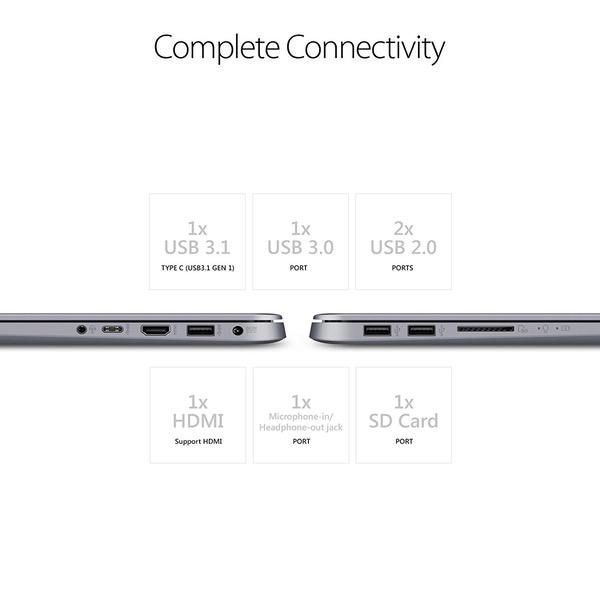
PROS Latest 8th generation Core i5 CPU Room for capacity increase: Empty RAM and M.2 SATA SSD slots Good touchpad CONS Below medium build quality Keyboard has flex No backlight at keyboard Key presses are too stiff to press. May not be healthy for fingers USB ports are too hard to plug and unplug Comes with HDD and this makes this laptop very slow About 4 hours of battery Maintenance and opening case is too hard REVIEW This laptop should be sold with SSD. HDD makes this laptop very slow. In contrast of that, this laptops CPU is very powerful. You need to add or replace SSD to this laptop if you want to get real potential of this laptop. You need to open the case to add RAM or SSD. But Asus engineers designed the case and laptop not to be opened by users. There are several traps inside and outside of laptop. If you fall these traps you can easily damage your laptop. This laptop has several places to upgrade. You can upgrade RAM, add M.2 SATA SSD or replace HDD with 7mm SATA SSD. This is good. Because there are a lot of laptops that has no room for expansion. But this laptop has expansion opportunities. On the other hand, it is not an easy task to open and replace HDD. There are several hidden screws at the cover and inside of laptop. If you dont find hidden screws and push or pull hard, you can easily damage your laptop. I dont understand this kind of design. If you dont want people to upgrade their laptop why do you add empty slots. If you want people to upgrade their laptop why do you hide some screws and make traps to users to easily break their laptops. I made a video about how to open case, hidden screws and replace HDD with SSD. I uploaded it to youtube. Keyboard is not good. There is no backlight and keys are too stiff. I believe it is not healthy to use this keyboard for a long time. I installed Linux as soon as I received this laptop and this was a terrible mistake. I cant boot Windows 10 again after installing Ubuntu linux. You should make a backup Windows or make a recovery USB before installing linux to this laptop. I have to download Windows 10 from Microsoft website and make a clean install. I connected to wifi and update all drivers, everything works again including fingerprint with Windows 10. I installed Ubuntu Linux 17.10 and 16.04. Linux is mostly compatible with this laptop except fingerprint reader. I get about 4 hours of battery runtime with linux. I havent tested yet with Windows. After replacing HDD with SSD, battery runtime incresed to about 5 hours with linux. This laptop identifies itself as X510UA instead of F510UA. When I register my laptop with its serial number to Asus website, Asus website shows this laptop as X510UA. There is no page for Asus Vivobook F510UA laptop in Asus website but there is a page for Asus Vivobook X510UA. If you would like to get driver or product information you may refer to X510UA pages. I made a performance test with video editing softare. My previous laptop had core i5 3317U CPU + 8 GB RAM + 240 GB SSD. Video converting process took 50 minutes with previous laptop. Video converting process with same video file took only 25 minutes with Asus Vivobook F510UA. I replaced HDD with 240 GB 7mm SATA SSD. I can enjoy the real potential of this laptop. I advise anyone install M.2 SSD or replace HDD with SSD. But if you are not familiar with opening laptop cases, dont do it by yourself. You may damage your laptop. I made 2 videos and I uploaded it to youtube. You may search it at youtube to find and watch it: 1) Unboxing and first impressions 2) How to install 7mm SATA SSD
