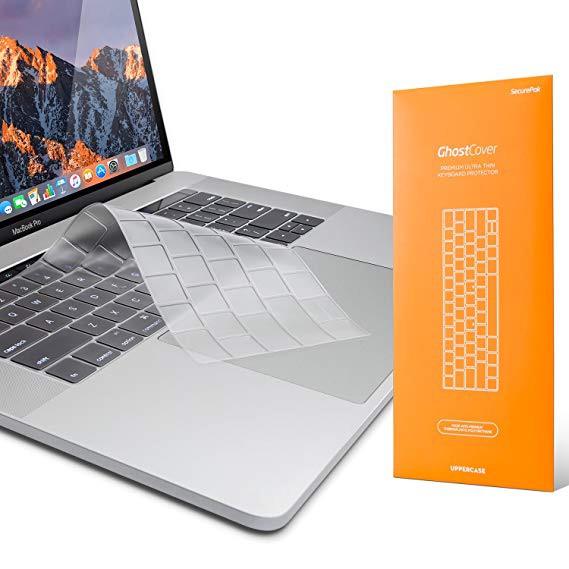
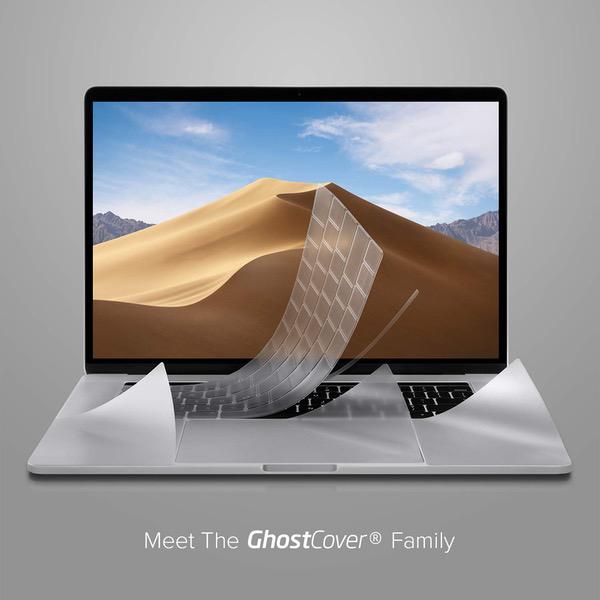
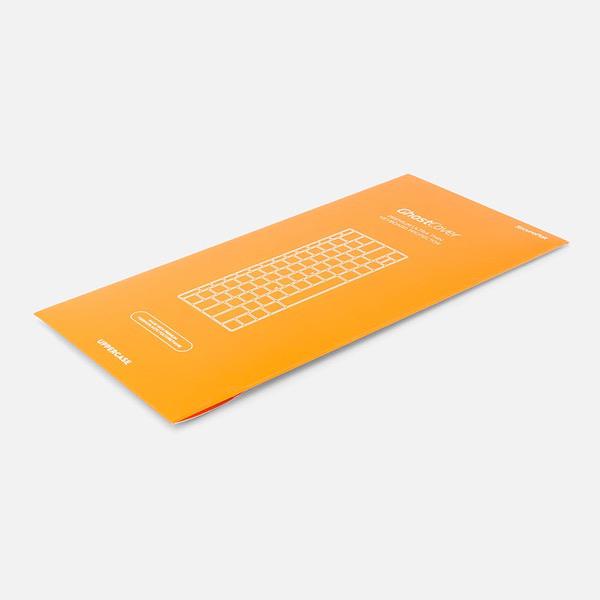
UPPERCASE GhostCover Premium Ultra Thin Keyboard Protector for MacBook Pro with Touch Bar 13" and 15" (2016 2017 2018 2019, Apple Model Number A1706, A1707, A1989, A1990)
Write a review
$1200 $5000

UPPERCASE GhostCover Premium Ultra Thin Keyboard Protector for MacBook Pro with Touch Bar 13" and 15" (2016 2017 2018 2019, Apple Model Number A1706, A1707, A1989, A1990)

Write a review
B01MRKLH27
+
Add to wish list
Target is a general merchandise retailer with stores in all 50 states and the District...

City: US, New York

Delivery
Pickup at your own expense
Tomorrow from 09:00 to 20:00, Store location
Free
Payment options
Apple Pay Google Pay Mastercard Visa
Cash, bank card, credit/installment payments, cashless payment for legal entities
Warranty and returns
Exchange/return of products of proper quality within 14 days Official manufacturer's warranty: 12 months
Description
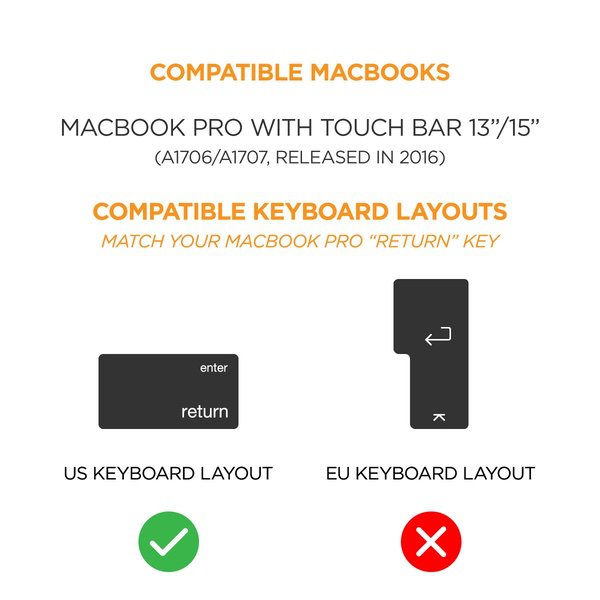
  • Engineered to fit precisely to the keyboard of your 2016 2017 2018 2019 Macbook Pro with Touch Bar (Apple Model Number A1706, A1707, A1989, A1990) US Keyboard Layout Only
  • Tested for not interfering with Touch Bar operation. This keyboard protector does NOT cover the touch bar area, and does NOT come with a Touch bar protector.
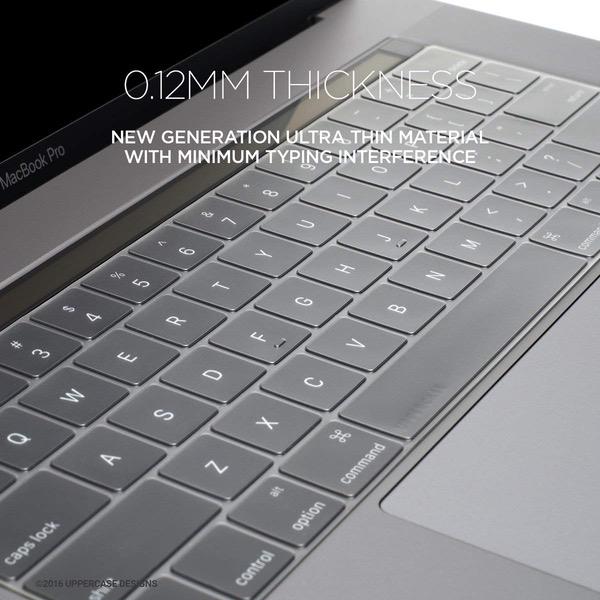
  • NEW! Industry Leading 0.12mm (0.005 in.) thickness to minimize typing interference.
  • Made with premium engineering grade TPU material (compare to our standard TPU keyboard protector)
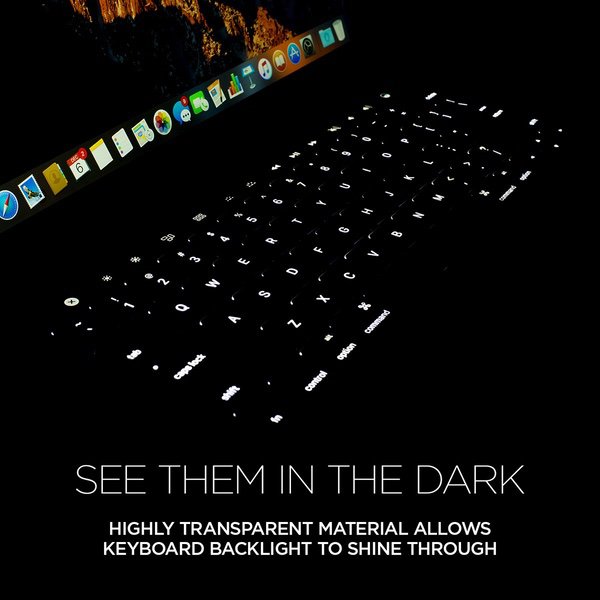
  • High transparency to preserve the elegance of your Macbook, and allows keyboard backlight to shine through. Completely washable and reusable
Reviews
3.6
Reviews: 20
5 stars
45%
4 stars
15%
3 stars
10%
2 stars
10%
1 star
20%
K M
5
Ive always been one of those people whove relied on my devices to protect themselves, as rough as I am on them....after 1 17" 2010 MacBook Pro, an inherited 2011 15" MacBook Pro, and multiple bluetooth keyboards, all dirty beyond belief, that philosophy wasnt really working for me and I wanted to do better by my brand new baby the 13" touchbar MBP. Never had a keyboard protector but this one seems to be doing the job so far...without washing, out of the box, it fits perfectly on the butterfly keyboard, comes off easily if I try but otherwise hasnt slipped, and makes the keys a bit more grippy and a lot more quiet. For this reformed device abuser, this is a very small investment to protect my new baby from my clumsy hyper mobile hands and everything they can spill...no idea if itll go the distance but Im very happy so far!
MacGuffin
5
I havent been writing many reviews lately but I had to make an exception in this case. A little background: Im a huge believer in keyboard protectors and used one (made by Moshi), from Day 1 of ownership, with my 2009 MacBook Pro. When I finally upgraded to my 2016 Pro, I was distressed that no protector was available. Im a cat owner--need I elaborate? As fate would have it, it needed service and due to this models extremely integrated design (not to mention that the keyboard never worked right), the entire logic board--which includes the keyboard--had to be replaced. Fortunately, before sending it to Apple for servicing, I learned about UPPERCASEs GhostCover, ordered it, and slapped it on my serviced Pro before even turning on the machine. I couldnt be more pleased. As much as I liked my Moshi cover, I like this one even more. Its thinner but doesnt feel cheap. Its thickness better complements the pressure of my typing than the Moshi, plus it feels better to me than this Pros keys (a very longtime Apple/Mac owner, this Pro line, quite frankly, feels a bit cheesy to me). Conformation with the keyboard is perfect. Ive had no need to use the included sticky strip--so far, the cover stays put and doesnt leave a ghost image on the screen. Most importantly, I feel my Pros innards are protected. No need to worry that fur, dust, or the occasional crumb or drop of liquid will befoul my very expensive laptop. I advise all 2016/2017 MacBook Pro owners to make this very modest investment and would like to thank UPPERCASE for making this available. I feel a lot more comfortable using my Pro now--Im almost glad it had a problem because it allowed me to start fresh with a protected keyboard.
Modern Day Rumi
5
I personally need a perfect fit for a keyboard cover for it to be worth it so I took a chance with these and so far Im very happy with the purchase. Its thinner than any other keyboard cover Ive seen and the typing actually feels even better with this than it does on the actual keyboard (I actually like the keyboard feel and wanted a cover that wont take away from it- but this even enhanced it). There is no print on the cover itself which is great because the backlit feature works flawlessly through these. The edges align perfectly as well so you cant really notice the edges of the cover- excellent! Another concern of mine is with lifting- I cant stand it when covers get worn out and start lifting around certain keys, mainly on the space key- but there is absolutely no lifting on these. It even comes with transparent adhesive in its own separate packaging in case you do get lifting or movement based on your typing style and want to "tape" the cover down on certain keys to prevent movement. Finally, and arguably the most important for me, there were no streaks left on my MacBook screen after closing the lid with this cover on it. Ive had this experience in the past and its quite tedious having to wipe the screen every few days or so. You also want your Retina display to be as crystal clear as possible, which these ensure. And to top it off, this keyboard cover is washable too. Perfect for when dust/dirt accumulates over time and usage. If youre in the market for a keyboard cover for your MacBook Pro w Touch Bar, this is exactly what youre looking for.
d
5
Im really glad I purchased this keyboard cover. have been using it about 2 months or so now and no issues at all with it. After buying my first macbook pro (have been using ones provided by office before) I wanted to make sure it was protected so it would last. Especially after reading about numerous accounts of keyboard issues due to the short travel on the keys. This cover was super easy to install, and I was very impressed at how well it fit - sized perfectly to fit over the keys. It doesnt really change the coloring much, and you can still see the backlight on the keys, which was important to me. many keyboard covers block the backlight. One can just lay this over the keys and use as is with no adhesive at all. I started off this way, but after some time, I ended up adding one of the small adhesive dots to the upper right corner (delete key) to prevent the cover from sliding off with vigorous typing or when I brushed the cover off. The adhesive is barely noticeable to the eye and not a big deal at all. photos attached so you can see the color, and adhesive.
HandsON
5
There are two main types of keyboard covers: Silicon: Pros include a sleek look especially if you want a solid color to your keys Cons include the fact that silicon loosens up over time, which can make it misalign with the keyboard in the long run. Also, having a solid colored keyboard cover means that the backlight is practically unusable TPU: Pros include the ability to use the keyboard backlight because of its transparency and the material doesn’t loosen as easily (if at all) compared to silicon so it’ll keep a perfect fit in the long-term Cons may vary. For me, TPU isn’t completely transparent so it’ll make your keys look slightly grayish. Another thing to note is that the natural oils from your fingers will show a bit more on this cover than in silicon ones, but you won’t notice it too much unless you look at the cover when its not on the actual keyboard. I chose TPU because, to me, the pros definitely outweigh the cons. The cons are more subjective and can depend on the individual. I didn’t mind the slight grayish look and all keyboard covers get dirty over time so it’s just a matter of wiping it down every so often. The directions mention replacing it every few months or so, but I see no need for it because the one I have now (I’ve had it for over 6 months) still holds up fine. The package includes a few sticky things so you can stick the cover to the keyboard for security, but I don’t think that’s needed. The cover fits fine and I’ve never had an instance were it accidentally came off. That and the fact that using the sticky things makes it look a bit off aesthetically. When looking for a keyboard cover just make sure you know what you want. There are pros and cons to any type of keyboard cover, but if you choose TPU, you won’t be disappointed with this!
Everett J
5
I recently upgraded my 2009 13" MacBook Pro. When I first bought that MacBook Pro, I wanted to protect my investment and probably went overboard. I bought an invisible shield to cover the whole thing, a super protective case and a Moshi keyboard protector. That thing was covered from head to toe. After years of use, the only thing that remained a staple for me was that keyboard protector. Not only did it protect, but I got to love the grippy feel and muted "click" or "clack" of the keyboard. After buying a brand new 2017 15" touchbar MacBook Pro, I wanted to retain that same protection and feel. The issue is this new "butterfly" keyboard (which I love) being so slim. I was worried that a new keyboard protector wouldnt work as well or would fall off. Some of the reviews had me a little worried, but I took the plunge anyway. I dont regret it one bit. This GhostCover is light, thin, and doesnt slip off or come up while I type. It fits like a glove and I didnt even need to use the adhesive strips that come with it. If you are as persnickety as I am about your computer, I think you will like this keyboard cover.
Customer
5
Ive had a lot of these covers for my laptops. Some are so rubbery that its hard to type, others slip off easily or make it hard to feel the keys under your fingers. I was leery to buy a keyboard cover for my 15" MacBook Pro because the keys are so shallow that I didnt think they made a cover that could fit them or would stay on. Boy, was I wrong! This keyboard cover fits like a glove and its smooth and silky, not rubbery or thick like some of the others. As a writer, the keyboard on a laptop is everything. I like the butterfly keys on this laptop and this cover actually enhances the experience, rather than muting the effect of the efficient keys. Love, love, love!
lfyfain
5
I dont normally use keyboard covers because I was afraid that it might take away the tactile feel of the keyboard. since my MacBook pros keyboard was replaced due to the keyboard flaw, I was pretty much forced to get a keyboard cover to prevent dust from messing with my keyboard again. Prior to this I typed on many MacBooks with keyboard covers, and never liked them much. but when I put this one on my laptop, I noticed that the cover preserves the keyboard feel pretty well. Yes I can definitely tell a difference and I would prefer typing without it. if your fingers land on the edges of the keys it requires just a little more effort to press so sometimes I miss some letters. it takes some time to get used to but it is for sure the best keyboard cover Ive ever typed on. it hardly moves when I type and I consider myself a decent typer (avg. 80 wpm). Look wise, it is not as noticeable as other covers other than the keys are a little "grayer" and the plastic reflects the screen light if you look at it from far away (so no big deal). overall, Im very happy with the purchase. if you have a Mac with 1st or 2nd gen butterfly switches, most likely youll need one of these to keep the dust away.
Virtuoso Fan
5
This is the first keyboard cover that I actually leave on when Im typing. Ive had keyboard covers for various MBPs over the years but Id always remove it for work sessions on the road. At home or in the office, Id keep the covers on more as a dust protector since Id use an external keyboard and monitor while using the MBP display at the same time. I recently upgraded to a new MBP and decided to give this keyboard cover a try. I have to say, this is the best keyboard cover Ive ever tried. I actually dont mind typing on it at all. I had become so accustomed to removing the cover when typing on the MBP but now I find that I dont need to do that. Typing on it feels just as good as not having it. Perhaps its because the keyboards on the newer MBPs doesnt feel ideal when typing due to the keys very short travel. With the cover on, typing on it actually feels more even with each keystroke than without the cover. Also, its quieter than not having the cover. So Im thinking that Ill actually leave the cover on when taking the MBP out on the road, which is a first. Fits perfectly and, unless you looked closely, it doesnt even seem like a cover is on the keyboard. Very nice.
You may be interested
  • Bestsellers
  • Recently Viewed
 
Fast and high quality delivery

Our company makes delivery all over the country

Quality assurance and service

We offer only those goods, in which quality we are sure

Returns within 30 days

You have 30 days to test your purchase