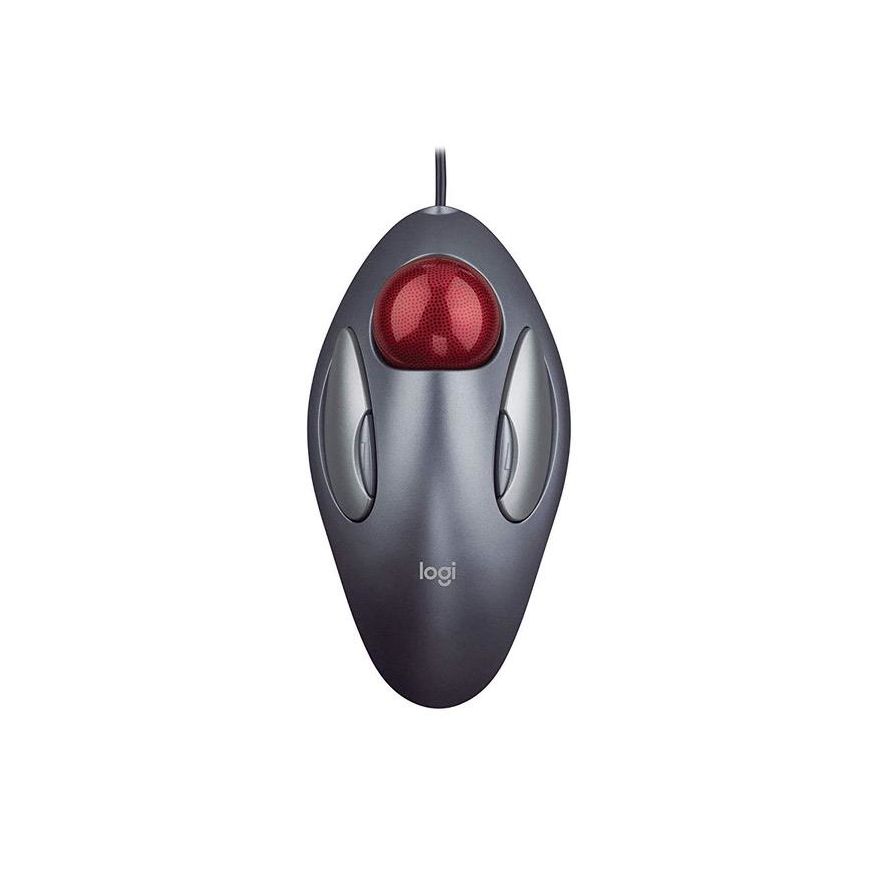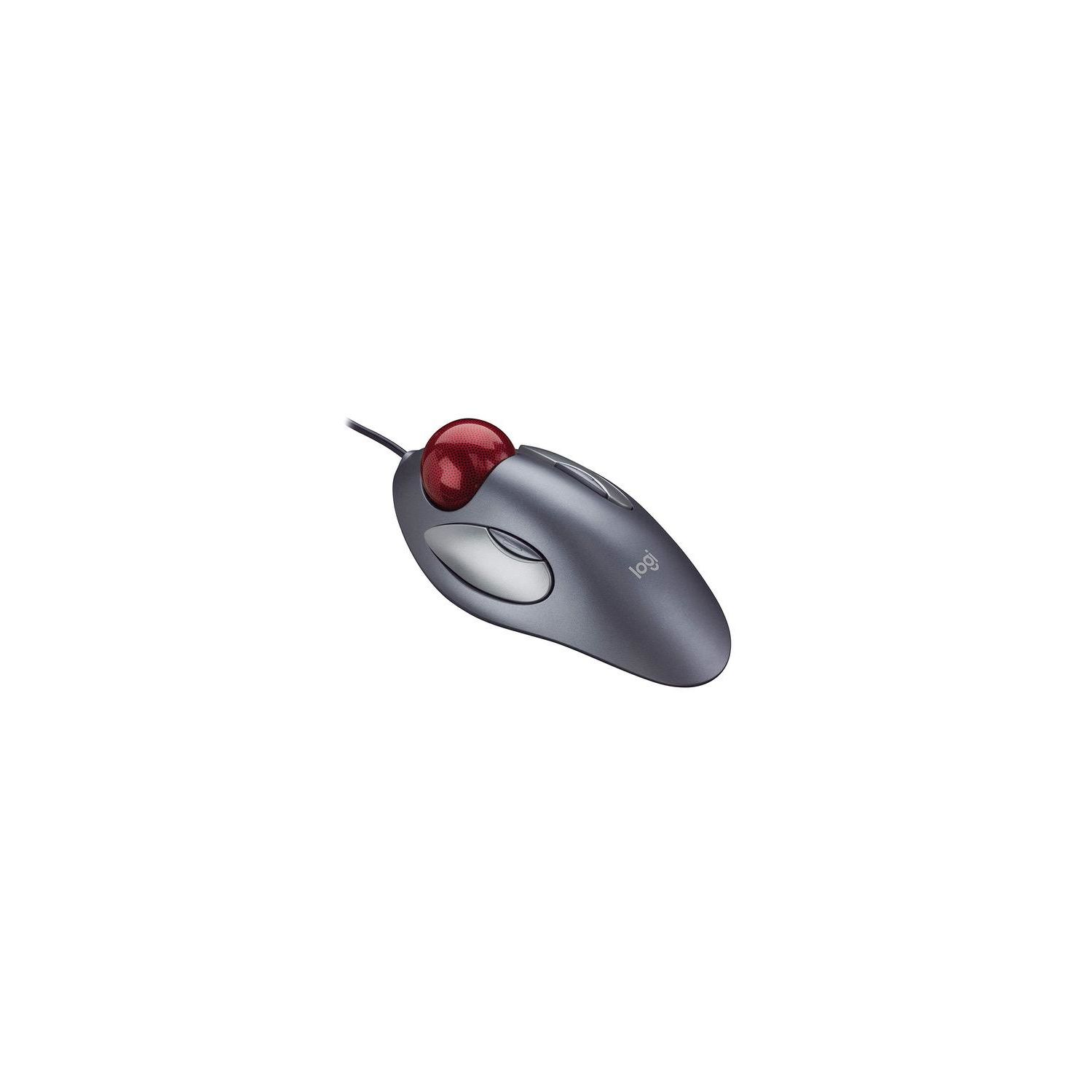

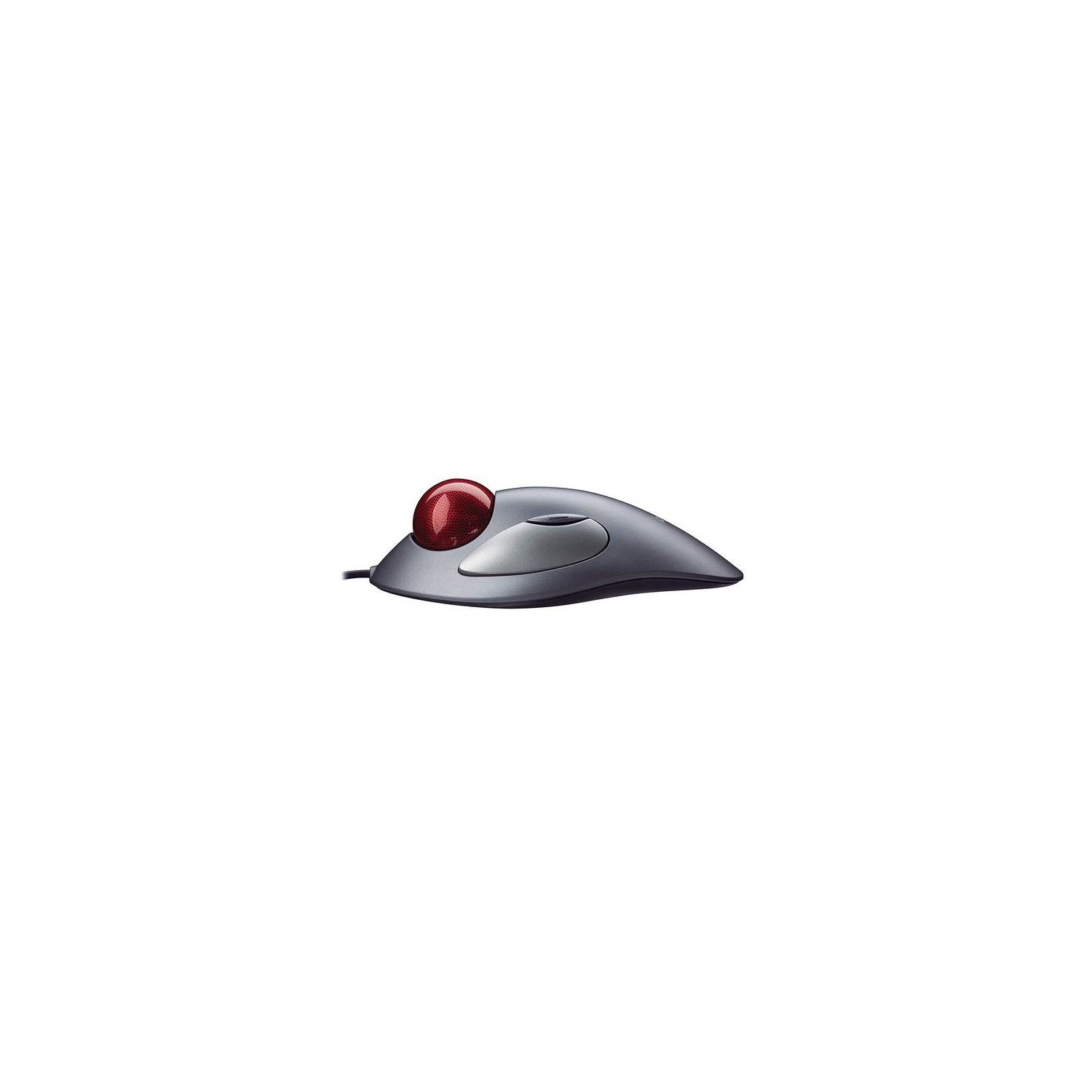

Logitech Trackman Marble Trackball Mouse – Wired USB Ergonomic Mouse for Computers, with 4 Programmable Buttons, Dark Gray
Write a review
1719 3906

Logitech Trackman Marble Trackball Mouse – Wired USB Ergonomic Mouse for Computers, with 4 Programmable Buttons, Dark Gray

Write a review
B001F42MKG
+
Add to wish list
Target is a general merchandise retailer with stores in all 50 states and the District...

City: US, New York

Delivery
Pickup at your own expense
Tomorrow from 09:00 to 20:00, Store location
Free
Payment options
Apple Pay Google Pay Mastercard Visa
Cash, bank card, credit/installment payments, cashless payment for legal entities
Warranty and returns
Exchange/return of products of proper quality within 14 days Official manufacturer's warranty: 12 months
Description
This fits your .
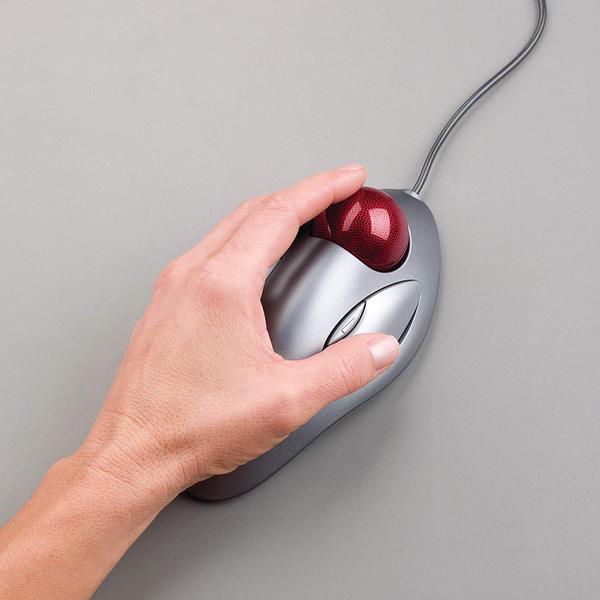
Make sure this fits by entering your model number. TRACKBALL COMFORT - Sculpted ambidexterous shape supports your right or left hand and stays in one place—move the cursor without moving your arm CONVENIENT CONTROLS - Moving quickly between documents or browsing your favorite Web sites is a breeze with large, easy-to-reach Back/Forward buttons ZERO SETUP REQUIRED - Flexible wired connectivity means you just plug the cable into your USB or PS/2 port - it works right out of the box. PROGRAMMABLE CONTROLS - Configure the buttons to do exactly what you want like switching applications, opening browser windows or jump to full screen while watching videos BUILT BY LOGITECH - This mouse comes with the quality and design we’ve built into more than a billion mice, more than any other manufacturer. System Requirements: Windows Vista Windows 7 Windows 8 Windows 10|USB port|CD-ROM drive|Mac OS X 10.4 or later
Reviews
3.9
Reviews: 20
5 stars
55%
4 stars
15%
3 stars
10%
2 stars
5%
1 star
15%
Fred Schmidt
5
I have used this product for YEARS. I have one for every computer. 20 years back i developed repetitive strain injury on my right wrist from too much mouse work. I did two steps to correct. First I learned to "mouse" with my left hand. Second, I tried a bunch of "alternative mouse" products. In my opinion the Marble Mouse is the best! In my engineering job (which is computer intensive) I never developed wrist problems on my left wrist. Two comments: 1. every month or so i notice the ball has a small bit of resistance. I pull the ball out and pull lint off of the white "balls" which the track ball sits. It takes 10 seconds 2. I found a magic cure for my right arm: vibrating heating pad. I put big rubber bands around it so it wraps around my wrist. I massage my arm while I watch TV.
Nicole
5
Make sure you use it for a minute to break it in to roll smoothly! I never used a scroll wheel, even if it is on a mouse Im not sure why, I find them too dizzying (trying to track the screen) instead of just page up/down so that biases me to loving this mouse. I hate how mouse cords catch and feel like moving a mouse around is inefficient. Its irritating to bump into things or have to do the pick up slide move when running out of space. I got this trackball initially god knows when because before optical mouses I hated dealing with mouse balls (on the bottom) gumming up and you have to clean it or smack it a bunch of times on the resting surface. Us old timey gamers know what Im talking about. Obviously we dont have to deal with that anymore. Regardless, even with new technology I have stayed faithful to this mouse. It is flawless. Responsive. And nonpainful. With all things its preference. My first one from before 2006 did crap out for a moment, but I opened it up and used compressed air, and it still works. The only reason I bought a new one is I brought that dinasaur to work since I have my own desk now. This new model has slight upgrades. The ball locks in place a little (the old one just cradled and could fall out if a hard wind blew). From experience you do have to clean it sometimes but if you dont clean your computer stuff at least once a week with daily use youre heading into gross territory.
Julian Dominguez
5
I own two of these, one for each hand, and it takes some getting used to, but it is worth it. Its easy to abuse these and use these and scroll with one finger like a regular mouse, but if you use them with proper form and distribute the rolling motion of the ball evenly with all of your hand, instead of just one finger like a regular mouse scroll wheel, then it will alleviate hand/wrist pain. Thats also why I have one for each hand to distribute that scrolling, which helps when Im on a computer 8 hours a day.
Curious Epicure
5
I work across three monitor screens on a Mac every day and this giant marble mouse makes moving from screen to screen infinitely easier than any other type of mouse Ive used. I really did not know how much a difference it would make until it was recommended to me by a friend who does the same type of work. My hand does not get nearly as tired as it does when using my Magic Trackpad, and I feel as though I get my work done much faster as a result of being able to fly from screen to screen. Setting it up to scroll requires downloading software from the Logitech site, after which you can find the Logitech Control Center at the bottom of the System Prefs panel. A few choices under the Button and General tabs allow for easy customization of clicks and scrolls (Logitech calls this Cruise). One note is that scrolling (cruising) is actually page jumping, but you can control how much of any page you want to jump going both up and down web pages. As with any new control peripheral, it takes a while to get used to its unique behavior. This mouse was pretty easy. I am more than pleased with the precision and speed I get with this mouse.
Jmaster
5
* Doesnt require me to constantly move my arm (just use the huge ball with your fingers) * Can use with any hand (Im ambidextrous, so I switch which arm Im using depending on how tired one is) * Its ergonomic (I have big hands and find it to be comfortable. Though I used this type of mouse when I was still a teen and found it equally comforable). One thing to note is that when I first got it the ball would slightly "stick" every now and then, but I got it to "unstick" by simply moving the ball around randomly and rapidly. You might have to do this every now and then if you dont use it for awhile, but its really not the big of a deal considering all the advantages this mouse gives you. I highly recommend it!
Kasandra
5
Ive used these marble mice for a long time and I credit them with preventing any mousing injuries. I have done research both professionally and privately and this requires hours of data entry. My hand never gets tired or sore. I can use it with either hand (you can program the buttons if you want to change them up when you change hands.) There IS an adjustment period. Just stick with it - its worth it. Dont let yourself get frustrated if it takes you a while as its for the long term good of your hands! It took me a few weeks when I first got one but now its really easy. This seller had a good price and fast service which saved my bacon when my old one shorted out! ( (I suspect a cat attack) If youre like me, hang onto the marble from the old ones when you get a new one in a few years. Ive lost the marble for a while when I dropped the mouse carrying it from place to place and sometimes my dog steals it! A spare marble is always handy!
janet mills
5
Logitech Trackman Marble Mouse, Four-Button, Programmable, Dark Gray i have been using a Logitech Marble mouse for as long as i have been gaming, possibly since the days of the old Doom, i cannot recall for certain, but it has the speed and flexibility of changing views and going 360 without the awkwardness of a regular mouse. if you are into PC gaming, try it and see the difference. it lasts for years with no problems. Delivery was very fast, the packaging was undamaged, and most of all the price was the best i have found. i certainly appreciate LLYtechs service and recommend them to anyone.
C J
5
First time using a Marble Mouse and I really like it. Mouse takes less space on table than having a movable mouse. It took a bit of practice to get the cursor just where I wanted it but learning curve was not steep or high. I dont intend to ever go back to regular mouse. Even after just a few weeks, when I go to another computer with a regular mouse, it feels strange and somewhat uncomfortable. I dont do graphics kinds of work but if I did, I might have an issue getting the cursor to just the right spot -- the marble tends to roll a bit beyond where I want the cursor (actually, I tend to roll the marble too far -- just need more practice). I only use two buttons, even though marble mouse has four. Recommend for anyone thinking of using marble mouse.
JKT
5
Ive always been hesitant about switching to trackball mice. Theyve felt awkward in some models that I would test out in stores. But I have to say, this one is probably your best shot at making the switch, and after a few days of getting your muscle memory going youll never want to go back to the standard mouse. Out of the box, its simple enough. Plug it in and go. However, because of the lack of a proper scroll wheel, even the Setpoint app you can install from the Logitech site isnt enough. I grabbed an app called Marblescroll, which lets you press and hold the default back button, turning the ball into a scroll wheel. Releasing it lets the button revert to its back function. Also, this special add-on app doesnt automatically activate after rebooting your PC, so all I did was add it to the startup routine. Once that was all done, holy smokes the product is seriously unbeatable. Super smooth and intuitive. Love it.
Dick Butts
5
Being a Right handed person with no desk makes using a mouse frustrating as all hell. Other trackball designs are awkward and their interface is often either "Style" over function, or purely right or left handed. The Trackman is the original (i think) and still the best. Take it from someone who is so dominantly right handed that they can barely scratch with their left, i can set this on my left thigh and work with my left hand like im left handed. Its AMAZING. And it seems designed by a wrist posture pro, being very comfortable to use, with a grippy enough ball and just soft enough clicky buttons (the forward and back buttons take some getting used to). The only downside is that Setpoint (Logitech Keyboard and mouse customization software) wont recognize it if you are using a wireless logitech keyboard. There are solutions to this, but it means that out of the box its a classic, no-scroll Trackman. I really wish there was a wireless trackman like this four button wired model, with a scroll wheel tacked on somewhere like an afterthought (theres room for one on all sides of this thing).

Showing 10 of 11 reviews

You may be interested
  • Bestsellers
  • Recently Viewed
 
Fast and high quality delivery

Our company makes delivery all over the country

Quality assurance and service

We offer only those goods, in which quality we are sure

Returns within 30 days

You have 30 days to test your purchase