
















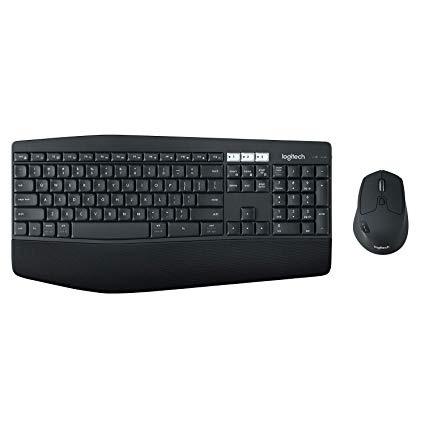
Logitech MK850 Performance Wireless Keyboard and Mouse Combo
اكتب تقييم
$‎ 7500

Logitech MK850 Performance Wireless Keyboard and Mouse Combo

اكتب تقييم
B01NAVO5PF
Target is a general merchandise retailer with stores in all 50 states and the District...

المدينة: US, New York

Delivery
Pickup at your own expense
Tomorrow from 09:00 to 20:00, Store location
Free
Payment options
Apple Pay Google Pay Mastercard Visa
Cash, bank card, credit/installment payments, cashless payment for legal entities
Warranty and returns
Exchange/return of products of proper quality within 14 days Official manufacturer's warranty: 12 months
Description
This fits your .
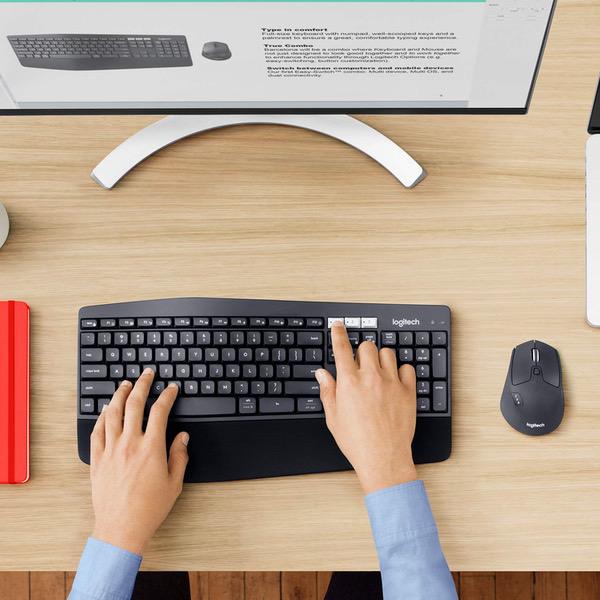
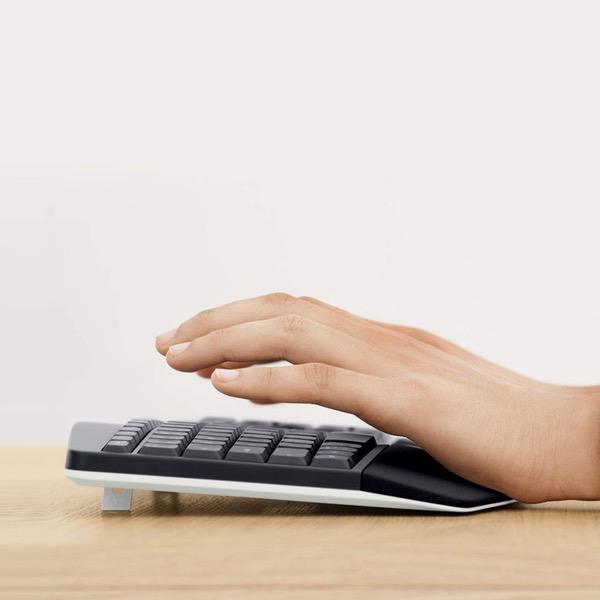
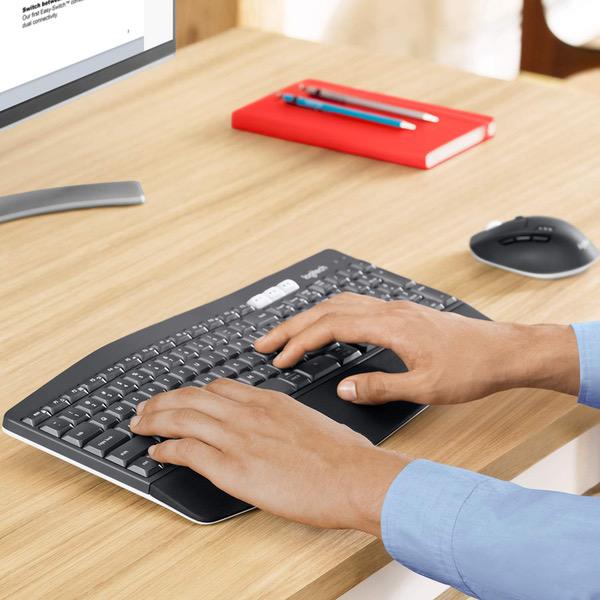
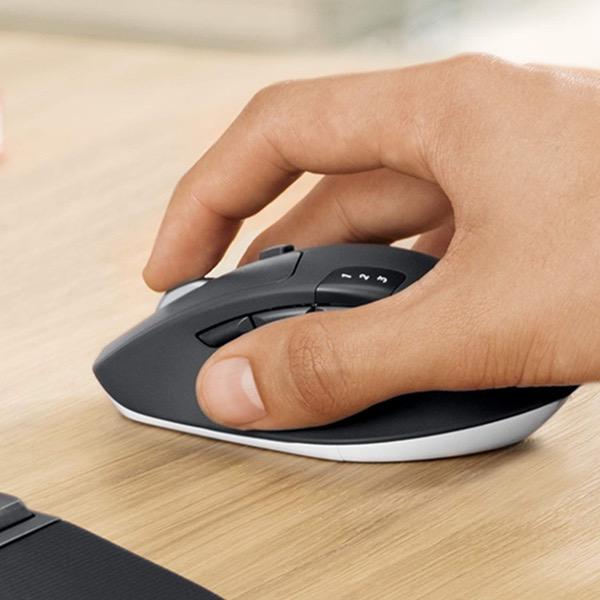
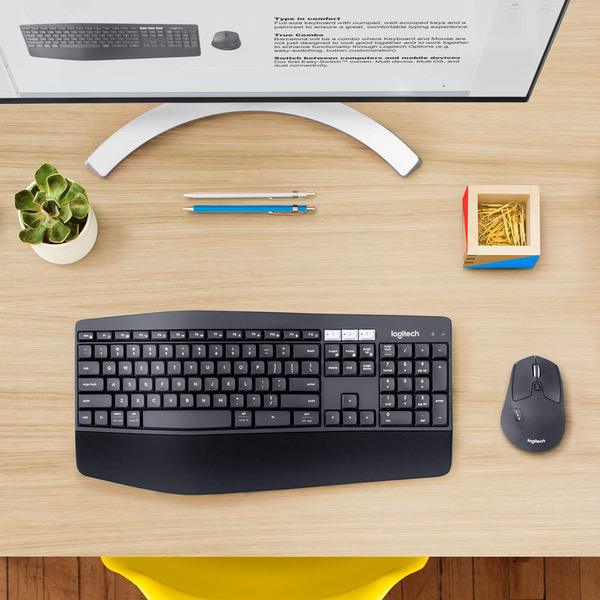
Make sure this fits by entering your model number. Logitech MK850 Performance Wireless Keyboard and Mouse Combo Contoured right-handed mouse with hyper-fast scroll wheel enables you to fly through documents and web pages Type quietly and comfortably for hours at your desk on a full-size keyboard with cushioned palm rest and carefully-crafted keys Both keyboard and mouse are fully multi-device and multi-OS friendly for powering through projects Start typing on your computer, then switch and type on your tablet, phone or on a second computer
Reviews
3.6
التقييمات: 20
5 نجمة
35%
4 نجمة
30%
3 نجمة
10%
2 نجمة
10%
1 نجوم
15%
Mac Townsend
5
A product in middle-to late development stage. The features of both the mouse and the kbd are not documented. They are still working on how to use docs. Like theres a square button on top of the mouse. Whats it for? Nothing in the site or app that tells you. But it changes the scrolling of the wheel from smooth scrolling to ratcheted (much easier to control) And for information, scrolling on this mouse work the Windows way, not the Apple way (roll it back, scrolls down not up). Though I think you can change that. I normally use a G710+ mechanical lighted keyboard (though I am NOT a gamer) with an app called Multiplicity to share mouse and kbd between my i7 W10 and my i7 W7 boxes that sit next to each other but using different monitors. That works just fine with a wireless logimouse connected to the receiver in the keyboard on the W10 box. Mouse moves back and forth nicely, keyboard works where the mouse is. This thing is not the same setup. Sort of. It CAN be set using flow to seamlessly go from one winbox to another. Figuring how to do it is not simple: there ARE no docs on this thing! apart from a useless web page and an html installation screen. Logi says they are badgering the docs group to get it out. OK. For now. But they will have to eat a lot of returns because it is so screwed up, I was ready to return it myself last night. Before I got all working today: the key is a late-model version of OSX. Fat did not work with 10.6, BT would not connect (strangely, a logi wireless mouse DID connect with a receiver stuck in a fron usb port. Dunno why). I then put a mac in the pot, an 2008 Mac Pro 3.1, dual 2.8 Xeons. After finally getting it upgraded from snow leopard, 10.6, to El Capitan, 10.11, (you have to be at snow leopard to get to Capitan, otherwise Yosemite. SL is $20 for the DVD at the apple store, I think. More on evil bay), the stuff started to work with the mac USING THE UNIFYING RECEIVER installed in a usb port in the mac (not the same receiver in the windows boxes). Did not work with Snow Leopard. Wrong version of BT, I guess. But no BT now!! There is mac software that needs to be installed for this stuff. Two pieces: 1 is Logitech Options, I guess youd call it the drivers, and another is a firmware update for the kbd/mouse and for the receiver. I think if you have run the update on the kbd in Win, you don;t needs to do that in mac. The receiver, though, I think needs updating in each. I suspect there will be other updates in this firmware area. Both the mouse and keyboard have a little switch, or white keys, labelled 1, 2, 3 for computer 1, 2,3 the 3 is for a mac, I guess. I dare not try to change this around to see if mac can be #2 or something, because i have it working now!<G> To go from one # to another you have to flick the switch on both kbd and mouse. The Flow software allows you to not use the switch between Win boxes (maybe mac, too, I dont know. No docs! In general I think it will play out to be useful espectially across platform. But I understand there is software that can do this for less $ than this kit costs. The hardware: All so far is essentially software. The mouse has more buttons and fadgets than Im comfortable with, but it looks like one can ignore them or learn to use them., Overall, I prefer my M510 but so far The keyboard has fairly large keys with a semi-mushy feel (compared to my mechanical switch G710+). The slightly larger keys do help my non-typist fingers to hit the right key more than not. UPDATE UPDATE Logitech has a software called Flow that allows one to move the mouse between up to 3 computers simply by moving it. You need to arrange the computers in a pattern (mine are in line left to right). Installing the software from Logi to my mac, enabled that. Now I can simpl;y moive the mouse from W10 box to mac box … and keyboard focus goes with it. Im clicking another star for that! ------- Update in early June. I give it more stars, to the max. As I write this both my mac and main W10 box are on their side with innards being revised. New pieces on the way soon. This package is working on the W7 box without a hesitation. I am buying another set this week for a Mini and W10 combination in the living room. Hope Logi gets a detailed user manual on this great system pretty soon. Oh, the unified receiver should work on 10.6.8 and up. It does for me. Even if not using the 850 combination package, an M310 mouse works on the mac as well id OS is >latest Snow Leopard.
CCUSA
5
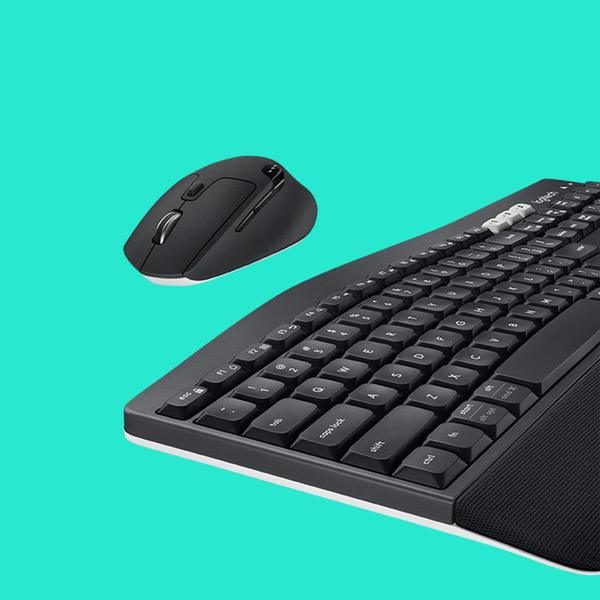
Note: Many have complained about missing characters when waking up the keyboard. This is an issue that has been corrected by Logitech in its firmware. So now there may be a miniscule delay during the wake up but you wont be missing any characters. To me this works well and is an acceptable compromise. Note: Some people have noted there is no "windows" key on this keyboard. It does have a "start" key on the lower left which performs the same function. I love this mouse/keyboard set. Both devices have the ability to connect to 3 separate devices via Bluetooth and have buttons for you to select which device you want to connect to. For example you could use it to select between a cell phone, laptop or desktop computer. On the keyboard there are 3 white keys labeled 1, 2 and 3. You simply press the button of the connection you want to be active. On the mouse there is a single button with 1, 2 and 3 labeled above it. You simply press that button until the connection number you want to use lights up. Both pieces are nice solid components. The keyboard is very solid and wont move around when you type. The keyboard has a soft feel but is very comfortable to use for extended periods of time. The mouse feels good in your hand.
WNYer
5
Ive had this keyboard for about 2 months and I love this keyboard. The keys are shaped to fit your fingers, It allows for 3 devices. Its a full size keyboard, Its curves to match your hands. It has a soft textured wrist holder. It switches fast between devices (Mac and PC). I dont notice it being slow to start typing. It has the CMD keys for Mac. It came with an excellent 3 device mouse that fits in your hand great and has the button for smooth or notched action for the roller (which I use a lot). The mouse has a nice texture so it doesnt slip in your fingers. Caps lock and low battery indicator lights. I searched for months to find a good keyboard for my Mac Mini that would be as comfortable as my Logitech I have for my Toshiba laptop. I recently bought the Mac Mini and soon after I received it I found keyboard selection for Apple products suck. All flat keys and no rest for your wrist (I type with my keyboard on my lap). .I found this one on Amazon and I was a little wary because of the reviews on the response from device to device but I took a chance on this one. I have been really impressed since the day I received it. I did download the latest update from Logitech after I installed it. Bottom line is this package is great I highly recommend it. I do not get free samples for my reviews this review is the real deal.
Michael2599
5
I am a CPA and spend all day on the computer. I picked up one of these sets for one of my staffs computers, and wound up looking forward to when I got to sit at her station. The keyboard is very comfortable and quiet. You can get a good sounding click if you want, but you can also almost type silently. I love that. The keyboard has a soft feel to it. Great ergonomics, which are important to someone who spends all day on the computer. The mouse is comfortable for my big hand and is very nice, but not as comfortable as the keyboard. Highly recommended for power users. Worth the price.
Agudodan
5
Great that I can use on 3 different devices so easily. Just click button to change Keyboard response feels good. First one had to be replaced because it was jumping and back-spacing uncontrollably. Logitech sent a replacement even before I asked after I mentioned issues. Great speedy service.
Josie Morehouse
5
I love being able to swap between my laptop and my iPad by pressing a button on the keyboard. The mouse and keyboard are very smooth and responsive, and swapping between devices is very quick: there is no delay when you hit the button to switch to the other Bluetooth device. I still haven’t had to change the batteries for either the mouse or keyboard, and I use them every day for 8-9 hours.
TAG_MD
5
Plug the Bluetooth receiver into the computer, install batteries, use your computer. Its that easy. Weve been using the equipment daily for about 4 months now without a single issue. Both keyboard and mouse have been powered on since installation and the original batteries are still going strong. The advertised range of the keyboard and mouse isnt really tested because we leave them both right on the desk near the computer. But, the equipment we replaced had communications issues in the same scenario, whike this equipment works great. Id definately purchase this again if I needed similar equipment for another computer.
You may be interested
  • Bestsellers
  • Recently Viewed
 
Similar products
Show more
Fast and high quality delivery

Our company makes delivery all over the country

Quality assurance and service

We offer only those goods, in which quality we are sure

Returns within 30 days

You have 30 days to test your purchase