
















Logitech MK710 Wireless Keyboard and Mouse Combo — Includes Keyboard and Mouse, Stylish Design, Built-In LCD Status Dashboard, Long Battery Life
Write a review
4297 8203

Logitech MK710 Wireless Keyboard and Mouse Combo — Includes Keyboard and Mouse, Stylish Design, Built-In LCD Status Dashboard, Long Battery Life

Write a review
B0036E8V08
+
Add to wish list
Target is a general merchandise retailer with stores in all 50 states and the District...

City: US, New York

Delivery
Pickup at your own expense
Tomorrow from 09:00 to 20:00, Store location
Free
Payment options
Apple Pay Google Pay Mastercard Visa
Cash, bank card, credit/installment payments, cashless payment for legal entities
Warranty and returns
Exchange/return of products of proper quality within 14 days Official manufacturer's warranty: 12 months
Description
This fits your .
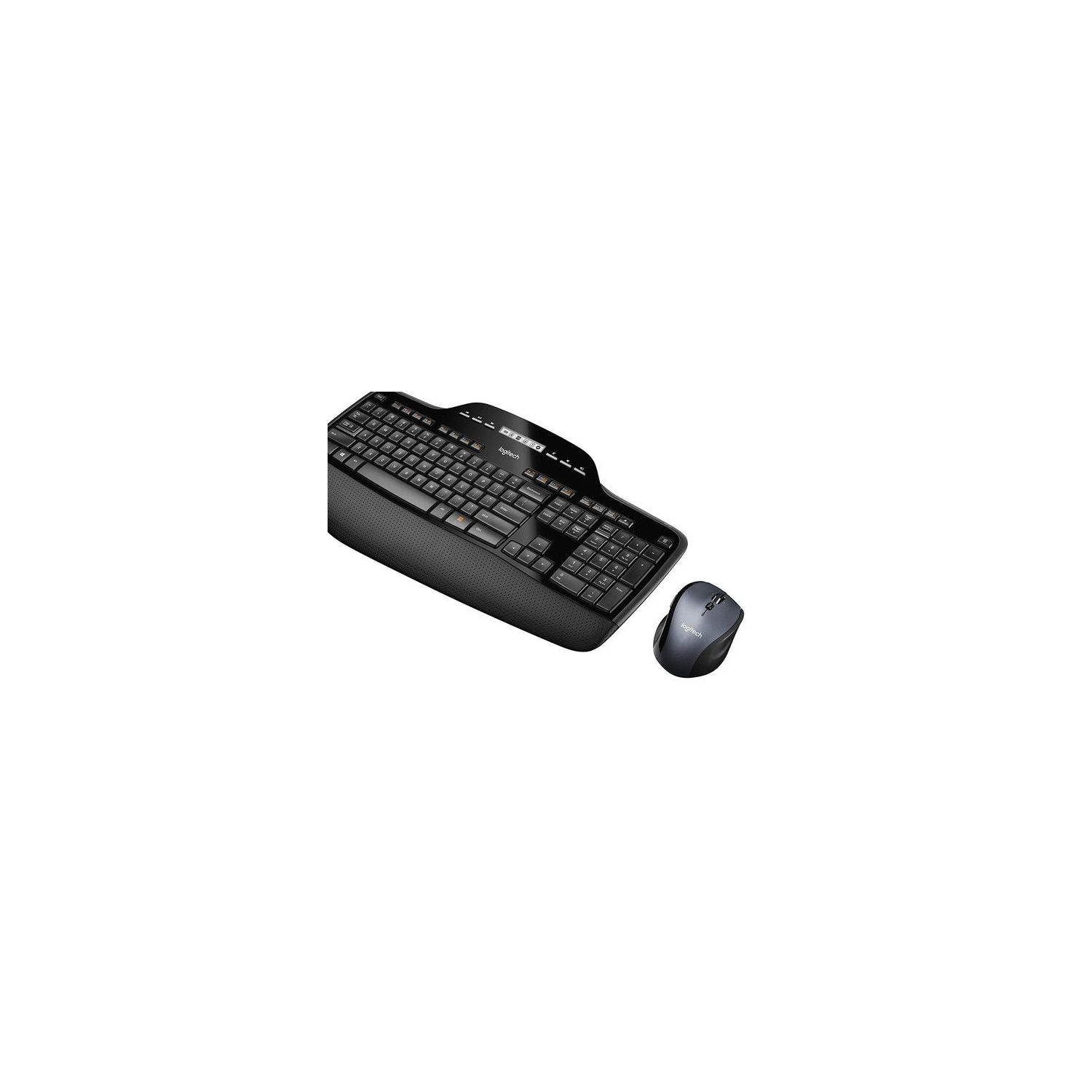
Make sure this fits by entering your model number. The MK710 contains the MK700 keyboard with Unifying Technology and the wireless Marathon Mouse M705. AA Batteries Required (Best with Polaroid AA Batteries) Up to three years of battery life virtually eliminates the need to change keyboard and mouse batteries Logitech Incurve keys and cushioned palm rest help your fingers glide comfortably from key to key, hour after hour LCD dashboard icons give you at-a-glance status of battery power, Caps Lock, Scroll Lock and Num Lock so you won't miss a beat while typing Hyper-fast scrolling lets you fly through long documents and web pages. System Requirements:Windows-based PC,Windows XP, Windows Vista, Windows 7, Windows 8, Windows 10 We recommend moving the receiver away from other radio interference devices such as WIFI routers, Cordless Phones, etc. to alleviate any receiver interruption
Reviews
2.7
Reviews: 20
5 stars
15%
4 stars
25%
3 stars
5%
2 stars
20%
1 star
35%
Poc Network // Tech
4
It seems to be a good upgrade since the previous combo set. Our only stink was the fact that the mouse was a little smaller and the scroll wheel in hyper-mode is a little messy at times. Originally the MK710 keyboard/mouse combo retailed for around $99 or more, but now you can find it for around $69.99 on Amazon, giving it a much better price category when it comes to the features it has to offer. This is a great wireless set for most PC users, including novice or intermediate gamers. Of course if you are an top-rank gamer, you will probably opt for something with custom buttons, mechanical keys and a crazy looking mouse (to each their own). It also works well on Mac and Linux systems when you plug the receiver in and run with it. We would not however recommend installing the software for any further setup on a Mac, as we have heard of shoddy software support (Logitech prefers PC it seems this round). -- James // Poc Network (Senior Editor) Note: The current picture as of Dec 8th, 2017 is not the correct picture of the keyboard. You have to scroll down to see what the product really looks like until someone fixes that.
OoberDogLover
4
I like this keyboard and I am happy with it for the price. It is comfortable to use, the wrist placement feels good for me. I type all day at work and this keyboard is much better on my upper back than my laptop. The wireless functions have worked well and the mouse is responsive. But there are a few tweaks I would make if I were the product designer, or maybe an upgraded model: -Its loud. The click clicking of every key is annoying when you listen to it all day and it would be a lot of background noise in something like telemarketing/cubicle environments. The noise is awkward when I am trying to take notes on a conference call. -The keys have a bit more resistance than I am used to. I wish they were a little more recessed into the keyboard and quieter (like the buttons on most newer laptops) -It really needs a background light, with dim and bright settings. I work into the evenings and my keyboard is in the ergonomic drawer of my desk. Its perfectly placed for long work hours, but then I tend to go back to laptop so I can see the keys while I work. This is particularly useful when using the 10-key and F functions, as well as the sound controls at the top. -Similarly, I wish there was a light on the CAPS lock so I can see when I have accidentally pressed it. I find myself defaulting to my laptop for this as well.
Wandrelust
4
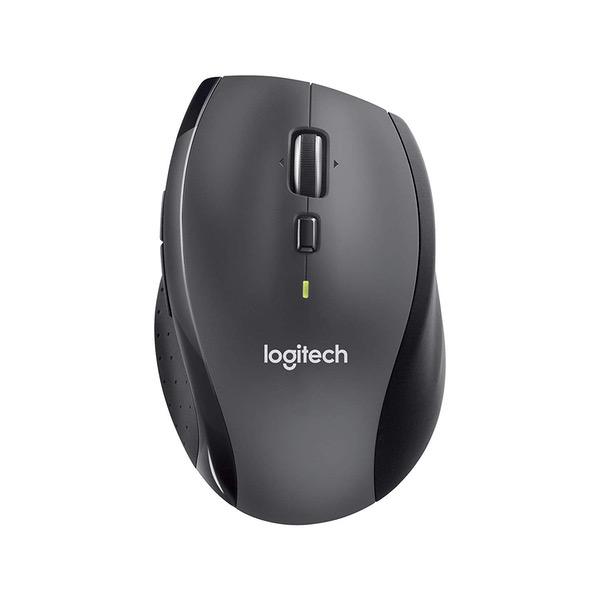
I am very very very picky about my keyboard and mouse. I spend most of my workday sitting at my computer, so technological comfort is key. But so are the other features: Comfort: Let me say that first. I want a nice wrist rest, I need a good angle of the flipper feet, and the keys have to have a nice feel to them, not too "sharp". This keyboard checks the boxes. Connectivity: I have experienced no key lag. I actually had key lag with a prior Logitech keyboard, and returned it after 1 hour, to Amazon. This keyboard is fine in that respect. Convenience: I like the LED display for battery (not that I have needed to charge it yet, after one week of heavy, heavy, use). The LED is useful for Caps and Number luck. I also like the convenience keys for volume control, including Mute with one-key. Now, the Mouse. I have a Logitech M310 already, and it works flawlessly. I bought this unit, with the notion that I could free up a USB port. The mouse worked fine, as did my prior Logitech mouse. But this one was just... too swanky? I mean, the touch was soooo curvy and aerodynamic or whatever, that it felt *wrong*. Then, theres the weird button below the scroll wheel. I am sure that this button has use to some people, but I felt like it just got in the way of the comfort of using the scroll wheel. I am pleased with my purchase for the keyboard, but the mouse will go in a drawer for a rainy day.
Lord Kreegan
4
I owned this keyboard and mouse previously (purchased at Best Buy) and decided to replace the one I had for several years. As is so common with Logitech products, the design is superb, but the manufacturing implementation lacked quality. For instance, I owned an expensive Logitech headset (the G35); it had superb sound quality and comfort, but a short drop SHATTERED one of the earpiece hinges, revealing that it was neither plastic nor metal but some CHEAP composite. In a similar sense, the prior MK710 keyboard and mouse combination demonstrated manufacturing shortcomings: 17 keys were no longer readable (and most of them were not keys that were heavily used, so there was no reason for the markings to wear off), most of the keys had lost any tactile feel and become "clunky" on key-press, often sticking or giving a lot of key-bounce; and the side of the mouse where the thumb rests mysteriously developed a hole. That baffled me; was the plastic that thin? Theres no pressure at that location; how was a hole worn through? There have been some obvious redesigns of features. You dont see "On-Off" anymore by the switches for the keyboard and mouse; since I had the older version of the keyboard and mouse, I knew where the settings were. The optical port on the mouse has [thankfully] been redesigned; the old design (recessed) collected dirt, cat hair, and grunge, and often had to be blown out in order to get good mouse performance. The RF link appears to have been redesigned, too -- although I cant prove this -- since the old USB dongle wouldnt work with the new keyboard and mouse. The old software appears to work just fine with the new hardware; I obviously cant verify that battery life will be as good as before, but I have no reason to believe it wont be. Im quite happy with this product... as long as the manufacturing flaws in the earlier version dont resurface.
Johnny Stallion
4
I like this mouse/keyboard combo and I do not regret buying it. But I thought I would put some information out there that may help people make the best decision for them. If you are planning on gaming with this mouse, beware of a few things: - Clicking the mouse wheel is dubious at best. It works maybe half the time I try it and I have to press it again to ensure it registers. Combined with the looseness of the wheel, you may end up using the wheel whenever you try clicking it. - It cannot send too many button presses/mouse clicks at the same time. If you are using the WASD keys and trying to do multiple clicking, you will find that not all of your inputs get through. Otherwise, I like this combo for most other uses. Portability and battery life are great.
You may be interested
  • Bestsellers
  • Recently Viewed
 
Fast and high quality delivery

Our company makes delivery all over the country

Quality assurance and service

We offer only those goods, in which quality we are sure

Returns within 30 days

You have 30 days to test your purchase