
















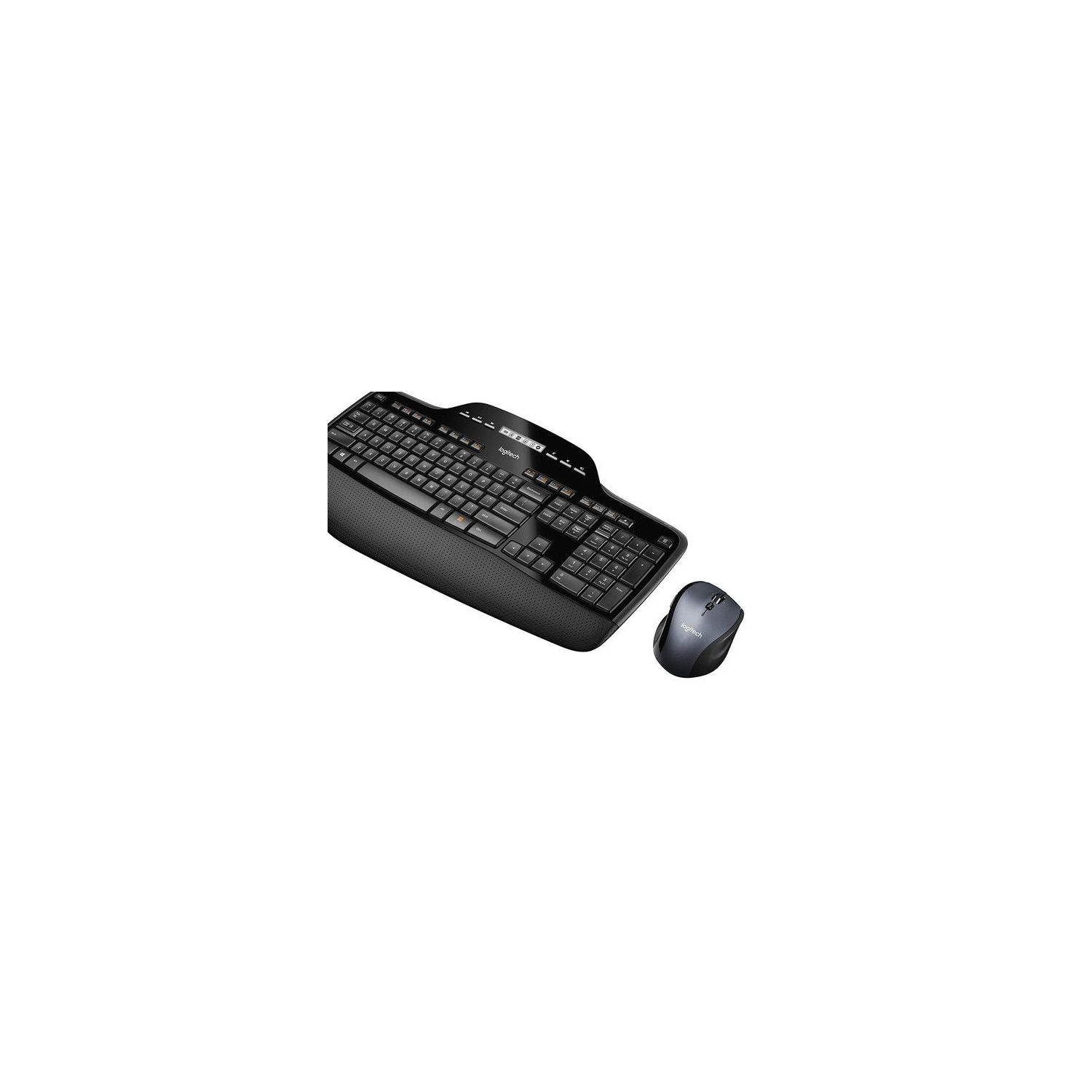

Logitech MK710 Wireless Keyboard and Mouse Combo — Includes Keyboard and Mouse, Stylish Design, Built-In LCD Status Dashboard, Long Battery Life
Write a review
$5500 $10500

Logitech MK710 Wireless Keyboard and Mouse Combo — Includes Keyboard and Mouse, Stylish Design, Built-In LCD Status Dashboard, Long Battery Life

Write a review
B0036E8V08
+
Add to wish list
Target is a general merchandise retailer with stores in all 50 states and the District...

City: US, New York

Delivery
Pickup at your own expense
Tomorrow from 09:00 to 20:00, Store location
Free
Payment options
Apple Pay Google Pay Mastercard Visa
Cash, bank card, credit/installment payments, cashless payment for legal entities
Warranty and returns
Exchange/return of products of proper quality within 14 days Official manufacturer's warranty: 12 months
Description
This fits your .
Make sure this fits by entering your model number. The MK710 contains the MK700 keyboard with Unifying Technology and the wireless Marathon Mouse M705. AA Batteries Required (Best with Polaroid AA Batteries) Up to three years of battery life virtually eliminates the need to change keyboard and mouse batteries Logitech Incurve keys and cushioned palm rest help your fingers glide comfortably from key to key, hour after hour LCD dashboard icons give you at-a-glance status of battery power, Caps Lock, Scroll Lock and Num Lock so you won't miss a beat while typing Hyper-fast scrolling lets you fly through long documents and web pages. System Requirements:Windows-based PC,Windows XP, Windows Vista, Windows 7, Windows 8, Windows 10 We recommend moving the receiver away from other radio interference devices such as WIFI routers, Cordless Phones, etc. to alleviate any receiver interruption
Reviews
2.7
Reviews: 20
5 stars
15%
4 stars
25%
3 stars
5%
2 stars
20%
1 star
35%
Christopher J
2
Purchased in April, key letters started wearing off 3 months later. One day I took the time to contact Logitech support via the website since the keyboard was still under the 1 year warranty. Note: Their support took 2 weeks to even acknowledge me, this after multiple ticket updates asking if anyone worked there. They agreed with me that it needed replacement and just needed my phone number for shipping, which I gladly gave.. Then 2 weeks more go by, I contact them via phone for an update and the person now tells me that they will not replace it. This time due some internal policy they have (no cosmetic returns after 6 months) - I contacted them 3 days after the 6 months by the way. I asked to talk to a supervisor, they gave me the same BS that they wouldnt replace t due to the "cosmetic clause", but at least escalated the ticket to I guess the "super support team". 2 more weeks later, I get an email that they will just this once replace the keyboard. Just this once. Save your money. Logitech no longer is dominating the peripheral arena. Their oversees support is sub-par at best.
BigRedAbraham
2
This is the second keyboard of this model Ive owned. I want to like it but both my old one and this one have the same problem -- the labels on the keys wear off after 6-12 months of use. Its hard for me to believe that this cant be fixed, i think they are just cutting corners, trying to shave a few pennies off their manufacturing costs. Logitech support is not good, Ive tried to get this replaced, they wont do it. (I touch type so i can use it without labels on the keys, but from time-to-time it is nice to have them). at least logitech should send me a bag of keys so i can pop off the old ones and pop on the new ones. My advice: dont buy this product. pros: I like the feel of this keyboard and mouse. wireless works well for me software has been fine
BES
2
This is my second update. I am leaving the others (below) because they are still valid for the way I plugged the Unifying Receiver into my system. I now have the keyboard working very well and 95% of the mouse scrolling issue has been resolved. How did I do that? Support from the manufacturer of the Dock that I use with my laptop told me that this has been a known Logitech problem with USB 3 interference since 2014. They told me I should use an extender to get the receiver away from any USB 3 devices. So I grabbed the 3 foot USB extension cord that Logitech provided and put the receiver as far away from my dock and laptop as possible. - Logitech markets their "tiny" Unifying Receiver. But putting it on a 3 foot extension cord is not tiny. - I think Logitech could be much more clear about the interference issue, why the extension cord is in the box, and how one should use it. - Logitech product descriptions sound like the keyboard and mouse is a simple plug-and-play. I have wasted hours, trying to get it to perform well. Getting it to work well was not plug-and-play. - Logitech is a major company in keyboards and mice. I think that a known problem since 2014 is deserving of a better engineering solution than putting a 3 foot extension cord in the box and letting the buyer figure what to do with it. Consequently, I am putting my rating back to a 2 Star. Below is my original review. It is still correct when I plug the unifying receiver into the dock for my laptop. However, when I plugged the unifying receiver directly into the laptop, the keyboard has been working very well (for the last 8 hours). I raised the rating 1 star. I did not raise it more because I think this is a poor solution. I think Logitech should develop products that work well though a dock. After all, what is the point of a full size keyboard and mouse, if it is not to use them at home, when the laptop is also the desktop. My laptop (and many others) has only 1 USB-A port. It should not be taken up with a receiver that is necessary for the keyboard and mouse. That is, if I am going to work at home with a full sized keyboard and mouse, I cannot plug anything else (USB-A) directly into my laptop. Further, having the receiver plugged directly into the laptop at home, raises the risk that I will lose it when I take my laptop with me on trips. The mouse works great (except that it is touchy when I am scrolling - it tends to overshoot or scroll back - maybe it is too sensitive to touch). It solved the problem I had with my old Logitech mouse. The keyboard feels great, and I love it when it works. Unfortunately, at times it just decides to take a holiday. I can be typing, pause a moment and it stops working. It takes much longer (pressing keys) to wake it up than it takes for it to decide it needs another holiday. Some times I can take a long pause and it is right there for me when I start typing again. It is very frustrating. I never know when it will stop on me. And when I am trying to get work done, not having a responsive keyboard is very irritating. I did trying updating the Logitech drivers, disconnecting from the unifying receiver and reconnecting, and searching the web for some setting I could configure (or some other bright idea that would stop the problem) but I did not find anything that worked. That was disappointing, because I like it when it works, and would have much preferred to find a way to make it dependable. Like I said in the title, I should have listened to the others who had this problem.
D. C. Smith
2
I have ordered three of these combos in the past 9 months. One for my church (April 2018), one for me (October 2018), and the latest (January 2019) for my wife. The "latest" combo has the M705 mouse, but it is missing the application switcher button AND it cannot be controller/programmed via Setpoint. You have to download an additional application called Logitech Options. This all started about November 2018. Its reported in the Logitech forums. I have filed a complaint with Logitech. This is a "bait and switch". The keyboard appears to be the same.
You may be interested
  • Bestsellers
  • Recently Viewed
 
Fast and high quality delivery

Our company makes delivery all over the country

Quality assurance and service

We offer only those goods, in which quality we are sure

Returns within 30 days

You have 30 days to test your purchase