Logitech M720 Triathalon Multi-Device Wireless Mouse – Easily Move Text, Images and Files Between 3 Windows and Apple Mac Computers Paired with Bluetooth or USB, Hyper-Fast Scrolling, Black
Write a review
$3500 $5000

Logitech M720 Triathalon Multi-Device Wireless Mouse – Easily Move Text, Images and Files Between 3 Windows and Apple Mac Computers Paired with Bluetooth or USB, Hyper-Fast Scrolling, Black

Write a review
B01LF37K80
+
Add to wish list
Target is a general merchandise retailer with stores in all 50 states and the District...

City: US, New York

Delivery
Pickup at your own expense
Tomorrow from 09:00 to 20:00, Store location
Free
Payment options
Apple Pay Google Pay Mastercard Visa
Cash, bank card, credit/installment payments, cashless payment for legal entities
Warranty and returns
Exchange/return of products of proper quality within 14 days Official manufacturer's warranty: 12 months
Description
This fits your .
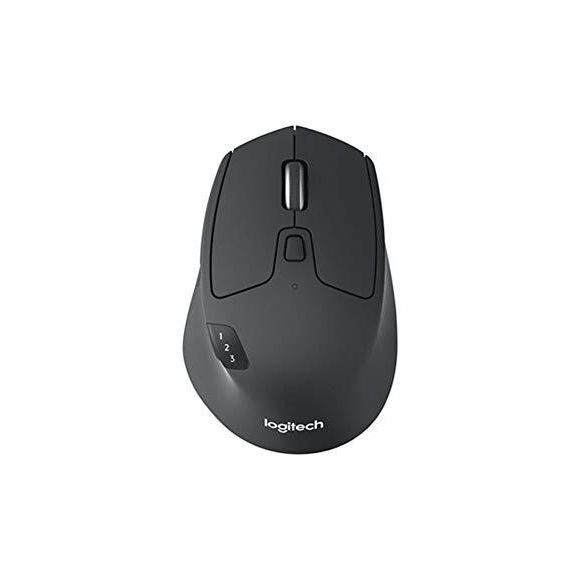
Make sure this fits by entering your model number. CROSS-COMPUTER CONTROL - Game-changing capacity to navigate seamlessly on three computers, and copy-paste text, images, and files from one to the other using Logitech FLOW DUAL CONNECTIVITY - Use with up to three Windows or Mac computers and laptops via included Unifying receiver or Bluetooth Smart wireless technology MARATHON ENDURANCE - A true athlete, the M720 is designed to endure, with buttons built to withstand up to 10 million clicks HYPER-FAST SCROLLING - Scroll through long documents or web pages faster and easier. Or press the wheel and shift to click-to-click mode for precise navigation LONG BATTERY LIFE- The Logitech M720 just keeps going, with 2 years of power on a single AA battery
Reviews
4
Reviews: 20
5 stars
45%
4 stars
30%
3 stars
10%
2 stars
5%
1 star
10%
Mikey Likes it Ironically
4
Feels great, very light and smooth. Slightly smaller in my hand than my Logitech G602, but I have smallish hands so its not that big of a difference. The buttons are easier to press, though I wouldnt exactly call the buttons on my G602 "hard to press" - its a luxury I dont need. The click-lock button for the scroll-wheel is also nice but unnecessary, it allows you to toggle between having clicks in the scroll-wheel as you move it or having it be smooth; again, not really something I need. The physical on/off switch theyve been using for at least a few years on their mice is a nice touch (I had an old Logitech wireless mouse for years that had a soft-button for turning it on, so it could turn on in your bag and waste battery power). My work laptop is Windows 7, like many large businesses in 2017 unfortunately. This mouse wont work over Bluetooth because Windows 7 doesnt support Bluetooth Smart Ready, which was designed for IoT and wearables, so I have no idea why a designer/engineer would put this spec of Bluetooth in a mouse (Edit: see comment below regarding Bluetooth Smart Ready). The Logitech K380 Bluetooth keyboard I am using to type this works just fine without that tech, and has a great battery life. Apparently it works with Windows 8 and later with my Dell Precision 5510 work laptop, but obviously I cant upgrade, so -1 star. It does work with the dongle on Windows 7 so its usable, but I bought it for the 3-computer pairing feature which is very annoying (my Logitech K380 connects with three, I wanted to be able to just have one keyboard/mouse combo on my desk at home) and I wanted to finally not have a dongle on my laptop for the first time (Im a programmer, so trackpads are kind of terrible for that kind of work on the regular, and they force you to keep the laptop open and all us geeks prefer to have multiple enormous screens). Update 2017-05-26 (couple weeks after purchase): Works great via Bluetooth with a 6th-gen Intel NUC Celeron with latest Ubuntu, Raspberry Pi 3, and with my Macbook Pro 2012 with latest OSX. For my home setup, I put the dongle on the hub that is connected to my Windows 7 work PC, the other computers connect just fine over Bluetooth. Havent tried on my wifes Macbook Air, but since that is newer hardware than my Pro and has the same OSX version installed, I would assume that it would work with that too. My star-rating still stands, mostly so this review stands out and provides enough detail to help other customers. Id give it 4.5 stars if I could.
MIchael McClaren
4
I use this mouse across 3 devices one Mac, one Windows and one Linux. It works flawlessly and not having to keep track of a dongle is absolutely wonderful. It is comfortable and the programmable buttons make it perfect for all of my devices. This is one of the best mice I have used and it stays comfortable for all day use. The reason that I gave it 4 out of 5 is that some times it does not want to come back on my Mac if it has gone to sleep. I have a Logitech bluetooth keyboard that will wake the mac from sleep but this mouse seems to not want to work some times. Once the mac is awake I get a prompt that there is no mouse connected. When this occurs I have to open spotlight using KB shortcuts and then open the BT menu, once this is open I wiggle the mouse and it repairs. So far this is the only method short of connecting another mouse that I have been able to use to get it working again.
OSienna
4
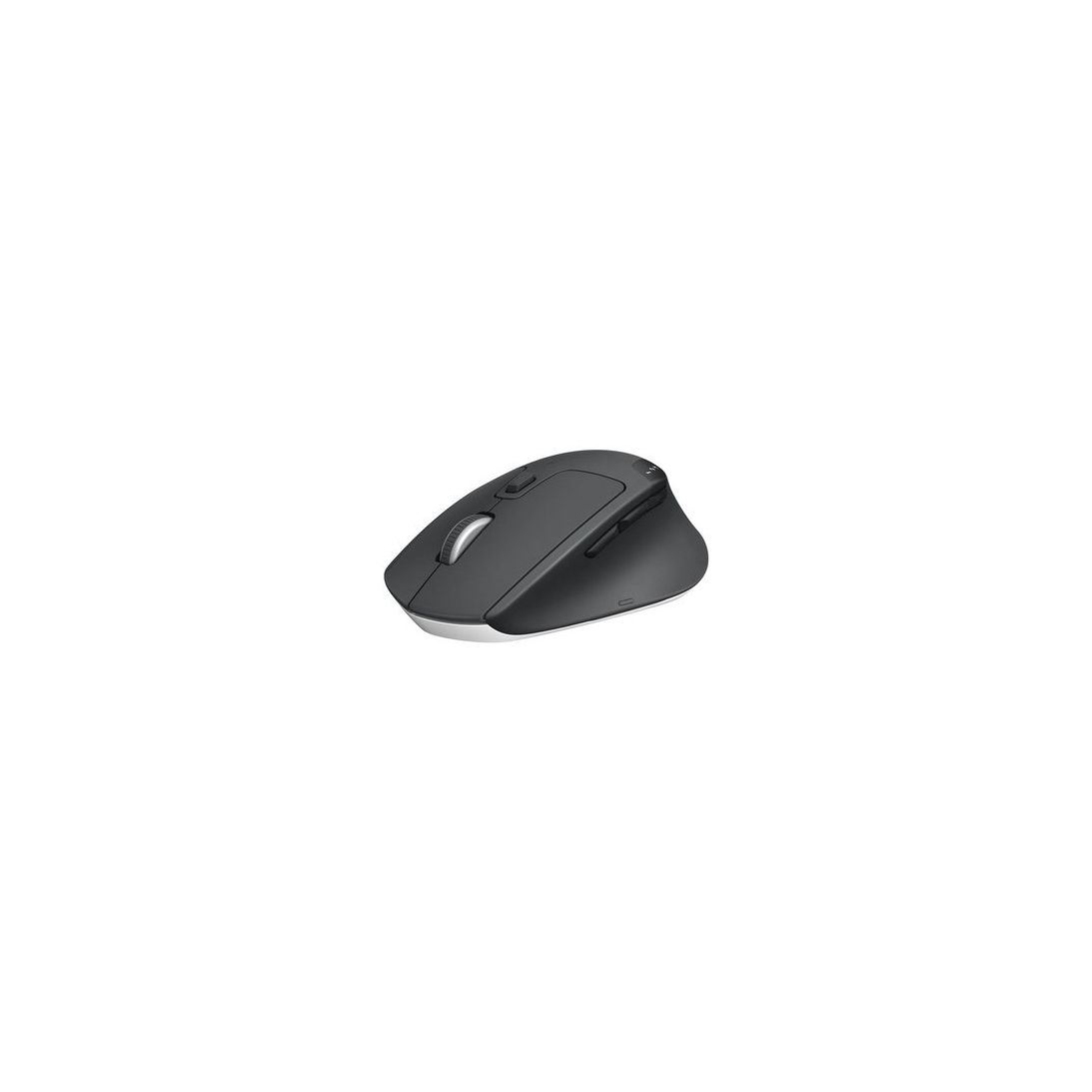
Lured by the notion of combining the Logitech K811 keyboard with the M720 and creating a useable KVM solution, I dived in head-first without thinking about the alternative: K811 + two mice. Having two keyboards on the desk obviously wouldnt fly but two mice on a large mouse pad is quite workable (not need to switch both keyboard and mouse). While not completely dissatisfied with the M720, I found that the quality is not up to scratch compared to the M557 and the G602 that I already own. Dont get me wrong, there are many pros to this mouse: * Good design, well-sculpted and suits a RIGHT-HANDED user very nicely (not a deal breaker for lefties but its a compromise) * Perfect size for medium sized hands. Halfway between a full-sized and travel mouse * Its the only multi-device mouse from Logitech with the switch button on the top! * It has a storage cubby for the receiver (in case you encounter a non-BT device) * Very nicely weighted and glides smoothly on my mouse pad (unlike the M557) * Highly customisable buttons Loses a star for the following reasons: * Rubbery texture prone to scratches and build-up of grime * It looks and feels sort of cheap and plasticky (especially the white base) * Pricey I have the K811 and M720 paired with a Surface Pro 3 running Windows 10 and a Mac Mini with Sierra. It works flawlessly. While there is a slight delay flicking between the devices, I find that its a better user experience than a KVM switch or software-based solution (I have tried them all). Probably could have gotten by with just the K811 and a mouse for each computer on the desk.
Cyber Cunningham
4
I am a big Logitech fan, so Im not disappointed in any way with this mouse. However, I *am* disappointed that the Logitech Options software doesnt see my Bluetooth devices on my Mac (High Sierra O/S), and the support person didnt have any immediate answers. They are referring the issue to engineering, but Im puzzled why they dont know whether it should run on High Sierra. If this gets resolve soon Ill update the review and bump it to 5 stars, but for now dinging them for failing on getting Logitech Options to work.
Brandon Stone
4
Had this for about two months. Doesnt work via bluetooth with PS4 (ps4 doesnt support whatever new version of bluetooth these have. It tries to connect and fails.) This is important because my PS4 slim only has two usb ports, one is used by a HDD and one by this keyboard/mouse. If I want to use my headset I need to remove my keyboard/mouse, which is a problem for FFXIV or any game where you want text and voice communication. Works fine via the unifying receiver to PS4/PC. Finally being able to use a single peripheral for multiple devices without having to rebind it is a really nice thing. Switching between devices is essentially instant too. My bluetooth experience even on a PC has been poor though. Could be a driver issue (I have an intel AC 7260 with bluetooth) or it could be whatever version of bluetooth these things have. Ive surrendered to using the Unifying Receiver and I do IT for a living. Pro -Multiple device binding -Swapping devices is very fast -Can use unifying AND/OR bluetooth -Works on any surface ive thrown it on Con -Bluetooth has been difficult for me -Slightly small for my man hands
Fco_cali
4
I got this mouse to help me with some 3D and CAD work I do. I usually use a Wacom tablet because of my tendonitis, but for some software, a mouse is better. I really like the ergonomics of this mouse, my hands are not big but this fits fine. I also use it for casual gaming, but in that case, it feels kind of heavy. I wish you could control the weigh on these mice because other than that is almost perfect for my needs. Pairing with Bluetooth is very quick no errors. I have connected to three computers and pushing the sync button works fine every time. (one DEll work station a custom PC and Surface book. Now when you try to assign the buttons to a different function than default here is where the software fails. I use different 3D and CAD software and I would like to have a different button combination for each of them. With the actual software is a hit a miss, I mostly have problems with the middle button, it just recognizes one time then it doesnt work anymore. in 3D Max, it doesnt work, with MOD it works half of the time. I give up on custom configuration and just use default now, everything works fine, but I really bought this mice because of the promised custom configuration, hopefully, with a software update this could be fixed. I would recommend these mice if you would like to use the same mice for different machines, is not big or small, but on the heavy side.
You may be interested
  • Bestsellers
  • Recently Viewed
 
Fast and high quality delivery

Our company makes delivery all over the country

Quality assurance and service

We offer only those goods, in which quality we are sure

Returns within 30 days

You have 30 days to test your purchase