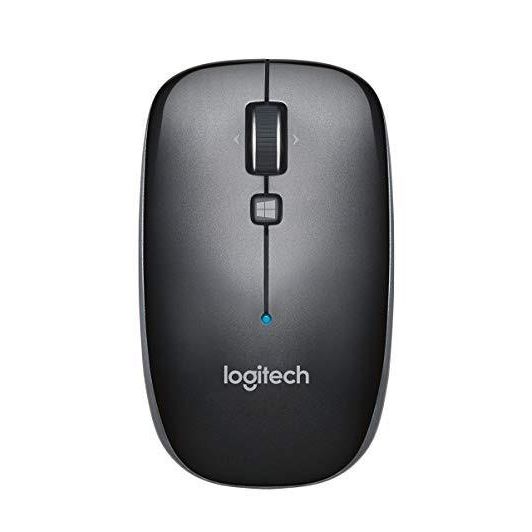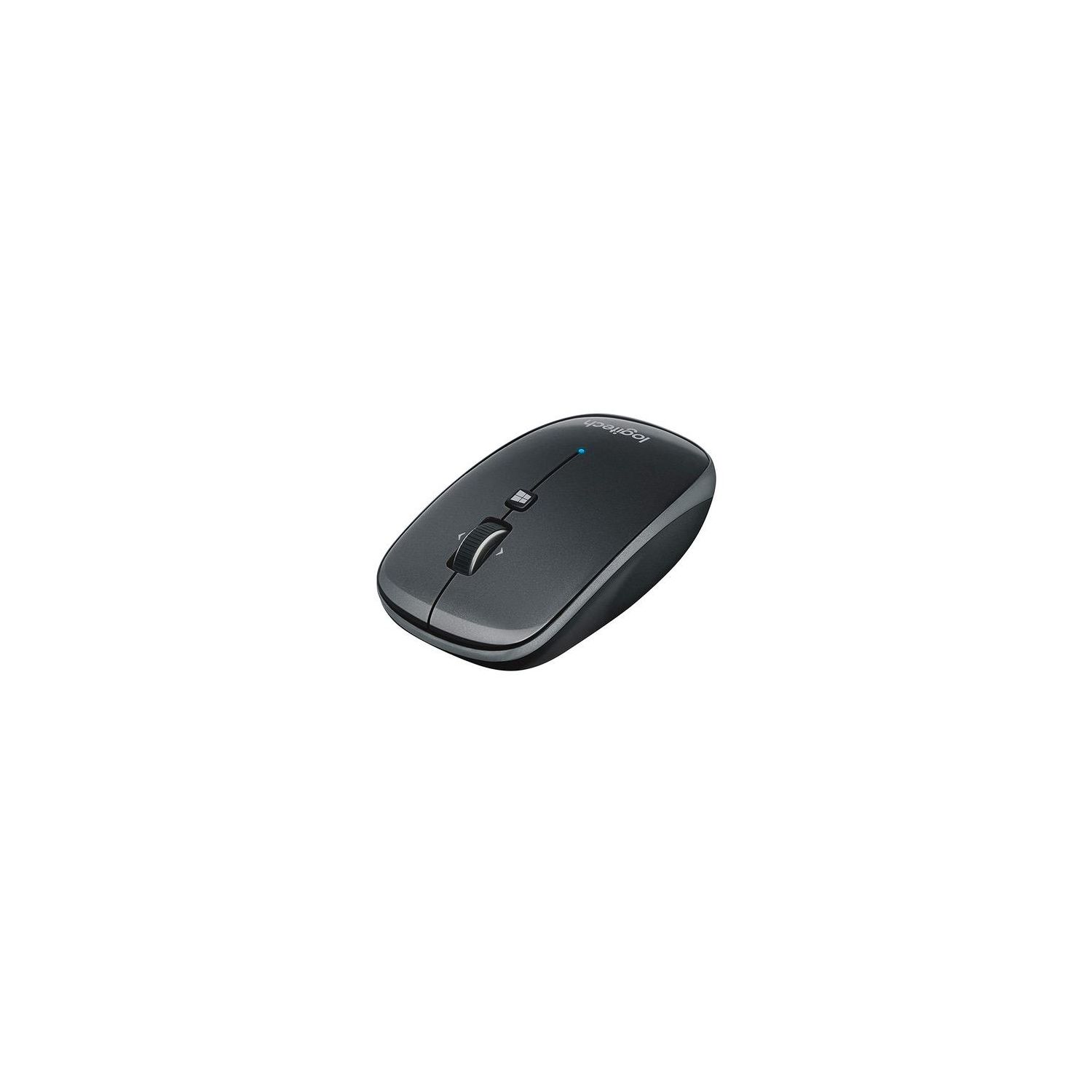
Logitech M557 Bluetooth Mouse – Wireless Mouse with 1 Year Battery Life, Side-to-Side Scrolling, and Right or Left Hand Use with Apple Mac or Microsoft Windows Computers and Laptops, Gray
Write a review
$2400 $7400

Logitech M557 Bluetooth Mouse – Wireless Mouse with 1 Year Battery Life, Side-to-Side Scrolling, and Right or Left Hand Use with Apple Mac or Microsoft Windows Computers and Laptops, Gray

Write a review
B00JUHDYSO
+
Add to wish list
Target is a general merchandise retailer with stores in all 50 states and the District...

City: US, New York

Delivery
Pickup at your own expense
Tomorrow from 09:00 to 20:00, Store location
Free
Payment options
Apple Pay Google Pay Mastercard Visa
Cash, bank card, credit/installment payments, cashless payment for legal entities
Warranty and returns
Exchange/return of products of proper quality within 14 days Official manufacturer's warranty: 12 months
Description
This fits your .
Make sure this fits by entering your model number. BLUETOOTH CONNECTIVITY - Use with virtually any Bluetooth enabled computer, laptop, or tablet: Connects to Mac, Windows, Chrome OS and Android SIDE-TO-SIDE SCROLLING - You can scroll up and down through documents, and also tilt the wheel left and right to move back and forth between web pages, open windows and apps SLIM DESIGN - Whether you’re a righty or a lefty, whether you use a fingertip or palm grip, the M557 is always a perfect fit for desktop or laptop LONG BATTERY LIFE - 1 year battery life and smart sleep mode help you go longer between battery changes. Supported OS-Windows 7, Windows 8, Windows 10. Mac OS X 10.6.8 or later and Chrome OS PROGRAMMABLE CONTROLS - Configure the buttons to do exactly what you want like switching applications, opening browser windows or jump to full screen while watching videos
Reviews
3.3
Reviews: 20
5 stars
25%
4 stars
30%
3 stars
10%
2 stars
15%
1 star
20%
Crystal-Lynn
5
This mouse is great. I have a Windows 10 tablet that I like to use a mouse with when Im working on it. I was using a mouse with a USB plug before this, but the tablet requires and adapter to use a regular size usb and I could not charge the tablet at the same time I was using the USB mouse. This bluetooth mouse was super easy to pair to the windows tablet (Bluetooth settings, click connect on discover-able mouse). It automatically connects back up when the mouse and PC are both turned back on, and i think it goes to sleep a little to save battery when left idle (have to click, move around sometimes after being idle too long). It is a nice size and fits easily in my purse with my tablet. I have a mini mouse for my desktop at work, and this M557 is only about 3/4" longer than that, fits perfectly in my hand. It does take two AA batteries (my other mouse takes only 1, maybe is the bluetooth signal that uses more juice), the 2 AA batteries make it a little heavier than my other wireless mouse but its not a deal-breaker. There is no blinding blue light on the bottom of the mouse, which is nice. The Windows button works on Windows 10 to bring up your start menu, pretty cool. The scroll wheel is very smooth and not loud. Mouse clicks are slightly louder than my other mouse, but not a deal-breaker. Go ahead and click yes if my review helped you. :)
acosmichippo
5
Im trying to find the best bluetooth mouse for me. So far I have tried Apples magic mouse ($69) and Microsofts bluetooth sculpt mouse ($20). Let me start off by a brief review of these other mice first: Apples Magic Mouse - incredibly versatile mouse. With the addition of apps like BetterTouchtool, it is almost infinitely configurable with custom gestures, taps, etc. And the smooth scrolling was awesome. It also looked nice, but I wasnt too concerned about that in a mouse. The problem with it was it was so thin, and in order to use the touch gestures, you have to hover your hand above the mouse instead of resting on it. Both of these issues combined cause my hand to cramp up like crazy. So I decided to return it. Microsoft sculpt bluetooth mouse - after looking at all the other bluetooth mice I could find, I decided to try this next. The shape is very comfortable to hold, and has an extra "windows" button near the thumb that is configurable to press and swipe up/down. Unfortunately, this button is NOT configurable in OS X. I spent a while looking for an app that would detect it and configure, but was unable to find one. Still, it was cheap and comfortable, so i decided to keep it for my desktop at home, which I rarely ever sit at locally. That brings me to this Logitech. It is not as versatile as Apples Magic mouse, but it is way more comfortable. And unlike microsofts sculpt mouse, there *is* driver software for Mac. With it, you can reprogram the scroll/tilt wheel and middle button as you wish. It is more expensive than the sculpt, but the OS X support was worth the extra $10 to me. In conclusion, I would say if youre looking for a nice cheap bluetooth mouse for windows, go with microsofts sculpt instead. It is cheaper at $20, just as comfortable, and the side windows button is more versatile than the center button on this logitech. BUT if you want a mouse primarily for mac, and like me you dont care for the magic mouse, this is the one to get.
J. Lee
5
Apples new macbooks got rid of the standard usb port. I also never liked the apple mouse because of its functionality. This logitech mouse works without a usb via bluetooth and is nice and small yet weighty. Its very functional and dont have to worry about it disconnecting. It automatically connects when I need it to. So easy to use. I HIGHLY recommend this mouse even for users who use windows or computers that still use usb ports.
Highway
5
Have owned for 3 years; just bought 2nd unit for spouse. Size is about 3 1/2 by 2 1/4 by 1 1/4 inches; good for larger hands. good battery life (2 AA). weighty. works on most surfaces (I use it on fuzzy arm of my chair.) No noticeable wake-up lag when using with Windows. Works with W8,W10 and Android tablets. No extraneous buttons on the sides; they are clean. Thumbwheel has a light, satisfactory detent feel. Reliable bluetooth connection & easy to connect. After 3 years, I have had to trim the ends of the back, bottom plastic glide, as they were curling a bit. Wish they offered more colors. Ive dropped it on the carpet many times, and the top cover always pops off. I might ask for a little stronger "hold" in that respect. Overall the best Ive found, out of many, in a moderate price range for bluetooth mice. The top priority for me has been the lack of sleep - wake delay.
Wilbur Sachs
5
Very nice mouse -- installs on Win7Pro by simply turning it on near the computer, and has (so far) a very strong connection (no dropped Bluetooth signals, at least yet). For me it is a bit small, but portability makes up for that. There is a neat Windows Start button, which (in Win7) launches the Start menu (it works differently in Win8). To move back and forward between a page, one tilts the scroll to the left or right, an intuitive gesture. I prefer buttons on the left side of the mouse (as is the case with other Logitech mouses, and also other mouse brands), but the scroll wheel operates well and this is a preference and not a deal breaker. The major issue is that there are no dropped signals. One other comment: This mouse comes in a clamshell, but somehow -- miraculously -- Logitech managed to avoid the typical problem with clamshells (impossible to open) by perforating the back of the clamshell. Why other manufacturers cant imitate this is beyond me.
You may be interested
  • Bestsellers
  • Recently Viewed
 
Similar products
Fast and high quality delivery

Our company makes delivery all over the country

Quality assurance and service

We offer only those goods, in which quality we are sure

Returns within 30 days

You have 30 days to test your purchase