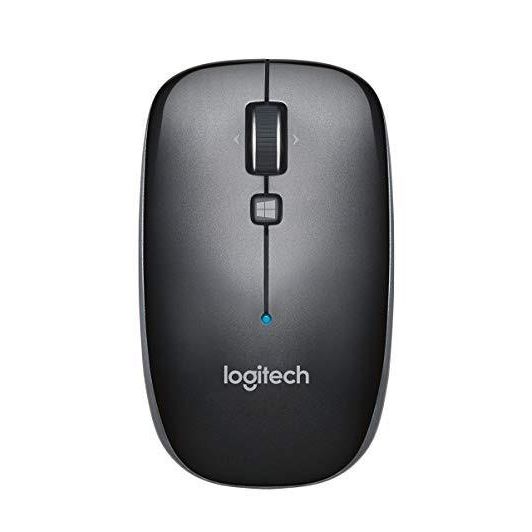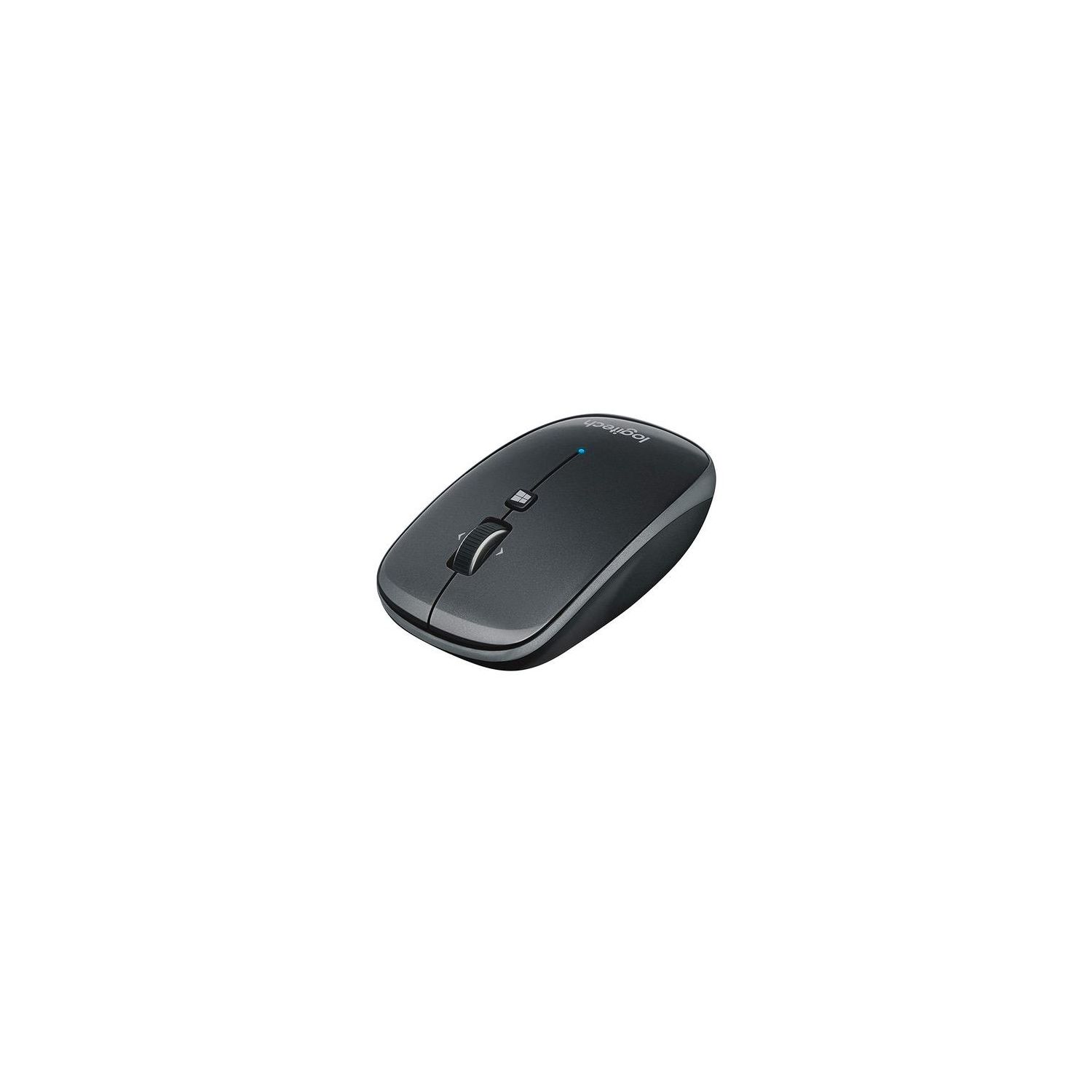
Logitech M557 Bluetooth Mouse – Wireless Mouse with 1 Year Battery Life, Side-to-Side Scrolling, and Right or Left Hand Use with Apple Mac or Microsoft Windows Computers and Laptops, Gray
Write a review
$2400 $7400

Logitech M557 Bluetooth Mouse – Wireless Mouse with 1 Year Battery Life, Side-to-Side Scrolling, and Right or Left Hand Use with Apple Mac or Microsoft Windows Computers and Laptops, Gray

Write a review
B00JUHDYSO
+
Add to wish list
Target is a general merchandise retailer with stores in all 50 states and the District...

City: US, New York

Delivery
Pickup at your own expense
Tomorrow from 09:00 to 20:00, Store location
Free
Payment options
Apple Pay Google Pay Mastercard Visa
Cash, bank card, credit/installment payments, cashless payment for legal entities
Warranty and returns
Exchange/return of products of proper quality within 14 days Official manufacturer's warranty: 12 months
Description
This fits your .
Make sure this fits by entering your model number. BLUETOOTH CONNECTIVITY - Use with virtually any Bluetooth enabled computer, laptop, or tablet: Connects to Mac, Windows, Chrome OS and Android SIDE-TO-SIDE SCROLLING - You can scroll up and down through documents, and also tilt the wheel left and right to move back and forth between web pages, open windows and apps SLIM DESIGN - Whether you’re a righty or a lefty, whether you use a fingertip or palm grip, the M557 is always a perfect fit for desktop or laptop LONG BATTERY LIFE - 1 year battery life and smart sleep mode help you go longer between battery changes. Supported OS-Windows 7, Windows 8, Windows 10. Mac OS X 10.6.8 or later and Chrome OS PROGRAMMABLE CONTROLS - Configure the buttons to do exactly what you want like switching applications, opening browser windows or jump to full screen while watching videos
Reviews
3.3
Reviews: 20
5 stars
25%
4 stars
30%
3 stars
10%
2 stars
15%
1 star
20%
Bob
4
Ive only been using it for a day, so here are my first impressions: 1. I dont like installing driver software, but it was smooth enough and is worthwhile to set up the various button options on my Mac with OS 10.11.6 2. It states it is a "Bluetooth Mouse for Windows" but it excels on a Mac as well. Easy to add the included 2 x AA batteries and pair with the Mac. I dont have any power up delays with my MacBook Air 13" Mid 2012 laptop. 3. It is noticeably taller profile than my Apple mouse, but not so tall that I felt uncomfortable. In other words, it works well. I miss the heaviness of the Apple mouse, but I love the fact the optical sensor is in the middle of the mouse rather than towards the edge near the buttons. This allows me to drift slightly off my mousepad and still use the mouse--unlike the Apple mouse. 4. Having a scroll-wheel and center button was the primary reason for me to get a new mouse versus my Apple mouse. I needed it for CAD and it excels. I LOVE the ability to push the scroll wheel left or right to either horizontally scroll or to switch windows. This makes it much more powerful than the Apple mouse. 5. The Windows button is programmable with the Logitech software. I have not settled on its use but I like having an additional option if needed. 6. The button clicks feel much less quality than that of the Apple mouse, but the additional functionality with the extra control points: center button click, scroll wheel left and right, and extra center button, make me think that for CAD work the Apple mouse has been holding me back. I have yet to see if it lasts 12 months. Ill be happy with 6 months with heavy usage, so well see. I wish it had a simple protective case for travel in my backpack, but oh well. Well also see if the shiny plastic holds up over time. My first impressions are high based upon cost and value and coming from a much more expensive Apple mouse. Hopefully it will continue to be a work horse and improve my job efficiency. I am giving it 4 stars because I needed to deduct 1 star for the quality of the main 2 buttons, which is lower than that of the Apple mouse, and the height of the mouse is slightly less optimal than the Apple mouse (if they included a protective case for carrying I would forgive this point).
B. Meyer
4
Im a mac user, and didnt care for this mouse at first. I found it too sensitive and the middle buttons didnt do what I expected. I downloaded Logitechs driver for the mouse, and initially thought I couldnt configure any of these options. It turns out, everything can be configured, but the UI kind of stinks. The options are as follows. Middle/Windows button: Mission control, app expose, launchpad, look up, middle button, smart zoom. Horizontal Scrolling: switch between pages, switch between desktops, horizontal scrolling Scroll button: Smart zoom, app expose, launchpad, look up, middle button, mission control I selected mission control on the windows button, horizontal scrolling on left/right press of the scroll button, and middle button for a regular click of the scroll button. There is also an option to reduce the pointer speed which I used. I use this mouse for travel use. I dont find it all that ergonomic and wouldnt want to use it daily. I have small hands and find it a little difficult to click on the middle button. Ive only had it a few weeks and I havent yet had to replace the batteries. Overall its not bad but not a contender for my daily mouse.
donny bob
4
Everything about it is great except the scroll wheel has a slight delay to it. The mouse is very small but in a good way. I am surprised how many reviews talk about comfort when discussing a mouse. I guess I just dont use it for as long as some people have to. For me this size is perfectly adequate and will pack that much easier when traveling. It would have been five stars if not for the very slightly sluggish scroll wheel. It might be more important for somebody that is more tied to their computer all day. second opinion: This is an addendum to previous review. I was not happy with the balky scrolling and decided to try a non-blue tooth but wireless mouse that I was using on another computer. the result was the same regardless of how I adjusted the scrolling speed. When I decided to go back to this blue tooth mouse I could never re-connect with the Logitech mouse even though the first time I paired the mouse it was accomplished easily. Based on this I would not buy this product again.
Josh Park
4
Im using it for my Macbook Pro. You can install the Logitech app for OSX and assign keys to do whatever you want it to do. The mid jog wheel can be assigned for many functions - click left or right for page forward or backward, Windows key can be a smart zoom function, and the best of it all its bluetooth so goodbye to the dongles that takes up your limited USB3.1 slots. Bad things are when youre resting your middle finger on the right click, the pressure on the mouse click is so sensitive that you might accidently do right clicks when you dont want to. You have to get used to this and somewhat hover your fingers, which isnt really ideal. Also it takes a couple of seconds for the mouse to be recognized by the computer when turning on, so if youre in a hurry and waiting on a few seconds for pairing to be done isnt what you like, then you might as well stick with wired or dongle mouse.
Michael
4
Overall, I do like this mouse. I use a Macbook at work and didnt want a USB receiver since my Magic Keyboard doesnt use one. This is a good alternative to Apples Magic Mouse. As many others have stated, however, this mouse does click quite loudly. I own two other Logitech mice (M510 and M325) and this one is by far the noisiest one. It also feels quite cheap. Im not that pressed about it but for the cost I expected something a little more well-made. Its quite light, and the battery cover is actually the entire bottom base of the mouse, and the click tab to close/open the cover is very weak/loose. As for the function, it works great on my Macbook, no issues with Bluetooth, and I like how you can customize the buttons/wheel (though additional software download is required). All in all, it works great, but the build quality is on the lower end of the scale.
NPO_PurchasingMgr
4
Logitech makes some pretty great Bluetooth products and this is definitely one of them. Its compact and very portable (easily fits in virtually any laptop bag). It feels good (in either hand) and has a solid feel to the clickable buttons. The top roller is great for scrolling through windows. Pairing it to a laptop is pretty much effortless. Best of all, because it uses 2 "AA" batteries, were using rechargeable Eneloop batteries, which means battery life is not an issue at all. The battery compartment access is a bit clumsy at first, but once you learn the trick, its not that hard to change the two batteries at all. But you do have to pay attention because the batteries are inserted in the same direction (which is unusual). This battery access aspect is the only reason we took anything away from a 5-star rating (our rating would be "4.9 stars" but Amazons rating system doesnt allow such fine-grained ratings). Overall, its a great mouse and well be buying more of them for sure.
You may be interested
  • Bestsellers
  • Recently Viewed
 
Similar products
Fast and high quality delivery

Our company makes delivery all over the country

Quality assurance and service

We offer only those goods, in which quality we are sure

Returns within 30 days

You have 30 days to test your purchase