
















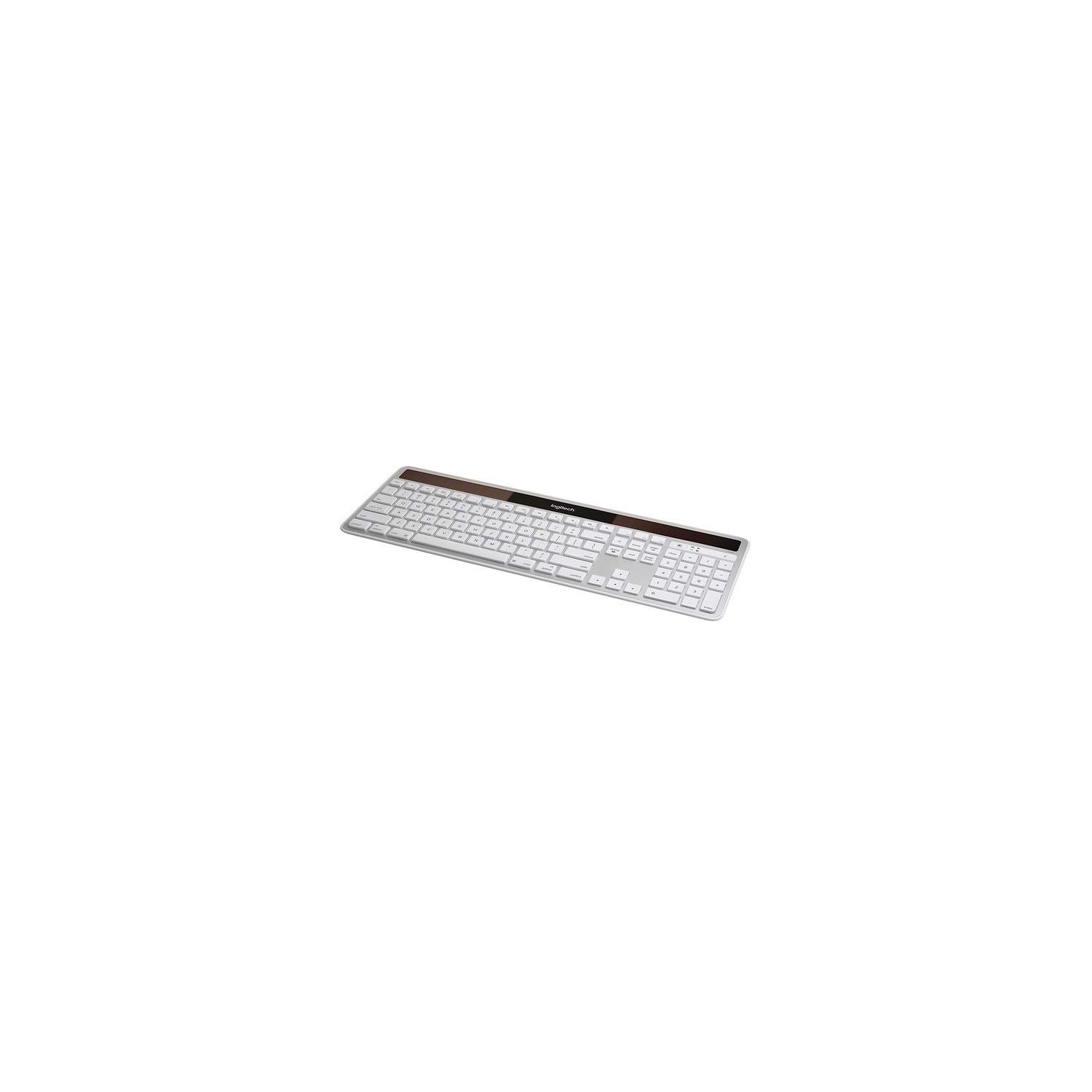
Logitech K750 Wireless Solar Keyboard for Mac — Solar Recharging, Mac-Friendly Keyboard, 2.4GHz Wireless - Silver
Write a review
$3900 $8900

Logitech K750 Wireless Solar Keyboard for Mac — Solar Recharging, Mac-Friendly Keyboard, 2.4GHz Wireless - Silver

Write a review
B005L38VRU
+
Add to wish list
Target is a general merchandise retailer with stores in all 50 states and the District...

City: US, New York

Delivery
Pickup at your own expense
Tomorrow from 09:00 to 20:00, Store location
Free
Payment options
Apple Pay Google Pay Mastercard Visa
Cash, bank card, credit/installment payments, cashless payment for legal entities
Warranty and returns
Exchange/return of products of proper quality within 14 days Official manufacturer's warranty: 12 months
Description
This fits your .
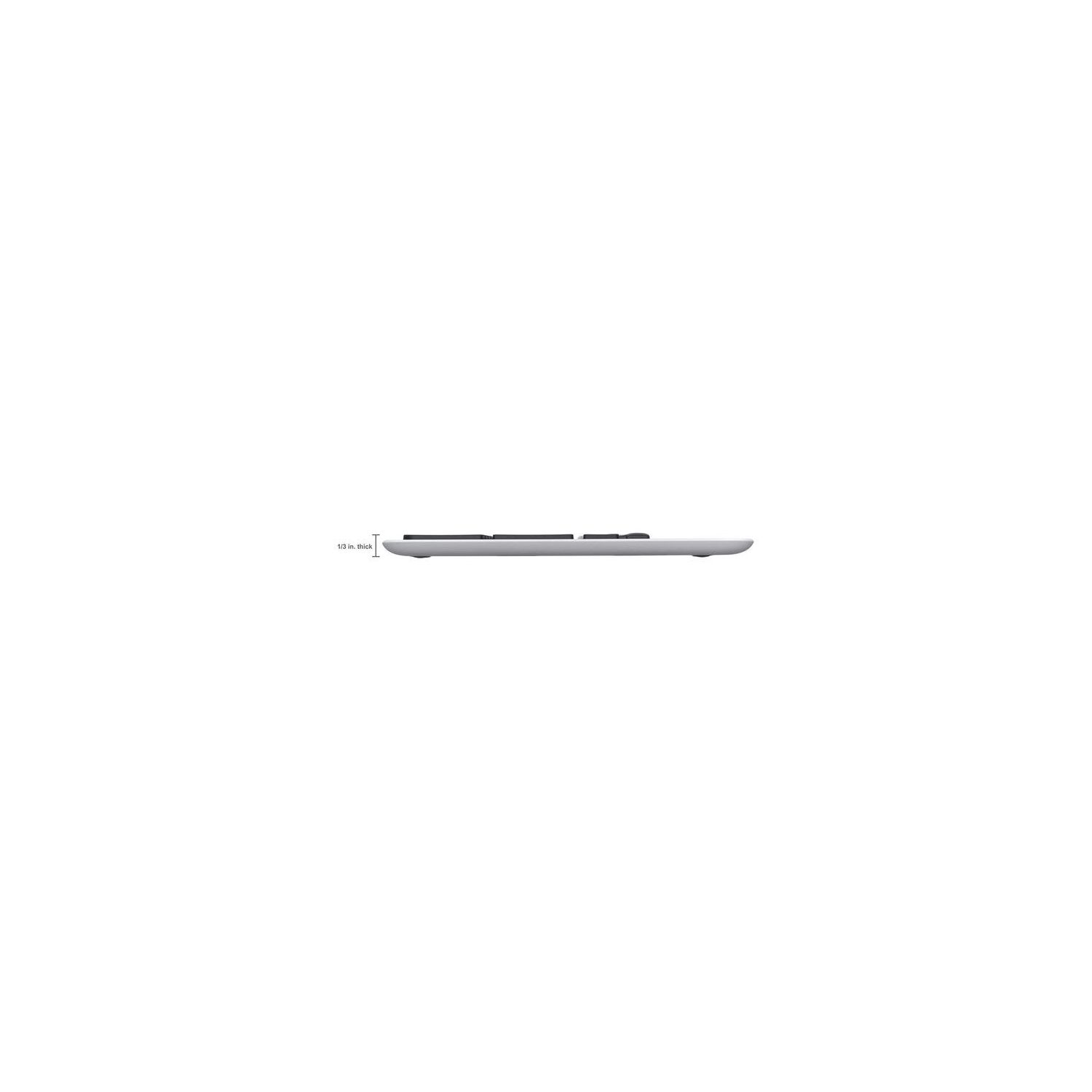
Make sure this fits by entering your model number. Solar-powered keyboard: No battery hassles—any light source keeps your keyboard charged for at least three months in total darkness Only 1/3-inch thick: Ultra-thin design adds sleek style to your workspace Familiar Mac layout: All the keys you're used to, plus a Launchpad hot key, are exactly where you expect them Feel-good typing: Logitech-only concave key cap design for faster, quieter, more comfortable typing. System Requirements - Mac OS X 10.5 or later,USB port,Light source from sunlight and/or indoor lighting Tiny Logitech Unifying receiver: Stays in your laptop and connects additional compatible wireless devices. Not Bluetooth compatible
Reviews
2.7
Reviews: 20
5 stars
25%
4 stars
10%
3 stars
15%
2 stars
10%
1 star
40%
Jack Winter
4
First off, the device does NOT connect through your Macs built in Bluetooth. You have to plug Logitechs receiver / extender[...] into one USB port. There is no Bluetooth setup through the System Preferences panel on your Mac. Its just plug and play. Secondly, forget about downloading the "Solar App" from Logitechs website. Its not there after OS5, but it is available in the App Store for free. Its a very nifty and useful utility. The few negative reviews on this product are mostly about short battery life. Im suspecting these users didnt keep their battery charged and didnt use the Solar App. According to Logitechs website the battery will last a full three months with no charging. I will update this review in a few months and let you know. Having said all that, after 48 hours I love this keyboard. The only thing I miss is the light in the Caps Lock key. Thats a small price too pay for the convenience and savings of not changing batteries on my Apple wireless AND the aftermarket numeric keyboard. Its full sized, but nice and slim with a solid feel. I am very happy with this purchase! UPDATE - After 6 month - I use this in a moderately lit room, 80 lux or 100 with the sun through a window. My battery is still showing 100% and everything is working well. After a year, its still performing flawlessly. I bought a Logitech mouse to replace the Apple Bluetooth magic mouse that kept losing the connection. They work fine together on the same dongle .... BUT The paint has work off three of the keys. "E", "O", and "H". See photograph. Hence the downgrade to 4 stars. Ipade 27th months and running. Everything still working flawlessly, the key npaint continues to wear off. E T I O H and N are gone completely, P J and M are fading fast.,
Dave Edmiston
4
I waited a week to review this keyboard, because I wanted to be certain that the solar power actually works reliably. I’ve been using this at work ten-ish hours per day for a week now and I haven’t had any trouble. The solar power seems to work as well as if this were a wired keyboard, except that there isn’t an ugly cable on my desktop. The BT connection has been flawless too, much better than my stupid Apple Magic Mouse that requires CPR every morning. I love the touch and functionality of this keyboard. My only complaint (which is why I gave this 4 stars instead of 5) is that there’s no indicator for CAPS LOCK. This has caused some zany hijinks in fields like password entries where I can’t tell whether I’m typing in caps or not. I suppose this is a power saving feature, but c’mon! The setup for me was kind of non-standard. I plugged in the little USB BT nubbins and it recognized the keyboard right away. Later on I downloaded and installed the companion app (Logitech Control Center), but the Unifying USB service doesn’t see the keyboard. The keyboard is working fine, but the Logitech utility doesn’t recognize it. This means I can’t monitor the power level. There’s also a Solar App referenced in the user manual, but the link redirects to the product’s page and there isn’t a download for it. Anyway, the keyboard is awesome (except for the CAPS LOCK thing) even if I can’t get the companion software to do its thing. It would be more crucial, I guess, if I were having power issues, but I’ve been able to just plug and play and forget about any configuration issues. The keyboard just works. Oh by the way, I think theres something supernatural about indoor solar products. The restrooms in my office have solar powered automatic faucets that run from the lights in the room. I think were causing a rift in the space/time continuum by doing this, but Ill leave it up to future generations to sort out the consequences.
You may be interested
  • Bestsellers
  • Recently Viewed
 
Fast and high quality delivery

Our company makes delivery all over the country

Quality assurance and service

We offer only those goods, in which quality we are sure

Returns within 30 days

You have 30 days to test your purchase