

























Brian Dlhopolsky
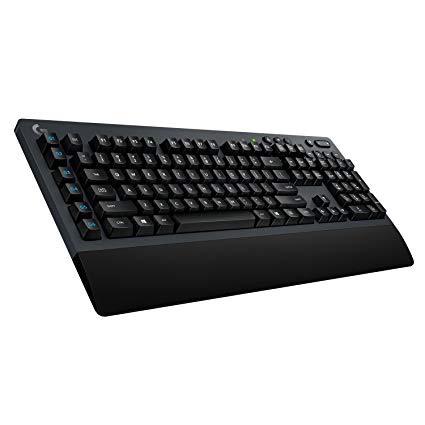
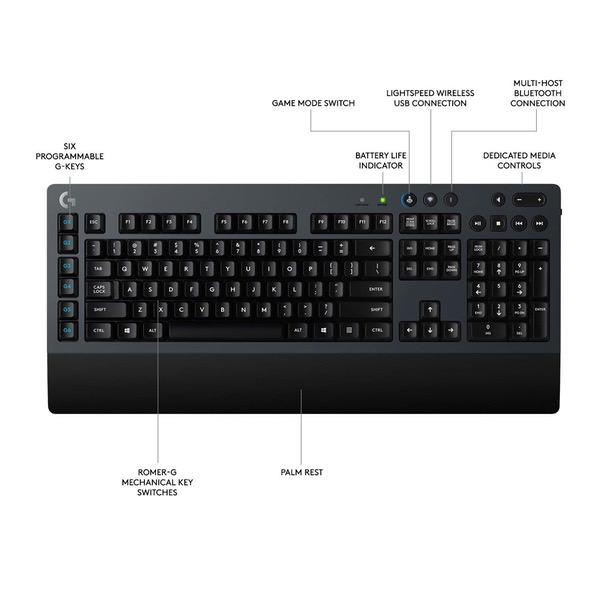
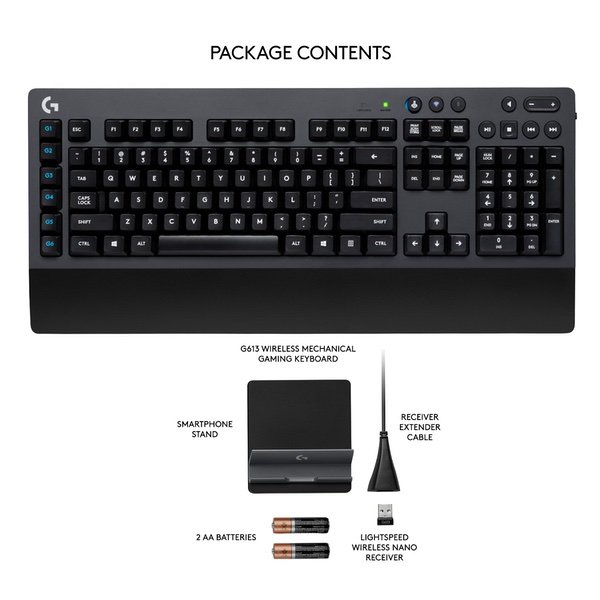
Ive been using this about 2 weeks for gaming and work related tasks; rolled with the dual wireless connectivity options over the cooler looking RGB wired 810 Orion. Initially, I thought the Bluetooth connection was absolutely garbage. I only tried connecting to my Asus X99 deluxe motherboards built-in Bluetooth, which utterly failed. Pairing was always a struggle, and once it was, it never stayed connected (despite the firmware update that specifically said it addressed that issue). Best case Id spam a key, and several seconds would pass before it would register. If I was real lucky Id get about 20 seconds of ok typing before it decided to go back to saying paired instead of connected. But it seems that this is only an issue for my MOBOs built-in Bluetooth (so far). I tried connecting it with my Sony x900e 4k TV, and it actually works really well. Navigation through any of the TV menus works fine, as well as entering or exiting any apps. Typing in any text box works well too, no laggy input or intermittent connection issues. Even the media controls work well; tested in Netflix app and all function as expected, (stop acting as back / exit). I also tried the Bluetooth with my HP laptop, and the keyboard both paired and functioned perfectly well. Programmed all day via Bluetooth to my laptop, and could seamlessly switch to my desktop Pc via the wireless dongle just by pressing those 2 buttons on the board. This was one of the main reasons I got this board; the ability to have 1 keyboard for 2 separate devices being utilized at the same time. The only downside I found while finally using Bluetooth typing on a computer, was that the G macro keys are not available over Bluetooth, which is an expected sacrifice for not using the wireless dongle that pairs with the gaming software. The wireless dongle delivers adequate performance, but Ive already noticed some annoying things about it. Gaming seems solid, except one time a key got randomly re-mapped (ESC acted like it was my emote button in Overwatch...while I was in the menu during a game, eventually worked itself out but you can imagine how triggering that can be...). So far it has only happened once, will edit this post if I ever see other strange things occur. Otherwise the wireless connection seems fine; didnt notice any input lag moving around in Overwatch, and feels way faster compared to my very old G15 wired keyboard. Granted, Im definitely biased about the speed of the physical key actuation / point of virtual registration since Im coming from a membrane type board, but still probably says something about the speed of the wireless connection itself. One other random thing I noticed was when the auto-sleep mode goes on, it takes a sec to wake back up and sometimes actually writes nonsense characters at my cursor (e.g. instead of a line being copied via ctrl-c, some random c-10 text or something was written over my line). I guess minor issue that ends up saving you battery power, but when youre programming that can be extremely annoying especially if you dont realize it happened. Not too convenient to have to hit a safe key first to make sure its actually on...would be nice to be able to control the sleep mode timer of the keyboard with the Logitech gaming software....new firmware upgrade please and thank you Logitech...I know how to turn things off when Im done using them :) On a side note, a bonus cell phone stand comes with this board, and its actually pretty nice; low profile and stable (have to put phone on it sideways when charging since most ports on at the bottom these days...but still pretty nice for a freebie extra that I actually prefer over another cheap one I bought). Final thought, wish the wrist rest was removable. I already have a nice cushioned wrist rest, and having to place it ontop of the fixed hard plastic wrist rest completely changes the feel of using the keyboard. Even though my wrists are probably positioned higher and therefore ergonomically healthier, could do without having to stack wrist rests.