
















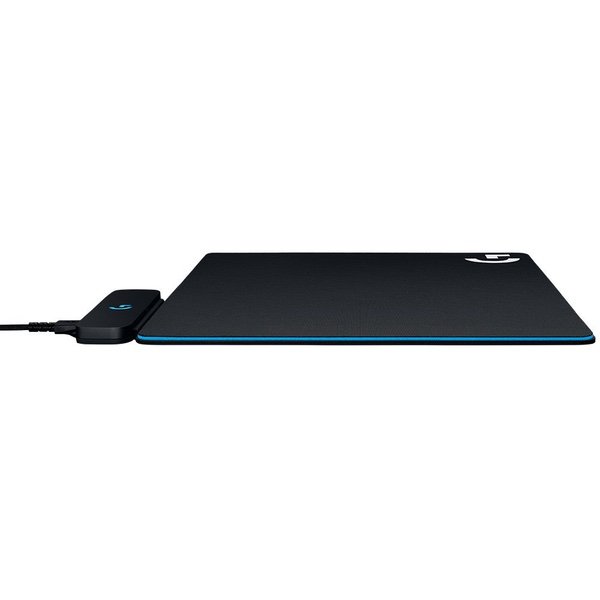
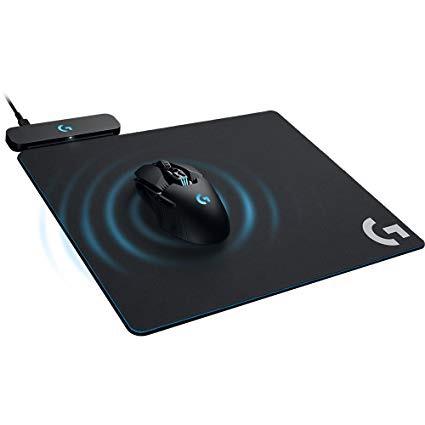
Logitech G Powerplay Wireless Charging System for G703, G903 Lightspeed Wireless Gaming Mice, Cloth or Hard Gaming Mouse Pad

Write a review
B071WZ56G9
Target is a general merchandise retailer with stores in all 50 states and the District...

City: US, New York

Delivery
Pickup at your own expense
Tomorrow from 09:00 to 20:00, Store location
Free
Payment options
Apple Pay Google Pay Mastercard Visa
Cash, bank card, credit/installment payments, cashless payment for legal entities
Warranty and returns
Exchange/return of products of proper quality within 14 days Official manufacturer's warranty: 12 months
Description
This fits your .
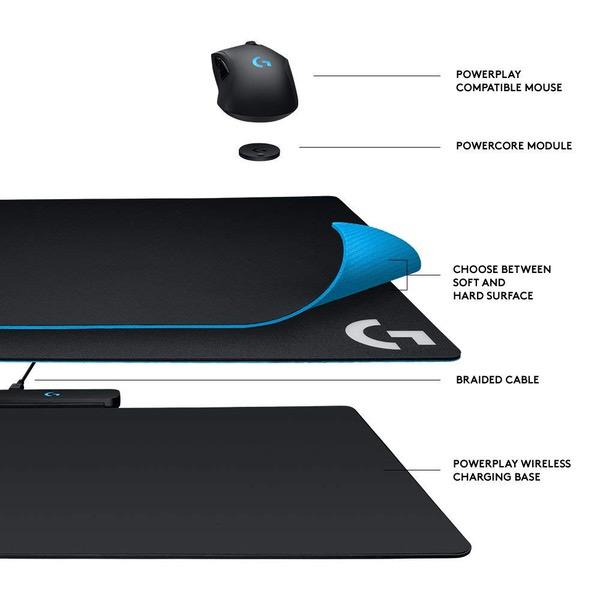
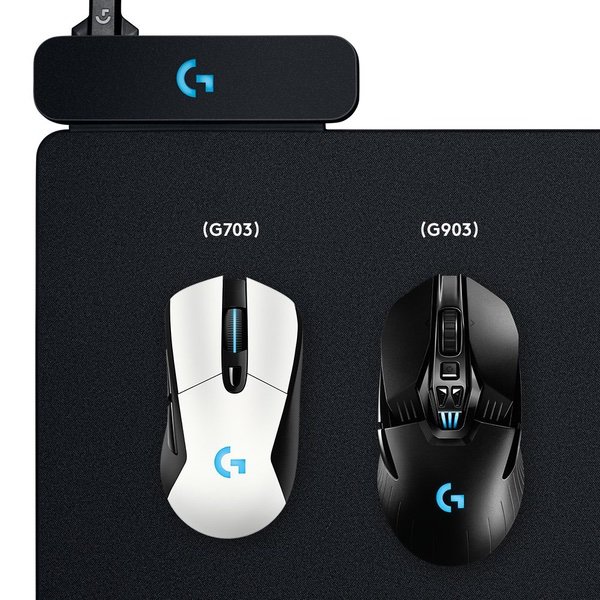
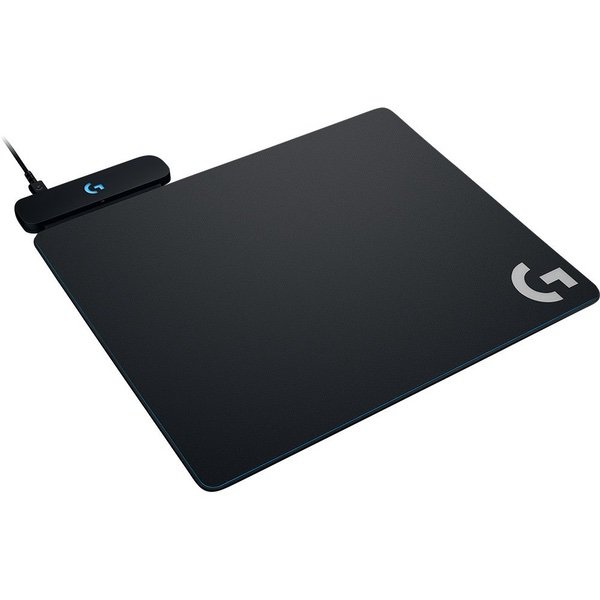
Make sure this fits by entering your model number. Innovative new POWERPLAY continuous wireless charging technology Continuously charges wireless gaming mice while in Gaming use Powercore module converts compatible mice Integrated light speed wireless receiver Choice of two surfaces – soft or hard gaming mouse pads Works with Logitech G703 and G903 gaming mice
Reviews
3.8
Reviews: 20
5 stars
65%
4 stars
5%
3 stars
0%
2 stars
5%
1 star
25%
Doc Beech
5
I ordered this months ago, when the 903 was released. I was becoming more and more frustrated by the time it took to deliver on the product, but they did eventually deliver. So here goes after a weekend of using this coupled with a 903. have this setup, and coupled with a G910 Keyboard. The profiles are set up accordingly and I have more than 2 dozen games to try this out on. My first recommendation is do not allow the game to dictate the color profile. Really. There is a bug in firmware/software where games that "Flash" the keyboard lights during certain events cause the mouse(G903) stutter. This can cause you to lose the match or even worse, have to restart the computer. This is rectified by unplugging and plugging the mousepad back in. Just avoid the game controlled lighting effects and customize your own. As for the actual mouse pad. It does come with a soft and hard pad. These attach to the charging pad itself. They simply lift off, and can be replaced. The soft pad is the same quality and texture of 90% of gaming mouse pads. It feels no different, has no drag, and is really nice to use. Typical high quality soft gaming pad. The hard pad is the same. Its smooth, and is the quality you expect. The actual wireless charging system is really nice. Playing many different games, it was able to (extremely slowly) charge the mouse to 100%. I purposefully left the mouse at 20% when I hooked up this system. I then plugged it directly into a port (so the pad would shut down when the computer was turned off). Surely enough, it extremely slowly charged the mouse. It never went negative (lost battery). There is no dragging due to the wireless charging. I did use the mouse with the weight until the Powerplay System arrived just to get used to it. All in all, this is a solution that allows you to remove the wires for gaming, without giving up any performance. At 1000hz it out paces some wired mice. With a wireless charging pad the battery is a non issue. The pad itself is the same quality you get from just about any good gaming mouse pad. You can put any mouse pad you want (I tried it with two others including the Steel Series with no issues, they just happen to be smaller). I would highly recommend this setup, and couldnt be happier with it. The mouse itself should be separate review if gone in to great detail.
Amazon Customer
5
To start, I will say that I have a good amount of Logitech products, from cheap keyboards and mouses I have bought for my employees, to numerous Harmony remotes I have purchased for myself and setup for relatives as gifts and customers, to the G13 and G930 that I still use to this day. I recently built a new PC to get back into gaming. I have always loved logitechs gaming hardware, and my last mouse was a G9x, so I looked for a suitable replacement. Ended up finding the G903, bought it and loved it. Saw the powerplay pad and thought it looked like an awesome idea, and ordered one even tho the price was insane IMO. It arrived and at first I was very happy, until I started to actually play games. I immediately noticed that my mouse felt like it was dragging in certain spots on the hard surface mousepad cover. Upon closer examination, there were already 2 different scuffs/uneven spots on the mousepad surface the day I unboxed it. The soft cover is flawless, but Ive always preferred hard surface pads. So, not wanting to return the entire thing (and be without a good mousepad for gaming), I decided to register my product and open a warranty claim with Logitech to see if they could just ship me a replacement hard surface cover. I have tried ALL WEEK to file a warranty claim/request, and every time I hit "Send Email" at the final step on Logitechs support website, I am greeted with an error message "Oops, we cant find requested page" or something along those lines. I saw other reviewers complaining about the durability of the mousepad surface, and other complaining about Logitechs support (or lack thereof) but I thought they were just exceptions, and that Id have better luck. WRONG! So, now it looks like I will be returning not only my Powerplay mousepad, but also my G903. No sense paying over $200 for a mouse/pad combo that I dont even enjoy using and wont be receiving warranty support for. I will try a few more times to submits warranty claim and give Logi a chance to make things right, and will update this review if they do. **UPDATE** Since my original review, Logitech has sent a replacement that is flawless, so I am adjusting my review as promised. Just an FYI: When opening a warranty claim on Logitechs website and uploading an image, make sure your image isnt too big. It doesnt specify a size limitation, but I think it is somewhere around 3-5MB apparently.
Khalysee
5
This has to be one of the best gaming products Ive ever purchased. I have a full Razer setup but my Mamba decided to crap out on me after only a year. It also had some issues throughout so I decided to switch it up. Did my research and landed on the Logitech G703 and I couldnt be happier. Feels and tracks better than the mamba. Ive always been a fan of wireless gaming mice but my only issue was forgetting to charge it. As soon as I heard this mat was a thing I jumped on it like a kid in a trampoline park. I couldnt be happier. Its been about 8 months since I got it and it has given me 0 issues. I just put my hand on my mouse and go. I recommend this to everyone and you have the ability to switch between cloth mat and hard mat whereas with Razer Firefly I was stuck with a hard mat and I hated the sound my mouse made when it slid across. If you have a G7/903 mouse you NEED to get this, it is worth every penny and I never have to have my mouse die mid game again. I still have my Razer Kraken and Blackwidow X keyboards but I will be on the lookout for a similar feeling keyboard from Logitech and a headset. Im a G girl now.
DJ
5
This literally enables the best of both worlds. You get to use a wireless mouse, and you never have to think about charging it. NOT TO MENTION that you get choices of both materials, hard and fabric. IN ADDITION to the fact that the receiver is literally right next to the mouse (no interference). IN ADDITION to the fact that the mouse can charge ANYWHERE on the mat (unlike Corsair, etc. which only have a little area that has Qi charging). While it does kind of suck you cant put your phone on this mat and hav it charge, Id much rather be able to have my mouse charging as I use it and never have to worry about it. Its especially reassuring knowing that the Logitech software (which is great) keeps the mouse only charged ~80% to preserve the battery life over the long term. Stop reading, just buy it.
Brian
5
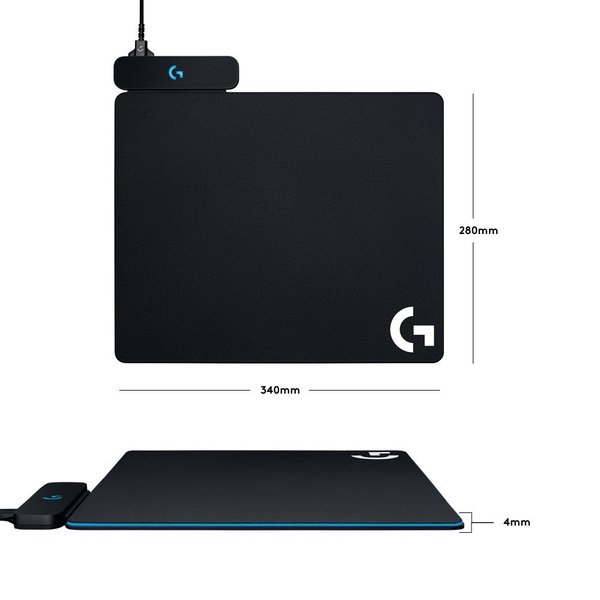
TL;DR: $100 and worth it. Charges slowly, but will keep your mouse alive without plugging it in. Shame that only two mice work for it so far. When I first stumbled on this mouse pad, I scoffed and wrote it off as a gimmick. Mind you, Ive spent this kind of money before on metal mouse pads from razer. I bought this for my wife just recently to "test" it, because she just got her first gaming computer and needed a mouse/mouse pad. As an avid PC gamer, I cant sing the praises of wireless mice enough, but the worst thing about them, is that they eventually die. Naturally, youd want a rechargeable mouse so you dont have to worry about batteries, however, I always seem to forget to charge my current mouse because the charge lasts long enough that I dont think about it (roughly 3 - 5 days). Whenever my mouse does die, I get annoyed because I feel stupid for not charging it and then I have to deal with the cord. This mouse pad solves every problem with wireless mice. It continuously charges the mouse, so long as its on the mouse pad(duh) even while in use. There is no lag or latency issues because the mouse communicates directly to the mouse pad. Youll never need to plug your mouse in again. The pad itself is excellent. It comes with two types of surfaces, a hard and soft one. You can swap them out and I havent noticed a difference in charge times or connectivity with either. The pad is also huge, much bigger than I thought it would be. The charging isnt fast by any means, but its fast enough to keep your mouse from dying, even while gaming. The only negative I can see is that youll have to spend $100 on the pad and then $100 on the mouse itself, but I dont take stars off for price. Its a premium product. I picked up the g903 with the pad and couldnt be happier with it. I wish I wouldve bought one for myself, but the wife has it, and that makes me sad.
XxAztecxX
5
Id like to start by saying that for years I was a Razer fan and was weary about going to Logitech. I have always heard good things about Logitech but I had too much investment into Razer. This was of course true until recently when Razer made me angry when I spent $250 on the Mamba Hyperflux, the wireless mouse that has wireless power. This mouse not only was scraping after only a month of use, the pad itself was so thin that the coils made the pad an uneven suface, making using a mouse on it a nightmare. In response to my issues with Razer and their quality control issues, I finally took the plunge to Logitech. I chose Logitech because it always had good reviews for build quality, which is my primary concern. I was absolutely not disappointed. I purchased a Logitech G703 and the Powerplay Wireless Charging System. The build quality of these products are exponentially better. The mousepad hard surface is what I chose on the powerplay and it is extremely accurate and smooth. I should also say that the Powerplay acts as the wireless adapter for the mouse as well, not needing a separate dongle for the mouse to communicate to the computer. Because of my extremely positive experience with Logitechs mouse and powerplay, I went out and bought a keyboard and headset as well. All in all, i am extremely happy with my purchases and dont regret leaving Razer. I say to all who are torn between Razer and Logitech, having been a Razer fan, Logitech is the better product. The matte black with green aesthetic doesnt make up for the problems with their build quality. 5 STARS!SS
Mohsin Q.
5
This setup is perfect for those owning a Logitech G703 or 903 like I do. No longer do I have to worry about plugging my mouse in. I hate the weight of a cable. Plus i can now leave RGB light on and not have to turn it off. Personally this is the best wireless gaming mice setups compared to the competition. Corsair has only 1 part of the mat which can charge which is only useful when you leave the mouse and not use it. And razer has another version where it powers the mouse but the mouse itself doesnt have a battery. So if you remove the mouse from the mat itll die in a few seconds. In short, if you love using your wireless mice, love having full logitech products and just want your setup to look elegant, this is the product for you. It will not improve your game in any way. But Itll give you a great accessory for your G703/903
Ace
5
If youre like me and you like gadgets and peripherals, having this wireless charging for wireless mouse has your name on it. Ive looked at the Corsair one as well but this one won out. It has a larger charging surface which really was the deciding factor. The pad allows you to also connect the wireless mouse to it so you dont need and to use up a second usb slot. The pad does not get hot or warm at all enough for your palm to notice. I also like the option of a soft or hard surface ( I personally like harder surfaces for speed and accuracy ). The only gripe I have is that there is no extra usb input or the ability to also link up the wireless keyboard (specifically the G613) which would mean only 1 usb port needed. Other than that, it is a very cool and fun accessory to show off to friends and co-workers.
Chris Acosta
5
Power the mouse so i can just leave it on the table without fussing with any cables at all. The one question i had when i bought it was what i wanted in the end: i thought it was a hard surface they sent you a soft surface to put over if you wanted. no, its a rubber surface (dont recomend using it naked for mouse usage) which you can EITHER put the hard surface or the soft surface on top (essentially properly sized included mouse pads that allow the power to go through). Dissapointed that it cant also charge my phone, but im pretty sure the tech that wirelessly charges the phone could not do what this mousepad does in charging the mouse wherever is its on the pad in any angle and position (as long as the bottom is facing the pad of course).. This is essentially a wired mouse without a wire to fight with while youre using it
E
5
Best thing to own next to the Logitech G903 mouse, no longer need to deal with wired charging mouse or to wait for it to fully charge, i just hook the wire through my old mouse bungee all the way to my pad and forget about wires or switching. This comes with soft and hard pads, i personally dont like the hard pad cause it makes my DPI way faster than i can handle or maybe its all about material preferences in that case i prefer the soft pad or sticking to my 2-3 months old pad atop the powerplay yes my mouse still charge, also the powerplay holds into my table nicely.

Showing 10 of 13 reviews

You may be interested
  • Bestsellers
  • Recently Viewed
 
Similar products
Fast and high quality delivery

Our company makes delivery all over the country

Quality assurance and service

We offer only those goods, in which quality we are sure

Returns within 30 days

You have 30 days to test your purchase