
















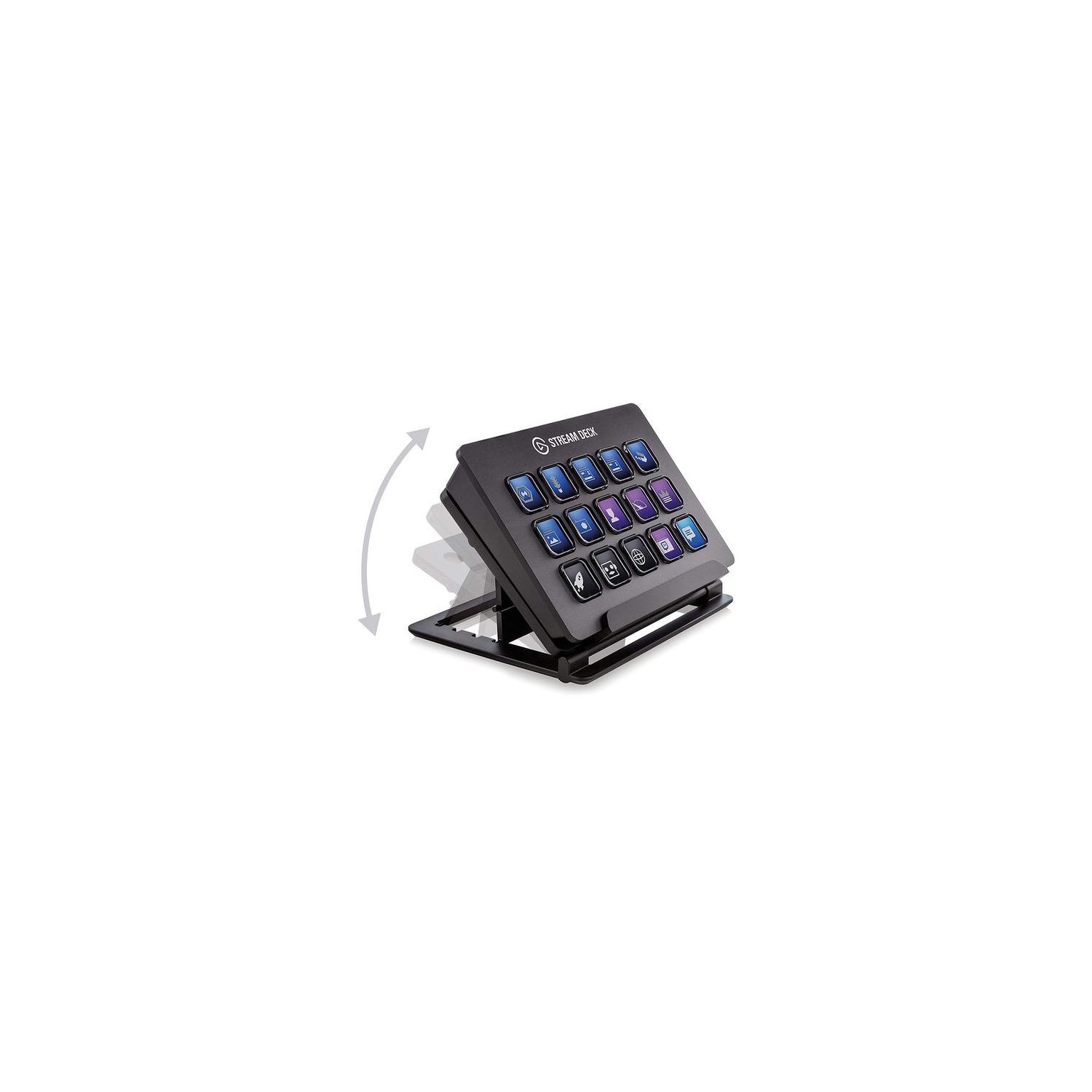
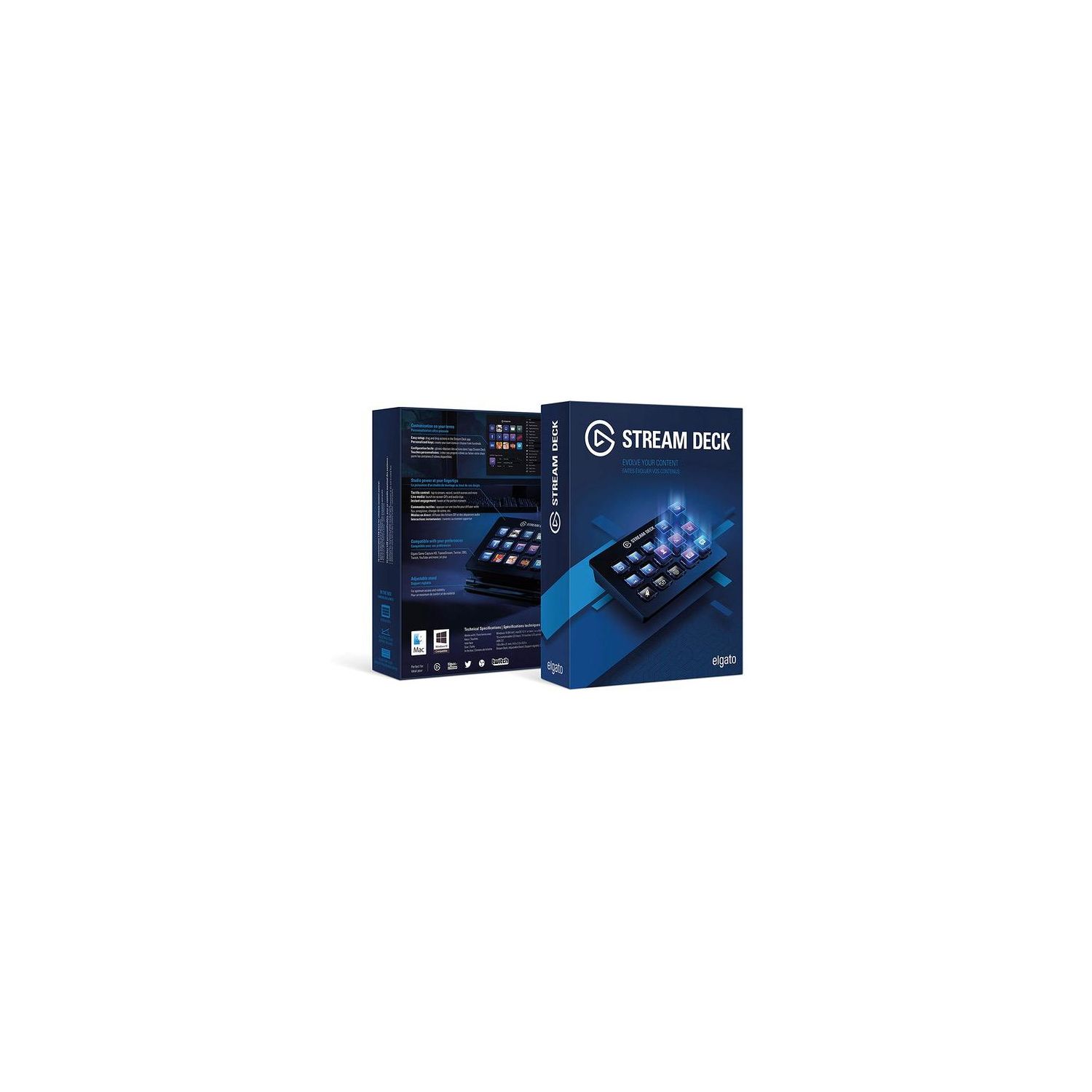
Elgato Stream Deck - Live Content Creation Controller with 15 customizable LCD keys, adjustable stand, for Windows 10 and macOS 10.11 or later

Write a review
B06XKNZT1P
Target is a general merchandise retailer with stores in all 50 states and the District...

City: US, New York

Delivery
Pickup at your own expense
Tomorrow from 09:00 to 20:00, Store location
Free
Payment options
Apple Pay Google Pay Mastercard Visa
Cash, bank card, credit/installment payments, cashless payment for legal entities
Warranty and returns
Exchange/return of products of proper quality within 14 days Official manufacturer's warranty: 12 months
Description
This fits your .
Make sure this fits by entering your model number. 15 LCD keys: tap to switch scenes, launch media, adjust audio and more Fully customizable: personalize keys with custom icons or choose from hundreds Direct integration: control Game Capture, OBS, XSplit, TipeeeStream, Twitch, YouTube, Mixer, and more Easy setup: simply drag and drop actions onto keys in the app Unlimited control: nest folders within folders to store as many actions as you want
Reviews
4.6
Reviews: 20
5 stars
75%
4 stars
15%
3 stars
5%
2 stars
0%
1 star
5%
Tech HD
5
0:00 0:00 This video is not intended for all audiences. What date were you born? January February March April May June July August September October November December 1 2 3 4 5 6 7 8 9 10 11 12 13 14 15 16 17 18 19 20 21 22 23 24 25 26 27 28 29 30 31 2019 2018 2017 2016 2015 2014 2013 2012 2011 2010 2009 2008 2007 2006 2005 2004 2003 2002 2001 2000 1999 1998 1997 1996 1995 1994 1993 1992 1991 1990 1989 1988 1987 1986 1985 1984 1983 1982 1981 1980 1979 1978 1977 1976 1975 1974 1973 1972 1971 1970 1969 1968 1967 1966 1965 1964 1963 1962 1961 1960 1959 1958 1957 1956 1955 1954 1953 1952 1951 1950 1949 1948 1947 1946 1945 1944 1943 1942 1941 1940 1939 1938 1937 1936 1935 1934 1933 1932 1931 1930 1929 1928 1927 1926 1925 1924 1923 1922 1921 1920 1919 1918 1917 1916 1915 1914 1913 1912 1911 1910 1909 1908 1907 1906 1905 1904 1903 1902 1901 1900 Submit Adobe Flash Player is required to watch this video. Install Flash Player The Elgato Stream Deck is a MUST for Content Creators, not just for streamers because there so much that you can do. You are able to open applications, set multimedia buttons, have shortcuts for applications, and of course their stuff for streaming. You are able to mute/unmute your mic and/or gameplay, tweet out when you are live, switch scenes, enables gifs, start/stop streaming, etc, etc. I use this for when Im streaming and using applications like Adobe Photoshop, Premiere Pro, Audition, basically whenever Im editing and making a video (makes it a lot easier with the shortcuts). Its come to the point that I cant work or stream without this device and its so useful that I think everyone thats a Content Creator needs
Michael Parks
5
While the Stream Deck is marketed towards people who want to control their livestreams (a task at succeeds at perfectly - one software install and nothing else was all it took to get it talking to OBS), it also works for damn near anything else thanks to its ability to do hotkeys! You want a mic spam soundboard for annoying your enemies? Sound boarding is built in to the software. You want a panel of controls for your spaceship in Elite Dangerous? You can emulate any input, so yes! You want macros for your favorite piece of business software? You can do that too. You want a simple app launcher? Yep, built in. I went into this looking for a stream controller and found something that does so much more. Think of this less as a streamer tool and more a completely customizable keypad, and let your imagination run away with what you could do here. 15 buttons is more than enough, combined with a folder system that can, as far as I can tell, be infinitely nested, and you have more than enough buttons for whatever it is you could possibly want. The software is light, unobtrusive, and fairly intuitive. If I had to come up with one complaint its that you have to do the button images yourself, either by dragging app icons or PNG images in - theres a neat icon creator on Elgatos website that the software will link to, but this is the minorest of minor complaints. If you cant think of a use for a programmable keypad, get this anyways. Youll figure something out in no time. Highly, highly recommended as an all-purpose tool for most computer users!
Frank Sawicki
5
Im not using this device for any of the "Live Content Creation" capabilities. Using it to store program, file, folder and website shortcuts; as well as programmed hotkeys for productivity software and games. Ive found the customizable icons to be the best and most powerful feature. Having a colored graphical icon is so much quicker and easier to identify than plain text. I have not had any of the software crashes that Ive seen some reviewers report, and there have been a couple of firmware updates pushed to it in the last couple of months. I also use an X-Keys XK-80 and a Cherry POS Programmable Keypad. While their programming capabilities are more powerful, Ive found the the Stream Decks user interface, key graphics, and ability to rearrange button assignments to be far superior. The Stream Deck also allows you to fairly easily export and import programmed profiles, so you can have an unlimited number of profiles for different use cases. I would have preferred seeing a mini USB port, instead of a hard-wired USB cord. The instructions recommend not connecting through a USB hub; however, Ive been using it through a POWERED USB hub without an issue. For anyone planning to use it heavily for hotkey programming, note that the software presently does not recognize the difference between left and right modifier keys (Shift, Control or Alternate), although their tech support told me that they may consider it for future firmware updates. A great piece of hardware.
NightFallBishop
5
So a lot of people ask, why should I pay 150 bucks for what is essentially a macros keypad. The answer is the software. Elgato(and now corsair, who bought the company), have made it deceptively intuitive and simple to program complex commands and have them on the gamepad. I mainly use this for streaming my video games, so my knowlege on the adobe software macros are limited. But let me tell you, my workflow for streaming has become enjoyable. make a clip? press of a button. place a marker? Theres a button for that. The possibilities for me are just starting, so I cant imagine what someone who knows what theyre doing would be able to do with this. The software was buggy at first, but they are constantly updating and improving the app. Additionally, the model that I didnt work. Corsair was quick to respond and sent me a replacement quickly.
Eric Nebel
5
Like many others whove purchased this before me, I think this is the best thing for streamers since the capture card. It has so many functions and things that it can do, it blew me away. I wont get into the technical details, because there are plenty of other reviews that can explain it far better and youve probably read them by now. I like everything about this device so the easy review is to list a few things that could be better: - The buttons are very vulnerable to glare, even at 100% brightness. - For the little ramp/tray that holds the deck up at an angle, needs some rubber feet so it doesnt slide on a smooth desk. - Longer cord. The 3-4 foot cord isnt awful, but for those of us with a large desk, youll have to use a USB port. BIG THING HERE!!!! There are many reviews on Reddit and Amazon that say you cannot use this on a USB port. THAT IS NOT TRUE! The device is USB 2.0 and requires more power than a USB 2,0 port allows. How do you fix this? BUY A USB 3.0 PORT! Look at the one in my picture, had it for two years and the stream deck plugged in an functioned with ZERO issues. So dont listen to the naysayers who are ignorant, buy a USB 3.0 port that HAS EXTERNAL POWER feeding it, and youll not need to worry about the short cord.
gerigren
5
This thing is great, hard to believe its the price it is, in many ways it makes itself far more useful than more expensive equipment. It is good for streaming, no doubt, and allows streamers (or just people recording videos) to do things like camera cuts, transitions, whatever, very easily and naturally, without having someone else running the board for you, which lets face it, 99% of streamers cant afford that sort of overhead to hire board ops, and friends only show when theyre able. The automatic links with OBS and other programs are definitely useful. However, even though its made with streaming in mind and those are the programs its most tied to, it can do anything that can be hotkeyed, which is an awful lot, and unless you have a great memory, itll save you a ton of time switching between programs. I believe you can even set specific profiles to come up with specific programs, so that you have the right buttons. I have my home screen split up into sub-folders for different programs - one for OBS, another for a DAW, a third for Photoshop, and Im working on filling out a fourth for general purposes, figuring out whats most useful and not worth doing with something else - but I have an unusually large amount of button options, with extras on my keyboard, mouse, and a ShuttlePro v2 for Adobe Premier that has a ton of buttons of its own. If I had less, Id have already filled up more of the stream deck. And it just speaks to how huge it is that Im only less than 1/3 of the way through what I can do - and even then I think I can load entirely different setups, if I ever need to. I cant even begin to guess at how much time this thing saves, its totally worth any time it can take setting it up, which is really more about figuring out a good layout and plan, because the software makes it easy. If you arent photoshop-savvy, you can make icons through their site, although you can also make your own and upload them to be made into icons as well, which I find especially useful for OBS, so rather than having generic scene icons I can have mock-ups of the layout it would bring up, and have a green background if its the current live camera. Meanwhile, I also have the stream button set to be a gif, just so its not easy to accidentally stream without knowing it - thered be a flashing button in my face. All that with minimum effort.. Seriously, dont tell them, but people would probably pay $500 for this thing.. and dont listen to anything about poor quality. It has a plastic stand, but it feels extremely solid, runs very quickly, absolutely zero issues. If people have issues it is more than likely their computer. I wish I was as happy with every purchase and found it as useful as I did this.
Public Domain
5
This product is versatile and extensive with just the built in features, throw in the knowledge of how to script in autohotkey or another program, and you get an infinitely more useful tool. I have tested this product for streaming, and it works amazing with the built in features to control OBS. The key creation website is easy to use and everything is very simple and easy to use. However this is only the beginning of this products potential. I have created scripts to help me in my workflow at work as well as content creation at home. Creating individual folders for certain applications, creating folders within those folders for more organized workflow. For example I have a Premire Pro folder that has a bunch of normal commands I use, then a folder within that that has hotkeys set up to launch scripts I have to automatically throw certain effects or transitions on clips. Then for work I have more scripts that I use to automate my workflow, after showing this to my boss he was impressed and wanted the link to it himself for potential companywide use. All of this is made even easier by being able to assign specific Icons to each key, making it easy to remember where I have stuff stored. The only things I will complain about is the cable, which is relatively short, I have a sitting and standing desk, and it needs to go into a powered hub or motherboard to work. The other thing is that the keys fee slightly loose, I am not certain if this is just because of the rubber domes in general or the type they used. Bottom Line This gear is perfect for what is advertised for and is very simple to use in that regard. However if you have the itch to take it further and create more uses for it using scripting, your possibilities are endless with this piece of gear.
Amithus
5
I have been using the Stream Deck for five days. I must say this is exactly what I’ve been looking for. I’m NOT a streamer, but I’m an IT pro as well as a gamer. I’m always looking at cool new ways to interact with my computer over icons on a desktop or mouse / keyboard. The games I play have a lot of key binds and I do a lot of listening to audio while playing which being able to control these things without having to minimize your game is wonderful. I’ll start off by saying I’m running Windows 10 and it’s working great. For those comments that say you can’t get the Stream Deck to run key combos while you’re in game, you need to run the Stream Deck engine as admin, only because your video game or other app is running as such. Any game / app that isn’t running as Admin can be easily used without setting this. Installation is simple and easy to understand. The USB cable is fixed to the device, which does kind of suck, but I’ve been able to run it with a USB extension cable and it’s working fine. I’ve found it a sinch to get custom key icons, I just go to Google and type in whatever I’m looking for such as “Razer Logo” and download the one that looks like what I want and set it to the key which makes it much easier to learn as you can identify the keys much faster. The device is snappy and has zero lag when pushing buttons. You can make “folders” which is a button that gives you a whole new set of buttons, think of it as a folder on your smart phone when you have a group of apps. This is a super nice feature and I didn’t even expect that it would do this, but it does. I know some people say that they are bummed that it will only allow folders on the top level, but this is probably needed as making a folder structure that is 3 or 4 + layers deep would either slow down the device or just make it stop working all together. I find the size of the device to be about perfect. The buttons are not so small that you have to overly divert your concentration to hit them and they aren’t so big that it’s obnoxious. They really did make this easy to use. You can also brighten or dim the buttons depending on your environment. I find this nice as when I’m gaming at night it’s not beaming into my eyeballs. I do wish there was more functionality for things not related to streaming and such. I would like to see more multi press or even macro support like a proper mouse or keyboard driver does. I would also like to see a way to make multiple profiles, say one for work and one for gaming, this would give the device a lot more functionality. I’m going to be writing the company after this and letting them know these requests as I really do think this sort of device is the future for input. People are looking for more ways to simplify their computer use or to add that functionality that they want and this is that device. The fact that the keys are OLED screens so they are illuminated custom icons really makes this device sing. If it were like it’s competitors where you have to make tiny paper cutouts and then back light the paper, it just wouldn’t do. I would recommend this device to anyone looking for custom key inputs for their computers, games or simulators. This will be installed in my iRacing sim as a replacement button box and I’ve already told about 10 people about this and they are all buying one. Even with the fact that it’s the first version with only key press assignments or launching apps / websites, it’s still enough to get started and I look forward to what they might do in the future. I will update this review if anything changes.
Jake
5
I have to say that I love this thing. I read a majority of the reviews here on Amazon before I placed my order, and I can say that 95% of the complaints in other reviews are unwarranted. Complaints others have had: - Short/Fixed USB Cable :: I dont understand this one. Every single wired keyboard and mouse Ive ever owned had a fixed cable of the same length. If it doesnt work for you, neither do your mouse and keyboard. - LCD "ripples" when you press buttons :: Try not pressing buttons like a 200lb gorilla. Mine doesnt ripple unless I really try to make it do so. - Theres no built-in functions for MYSOFTWARE :: ... This one annoys me greatly. Its built for streaming software. It literally has STREAM in the name. That said, you can set up custom key binds with custom images for the keys all you want. They work great. I have mine doing a dozen functions that technically arent supported for OBS, Photoshop, and several other programs. - It feels cheap/cheaply made :: What planet these people live on is beyond me... This thing is amazingly well built. - Theres a long delay when I press buttons! :: Try not streaming on a potato. Mine works beautifully. Any delay is on the users end. (too much BS running in the background/slow computer) - Its overpriced! :: If you think this is overpriced, you havent looked at similar products. Programmable keypads with similar functions (with NO LCD) are just as/more expensive. - Theres only one LCD, its not individual displays for each key! :: Who cares? It functions and looks great in the process. My Complaints: - Fairly minimal native OBS options. This is easily overcome with custom key binds, it would have just been nice to have things like mute mic built-in. - Always on display. It really needs to pick up on when the PC display shuts off due to inactivity and do the same. (or shut off when the computer is locked, either way) The TLDR: Its great. It works beautifully for streaming, and just as well as a general productivity helper. I dont regret ordering mine and I doubt anybody else will either.
Ron G
5
Absolutely worth every penny and more. The Elgato Stream Deck is something you would expect 20-years from now. In my opinion, everyone can benefit from one of these. You can access anything from your pc I.e.: Netflix, social media, multimedia, photoshop, favorite websites etc. I keep trying different configurations and it handles anything I come up with. It is easy to setup and configure. The keys are slightly larger than your keyboard keys. They are highly customizable. You can ad domain icons, photos and even create your own through the Elgato software and photoshop. They have a mechanical feel when activated without the noise. For those who travel, you can easily take the Stream Deck with you. I can see someone who travels to do a presentation or lecture never leaving home without it. A person in Sales, Marketing, Stockbrokers etc could use the Stream Deck as a tool. I am going off track a bit but I wanted to let people know that you can do a lot more with it than Streaming and recording game play. Feel free to visit my Twitch channel for a demonstration at rlgehlen. I am usually on in the evening but could login for a brief rever. Just respond to the review. You are really going to enjoy the Stream Deck.

Showing 10 of 15 reviews

You may be interested
  • Bestsellers
  • Recently Viewed
 
Similar products
Fast and high quality delivery

Our company makes delivery all over the country

Quality assurance and service

We offer only those goods, in which quality we are sure

Returns within 30 days

You have 30 days to test your purchase