



























Eshcole
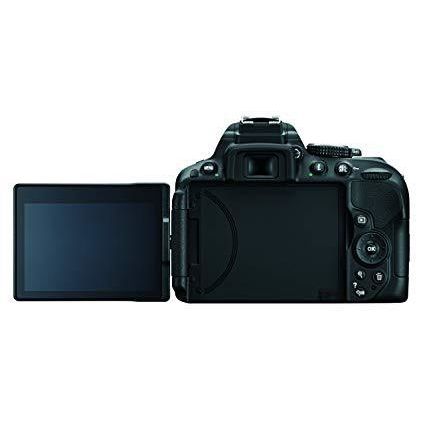
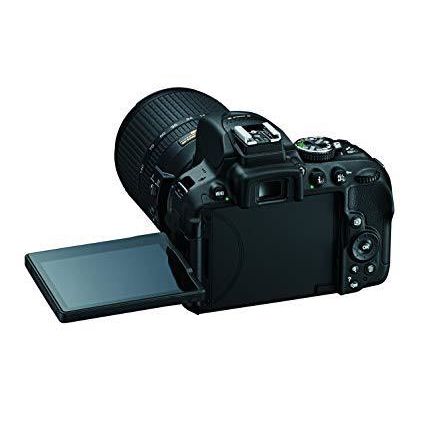
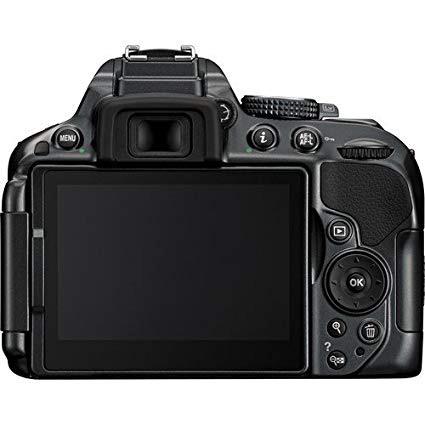
For those who like video go here for a quick look - https://youtu.be/AsyukB3j4zk For more details keep reading! Now Im coming from the Nikon D3100 which I used for all my YouTube videos up until now so Ill be comparing to that. Ill also be coming from a YouTuber point of view. If you need a professional review for your pro film or photography work please find a better review. Its amazing how much more you get with this camera considering it feels just as light as the D3100. Some of the extra features you get from this upgrade: Higher ISO Range Better ISO scaling (instead of jumping up 100 to 400+ ISO with every knob turn. You can go from 100 to 125 for example) 24MP sensor over 14MP (if you want to take pics that big) MIC port Better built-in mic(if you use that) Wifi More auto focus points(39 from 11) Movie Live View Mode Flip-out Viewfinder (and that viewfinder is slightly bigger as well) Cleaner Software Interface 1080p @ 30fps or 60fps ..too name a few Alright, so how have these upgrades helped my YouTube videos? The Flip-Out viewfinder not only helps me to find focus easier but it also helps me see when Im properly in the frame or not (like when Im telling people to check the description or cards above) without having to stop the video and play it back on the camera or check on my PC. With my D3100, I needed to use PC monitor as a viewfinder to make sure everything was in focus and center frame while showing a product or speaking. However, please note that the viewfinder on any DSLR camera will always be too small to guarantee focus in many situations. Focus on the viewfinder then shoot a few seconds of video then check on your PC to make sure youre actually in focus if you find yourself constantly slightly out of focus. Of course, you can always just buy a separate monitor thats made specifically to replace the DSLR viewfinder and show you the colors and focus properly which usually cost a couple hundred dollars or more but if youre happy with your current DSLR and just want a better viewfinder, I recommend going that route. The MIC port now gives me the option to record audio straight to the camcorder if I wanted to with quality mics. I do have other people in my home that shoot videos as well on other channels and they stay very close to the camcorder as they record cause they dont like using external mics. Now they can get better audio on their videos by plugging in a shotgun mic. Im personally a fan of the external audio I capture with my Zoom H1 and Giant Squid Lab lavaliere. Better ISO scaling and higher ISO range helps me get the lighting for my videos just right without creating noise in my shot. Lighting doesnt only depend on the actual physical lights but also on the DSLR capabilities. The D5300 allows for more minute changes to the ISO so I can go up by 25 ISO for a subtle bump in brightness to get my picture just right without having to jump up over 100 ISO than go fiddling with my F-stop, exposure, etc. like you have to with the D3100. This combined with the better sensor also helps when taking product shots outside in low light or anytime I dont feel like setting up the studio lights just for a few good pics. 1080p @ 30fps or 60fps is awesome. On my D3100 I was limited to 23fps which is not a bad thing considering most movies you see nowadays are shot in 24fps but I kinda like how motion looks on my videos in 30fps compared to 23fps. Combined that with the previous points on ISO and my videos are looking loads better. On another YouTube channel with my bro where we talk about local and world news, I shoot in 60fps cause theres a ton of motion from laughing to hand and head movements as were talking about each story so I shoot in 60fps. The user will actually see a bump in overall video quality from it as opposed to when its just me talking on my personal channel and 60fps doesnt matter as much. Movie Live View Mode is a god send for many but for me its just another nice option and I dont use it often. Youre limited to F1/30 or higher in this mode but you can now see immediate changes to your shot as you make them like when you change you ISO or change your F-Stop without having to come out of Live View and go back in. It can save me a little to a lot of time in some situations like when shooting outside and the lighting suddenly changes. The 39 auto focus points ensures that the camera focuses fast and the D5300 is noticeably quieter when taking a picture which improves the photography experience a lot. Alright, so no problems at all? Oh, there are a few problems. The MIC Port placement couldve been a little better. Due to the big flap over the port, if you plug-in anything to them, youre going to be blocking the viewfinder partially when its flipped out. Theres something strange going with one of the lighting settings (exposure, f-stop, iso) but I dont know which one cause as Im filming video the lighting suddenly changes very subtly every now and again and this is while Im on Manual mode indoors with studio lighting so Im not sure how thats possible. The button placement is quite different on the D5300 than the D3100 as well. The Function (Fn) button (which is set to be your ISO button by default), the "i" button, and every button that was on the side of the viewfinder on the D3100 has a new placement obviously due to the viewfinder flipping out and Im not exactly a fan of the new placement. The ISO button is slightly higher and closer to the flash button so I accidentally pop up the flash when trying to change ISO on the fly. I kinda did that already with the D3100 but it was not a big problem cause the button wasnt that close but its actually closer on the D5300 which is quite frustrating. The different shooting modes used to have a lever you slide back and forwards to switch between them (continues, single, timed, quiet shutter). Now you have an awkwardly placed button way down between the Lens release button thats difficult to reach without looking. At least, you have a remote mode now which I dont think the D3100 had at all. Alright, thats it. Thank you reading this and I hope it helped you a little in your buying decision.


